Step 1 · Create a GCP project
To use any Google API, you need a Google Cloud project as a container. The OAuth client and the API enablement settings live inside this project. About 2 minutes. You can reuse an existing project, but a dedicated Kura-chan project is recommended — it’s easier to delete later and won’t get mixed up with anything else.
-
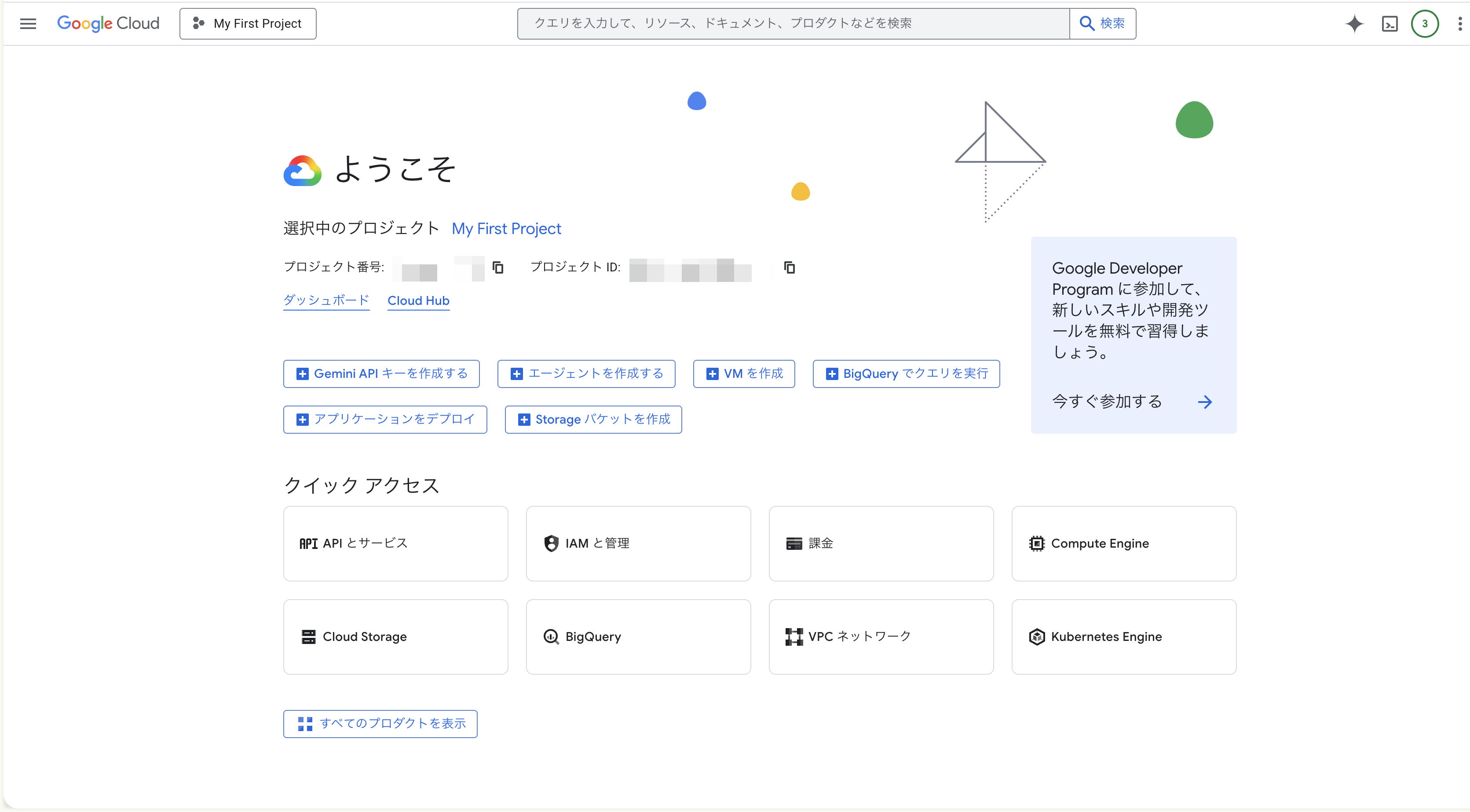
Open Google Cloud Console and sign in
Go to console.cloud.google.com. Sign in with the Google account you want to connect.
First-time users will be asked to accept terms of service and pick a country. Accept and continue.
-
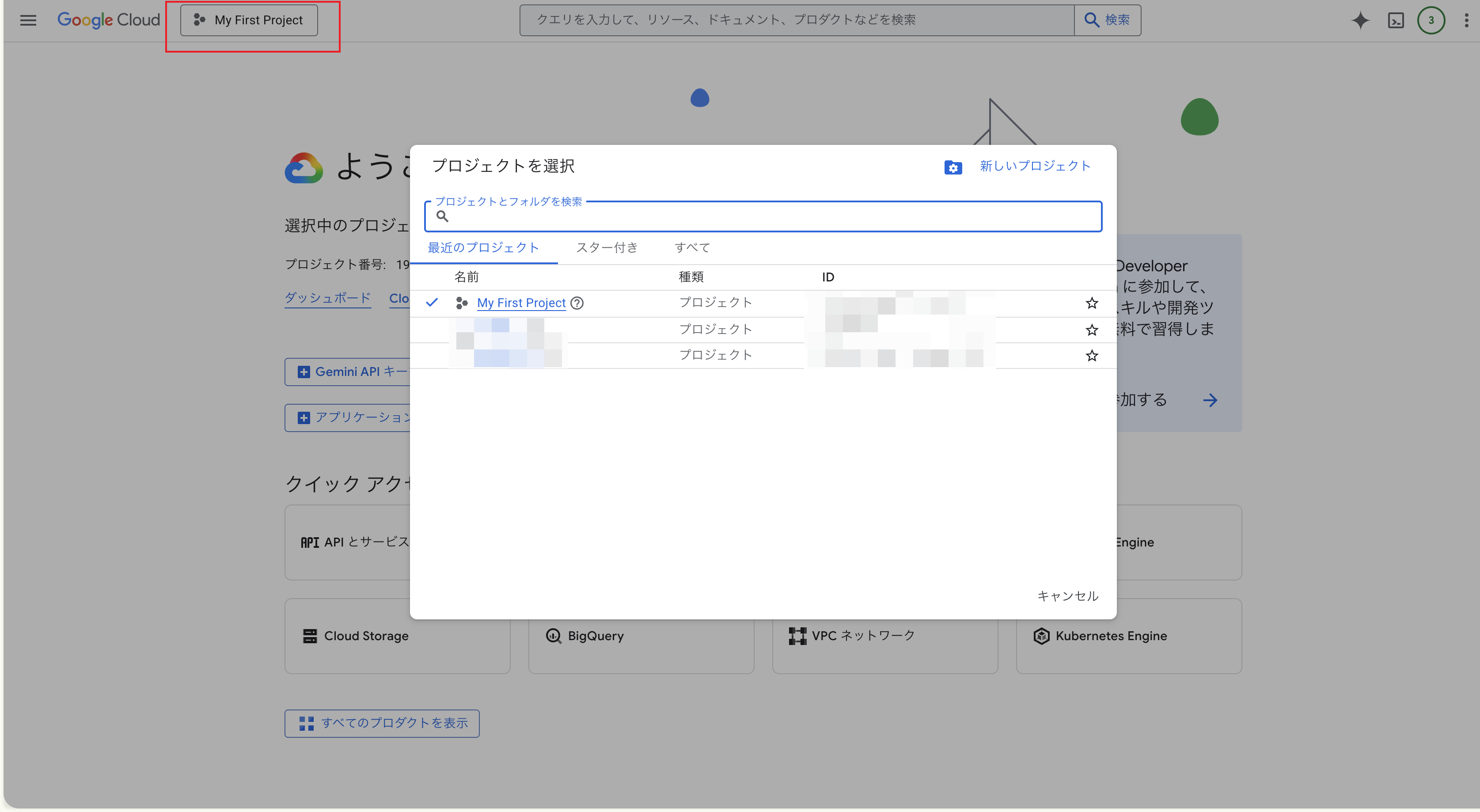
Open the project picker
Click the project picker at the top of the page, just to the right of the Google Cloud logo. Same place even if another project is already open.
-
Click “New Project”
Top-right of the dialog that opens.
-
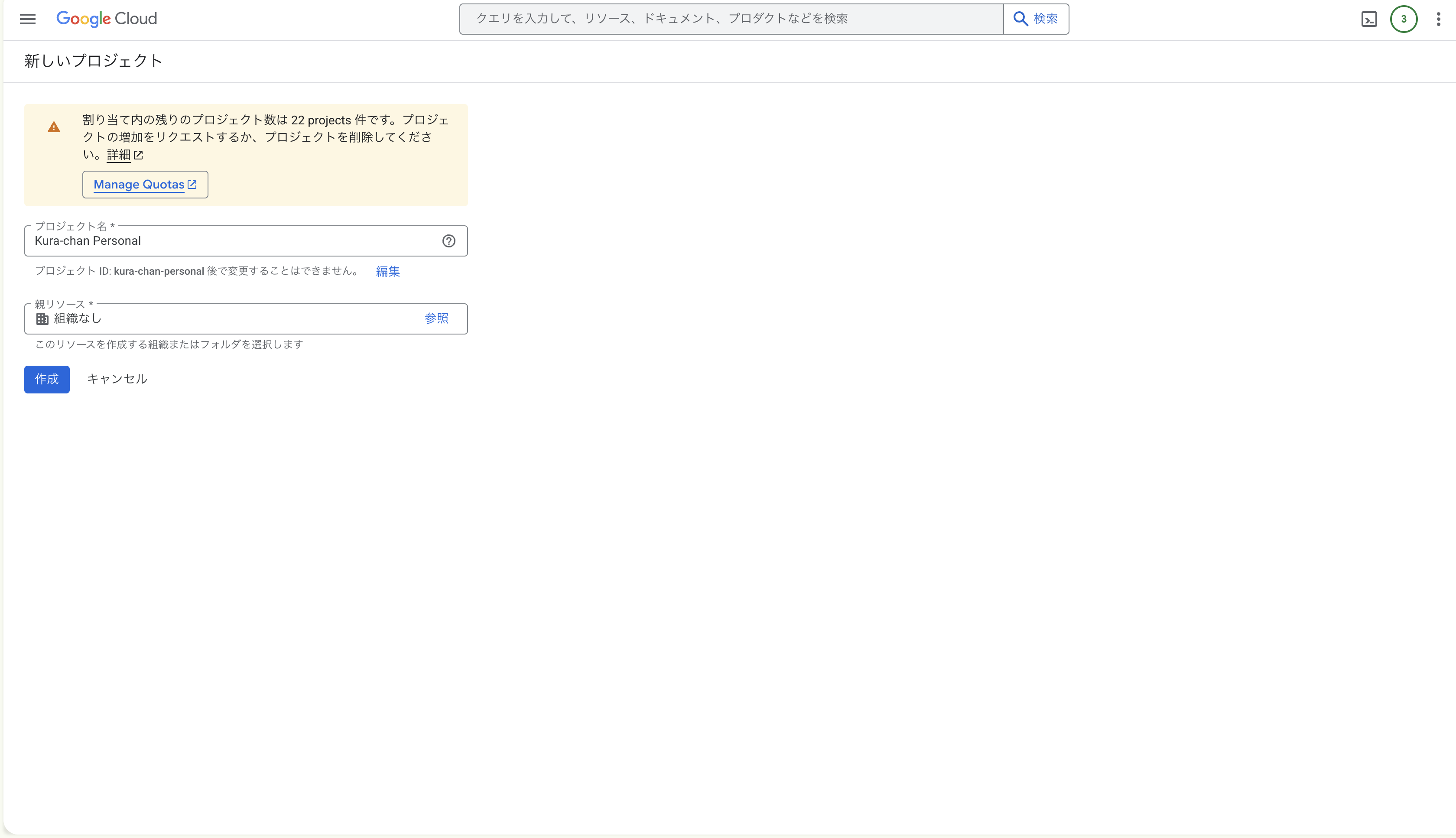
Name the project
Enter
Kura-chan Personal(or any name you like). The project ID auto-generates as something likekura-chan-personal-XXXXXX.Organization field:
- Personal Google accounts: leave as “No organization”
- Workspace accounts: keep your org selected (jumping organizations may require admin approval)
-
Click “Create” and wait 10–30 seconds
The notification bell at the bottom-right will show “Project Kura-chan Personal created”.
-
Select the project you just made
Open the project picker again, click
Kura-chan Personalin the list. The top bar should now show the project name.
Common gotchas
Section titled “Common gotchas”Project created, and the project picker shows Kura-chan Personal? Move on to Step 2 · Enable the APIs.