
Connect LINE
The LINE connection entry is in the Kura-chan app under Settings → AI Chat → Chat channels, and you connect by scanning a QR code.
You can link multiple LINE accounts to one Kura account.
Connection steps
Section titled “Connection steps”-
Click the sections menu in the top-left corner, choose
Settings, and openAI Chat. -
In
Chat channels, clickLINEto expand it, then clickGenerate QR code.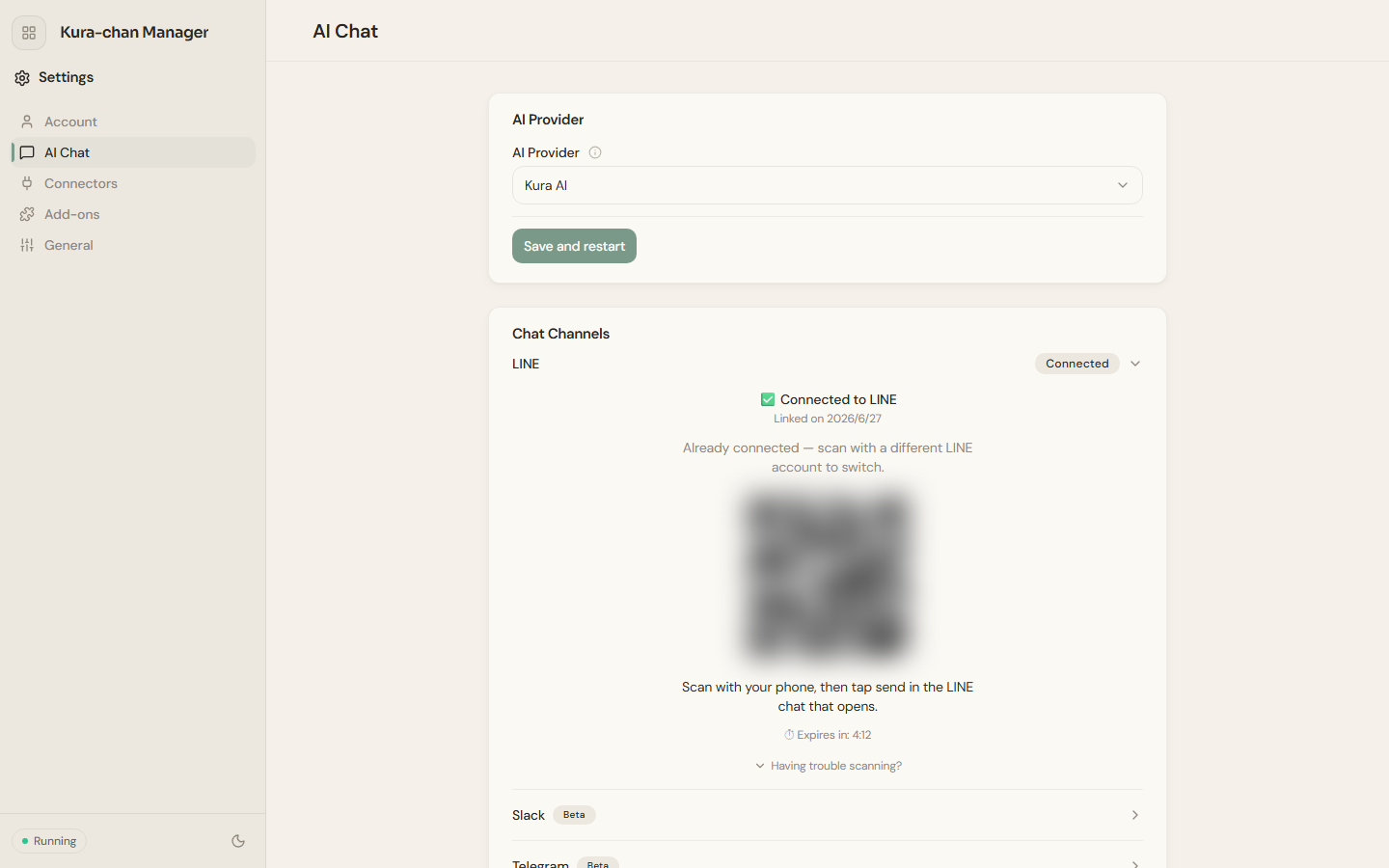
-
Scan the QR code with LINE on your phone. The code expires after a while (the page shows a countdown); if it does, click
New QR code. -
In the LINE chat that opens automatically on your phone, tap send.
-
Back in the Kura-chan app,
✅ Connected to LINEmeans the binding is done.
After connecting, send this in LINE:
What can you do?If Kura-chan replies, the binding is working.
What’s next
Section titled “What’s next”After connecting, try Receipts and business cards or Photo search.