
Kura-chan app: General
The General panel gathers language, timezone, software updates, and system maintenance actions.
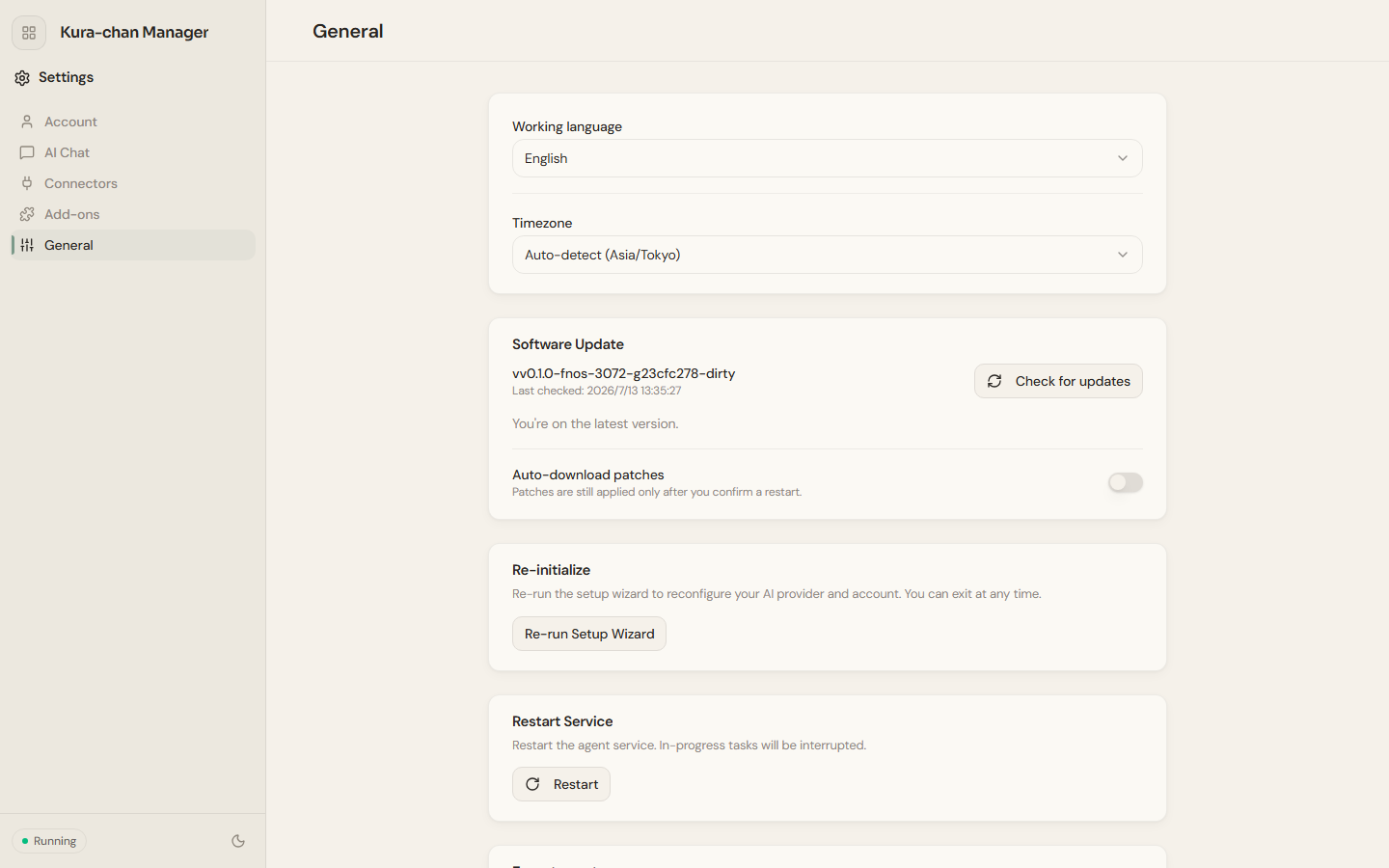
Working language and timezone
Section titled “Working language and timezone”Working language: switch the interface language (中文 / 日本語 / English) from the dropdown; the change takes effect immediately.Timezone: defaults toAuto-detect, and can be set manually.
Software update
Section titled “Software update”Software update shows the current version and when it was last checked. Click Check for updates to check manually. Turn on Auto-download patches and Kura-chan downloads patches automatically, but a patch is only applied after you confirm a restart.
Re-initialize and restart
Section titled “Re-initialize and restart”Re-initialize→Re-run wizard: re-run the setup wizard to configure the AI provider and account. You can exit and return anytime.Restart service→Restart: restart the agent service; in-progress tasks are interrupted.
Export and import the agent
Section titled “Export and import the agent”Export agent: export the agent’s knowledge, work, and settings to an encrypted file. Export requires setting aPassphrase. Account, device identity, and channel connections are never included.Import agent: merge an exported agent into this instance; entries with the same name are overwritten, and the agent restarts when done.
Next steps
Section titled “Next steps”Once first-time setup is done, go to Photos → Preferences to add a photo source.