
RELEASE NOTES · WHAT’S NEW
Turn photos into memories. Make recording effortless.
Changes from v0.11.2: disliked photos, album suggestions, collages and movies, receipt and business card recording, plan displays and update notices.
Released: 2026-10-12 · Client v0.11.3 · Compared with v0.11.2
This update adds ways to organize, revisit and create with your photos, and reduces repeated confirmation when recording clear receipts and business cards.
Hide disliked photos without deleting the files
Section titled “Hide disliked photos without deleting the files”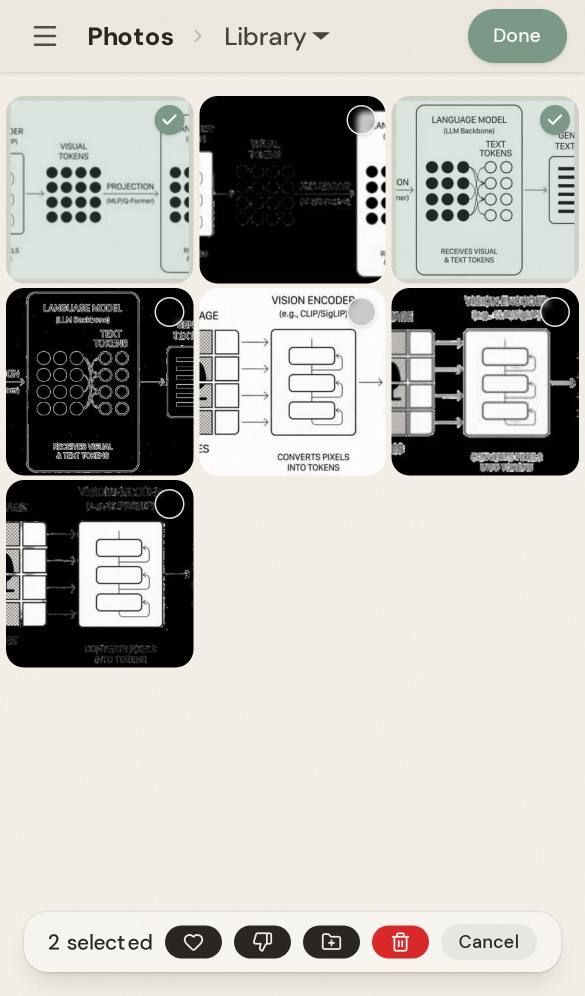
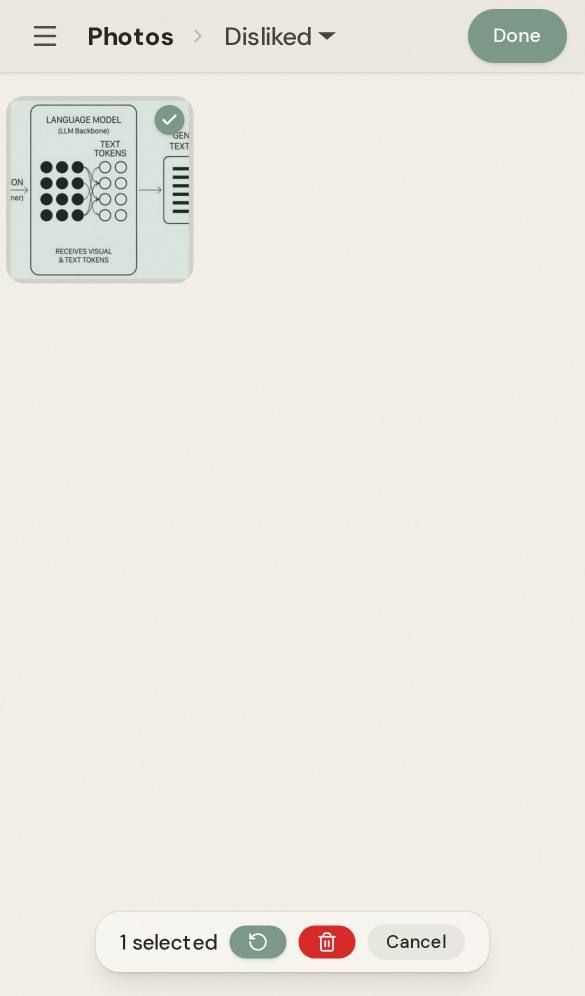
Mark a photo as Disliked to hide it from the library, albums, people, places, memories, AI collections and default search results. The original file stays in place, and you can restore the photo at any time.
- Use the thumbs-down button in the photo selection toolbar or full-screen viewer.
- Manage and restore photos from Disliked under Utilities in the photo sidebar.
- Disliked and Favorite are mutually exclusive: setting either removes the other.
- Kura-chan normally excludes these photos from search, unless you explicitly ask for disliked photos.
Suggested albums bring trips and everyday moments together
Section titled “Suggested albums bring trips and everyday moments together”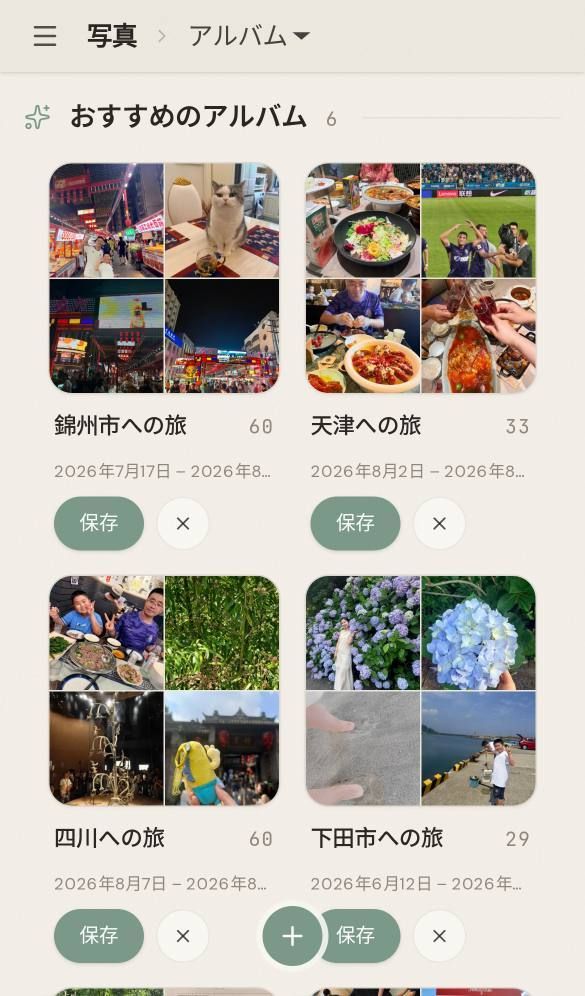
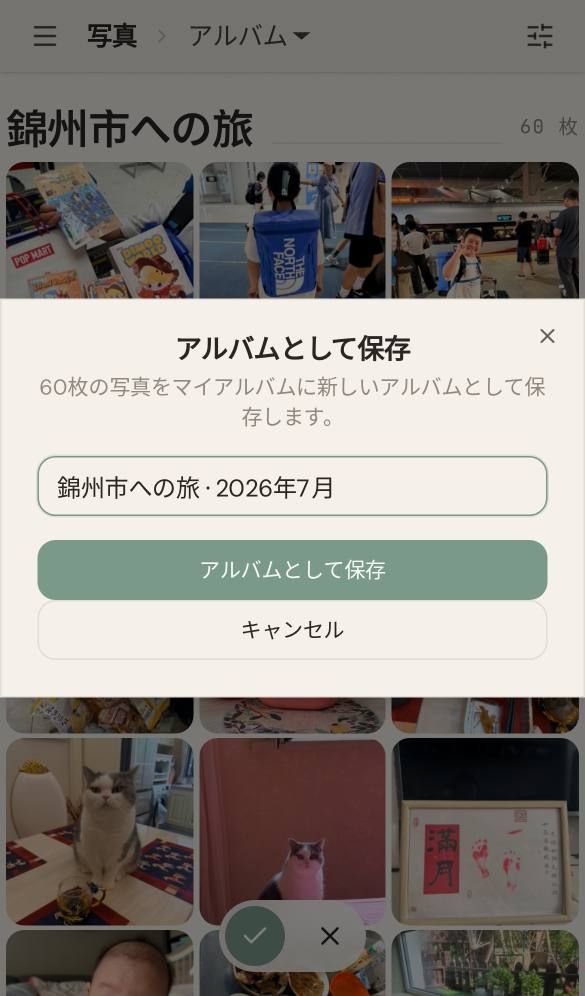
The top of the Albums page can show up to six suggestions based on trips, gatherings, seasons, pets and more. Preview and save a suggestion to create a regular album with the same photos. Dismissing a suggestion prevents it from appearing again.
Suggestions are generated in the background and may not appear for every library. Seasonal and annual albums require the relevant period to have ended. An annual album for a person also requires a name and photos from more than five different occasions during the year.
Create collages and movies from 2–9 photos
Section titled “Create collages and movies from 2–9 photos”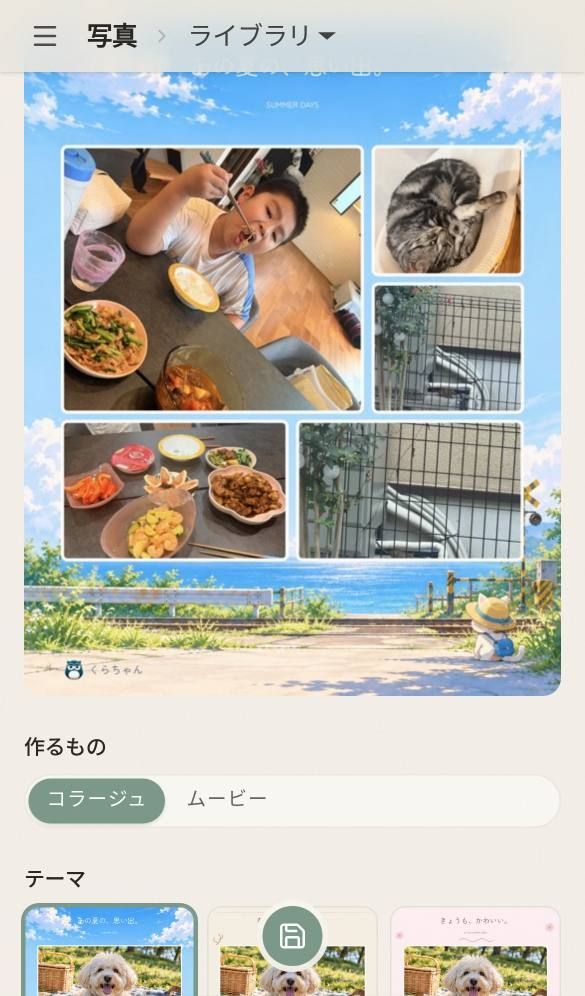
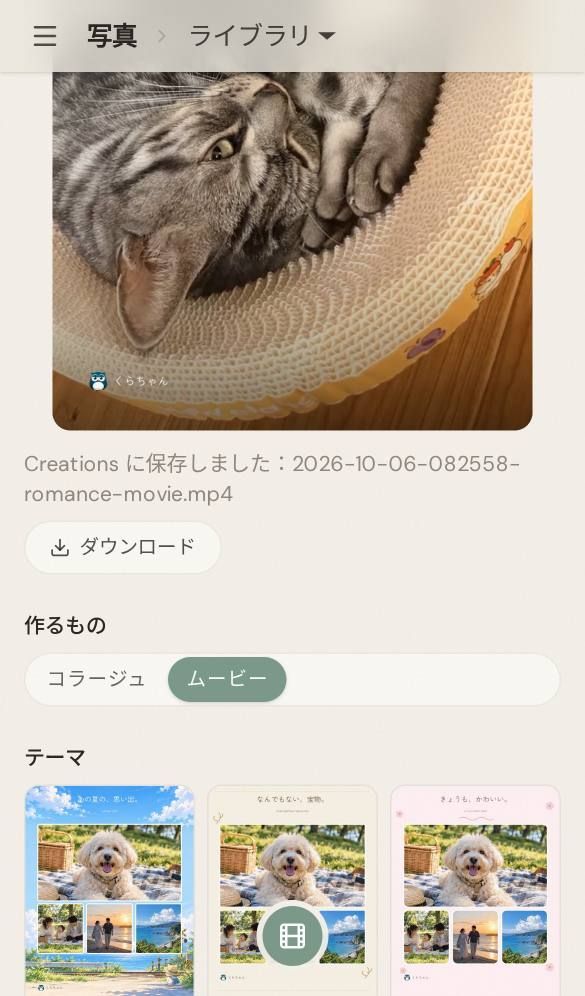
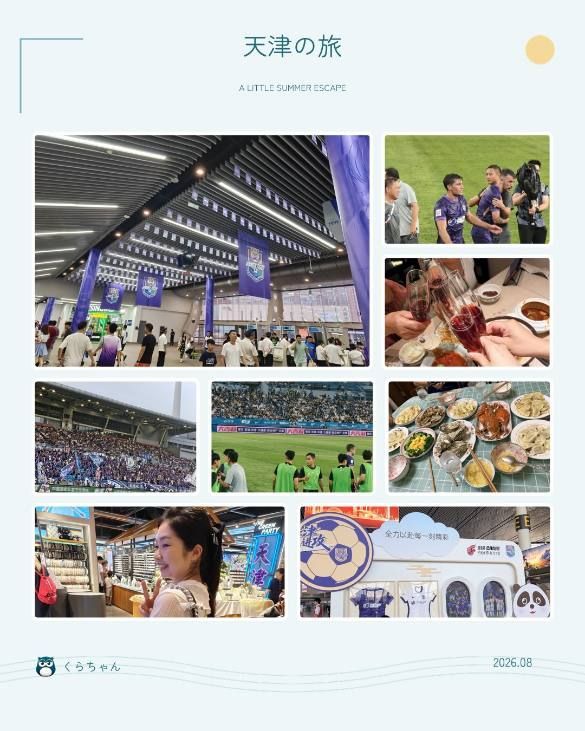
Select 2–9 photos to create a vertical collage or a short vertical movie with gentle zooms and crossfades.
- v0.11.3 includes five themes, with theme changes, photo position swaps and title editing.
- Switch to Movie in the editor to create a video.
- Save your creation to the
Creationsfolder in Kura Drive or download it directly. - Ask Kura-chan on LINE to create a collage or movie, or revise its title, and receive the finished image or video directly in the conversation.
The theme count above is specific to v0.11.3. The photo showcase covers a newer development build and may differ.
Record clear receipts and business cards directly
Section titled “Record clear receipts and business cards directly”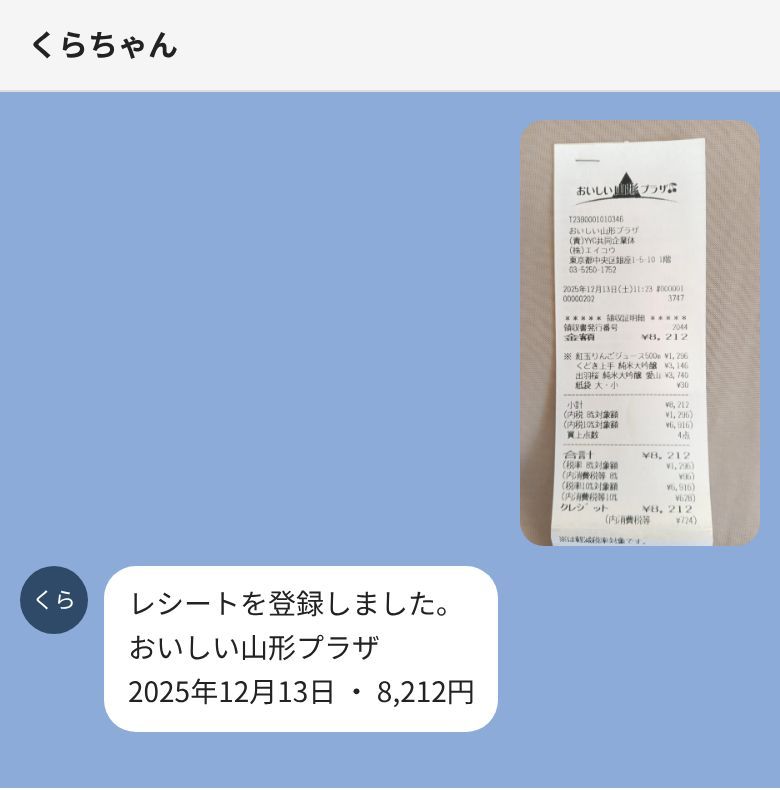
Send a clear, complete receipt or business card photo on LINE, and Kura-chan records it and replies with key details: merchant, date and amount, or name and company. Blurry or incomplete photos prompt a question first.
During related conversations, such as questions about spending, Kura-chan can offer once to process unrecorded receipt or business card candidates in AI collections. With your agreement, it reviews about ten at a time: clear matches are recorded, non-matches are removed from the candidate list while their photos remain, and uncertain cases prompt a question. Declining stops further suggestions for that conversation.
Plan comparisons focus on usage allowances
Section titled “Plan comparisons focus on usage allowances”Free and Lite can also use AI photo search, articles, receipts and business cards in Memory Kura, and photo search in chat. Plans primarily differ in usage allowances for these features.
Upgrade cards in Settings → Account now show allowances relative to Free. Check your account page for your actual allowances.
Clearer version numbers and update notices
Section titled “Clearer version numbers and update notices”The client version stays visible at the bottom of the desktop sidebar or the mobile menu, making it easier to include when reporting a problem.
When the cloud service requires an older client to update, newer clients can display a notice and, once service-blocking conditions apply, an Update required page. Older clients receive notices in chat. Follow the update notice actually shown for your client.
Google connection changes
Section titled “Google connection changes”Gmail and Calendar connections now use the updated authorization method. Existing connected Google accounts can continue working.
Article published: 2026-10-14. Features described here apply to v0.11.3. See later release notes for subsequent changes.
Images come from the v0.11.3 release materials and retain their original interface language. The receipt conversation is an illustrative example.