
Create a movie
Movies turn a group of photos into a short vertical video with gentle zooms and crossfade transitions.
Create and save
Section titled “Create and save”- Select 2–9 photos and open the collage editor.
- Switch to Movie (「ムービー」 in Japanese), then choose a theme and adjust photo positions and the title.
- Review the generated movie and save it to the
Creationsfolder in Kura Drive or download it.
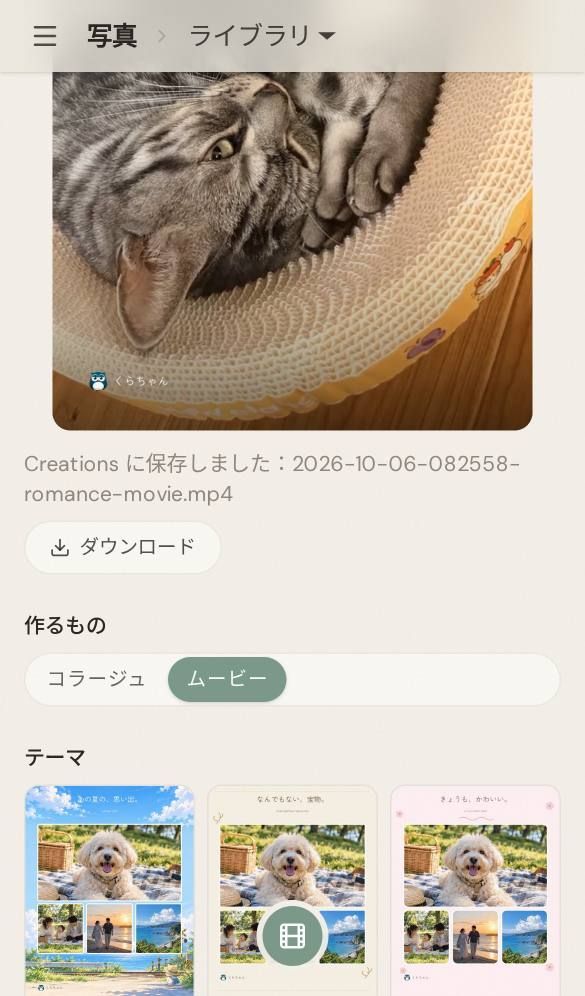
The current release supports 26 themes. See the photo showcase for examples. Available themes depend on your installed version.
Create from LINE
Section titled “Create from LINE”You can also ask Kura-chan on LINE to create a movie or change its title and receive the finished video in chat.
Turn these photos into a vertical movie titled “Summer memories”.Photo movies and AI photo editing are released. Natural-language AI video editing remains planned.
For a still image, see Create a collage.
Screenshots are from the v0.11.3 material and retain its original interface language.