
Connect WeChat
The WeChat connection entry is in the Kura-chan app under Settings → AI Chat → Chat channels, and you connect by scanning a QR code.
Before you begin
Section titled “Before you begin”First make sure your WeChat account meets the Before you begin requirements: signed in with a mainland China number (+86), and a WeChat version newer than 8.0.70.
Connection steps
Section titled “Connection steps”-
Click the sections menu in the top-left corner, choose
Settings, and openAI Chat. -
In
Chat channels, clickWeChatto expand it, then clickShow QR code.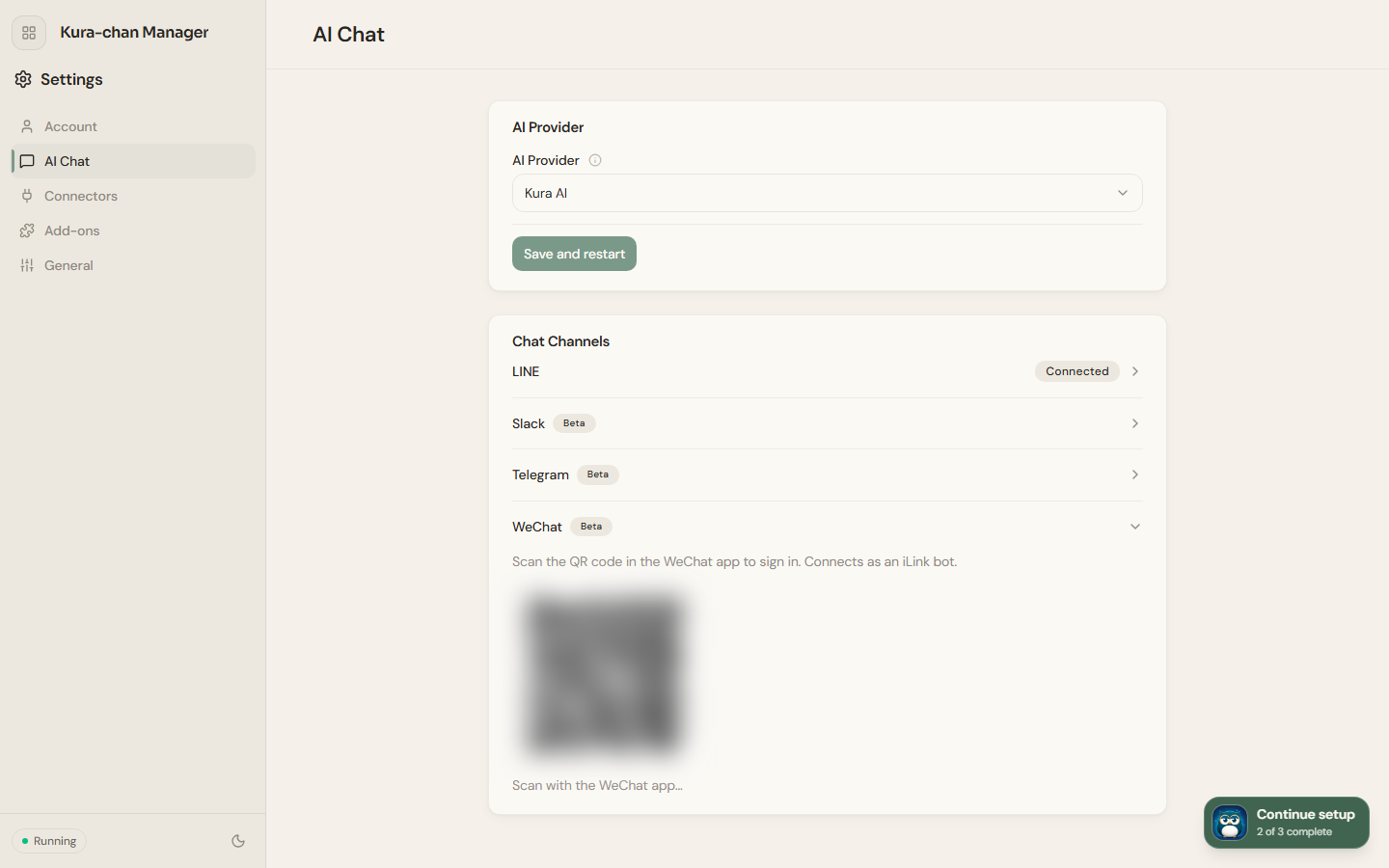
-
Scan the QR code with WeChat on your phone. The code expires after a while; if it does, click
Retryto generate a new one. -
After you scan, the page shows
👀 Scanned! Confirm sign-in in the WeChat app.... Confirm the sign-in in WeChat on your phone. -
Once you confirm, the page refreshes automatically, and
WeChatshowingConnectedmeans you’re done.
Next steps
Section titled “Next steps”Once connected, try sending a receipt or business card in WeChat for Kura-chan to recognize, or just ask it to “find last week’s photos.” See Chat with Kura-chan for more.