
Kura-chan app: Connectors
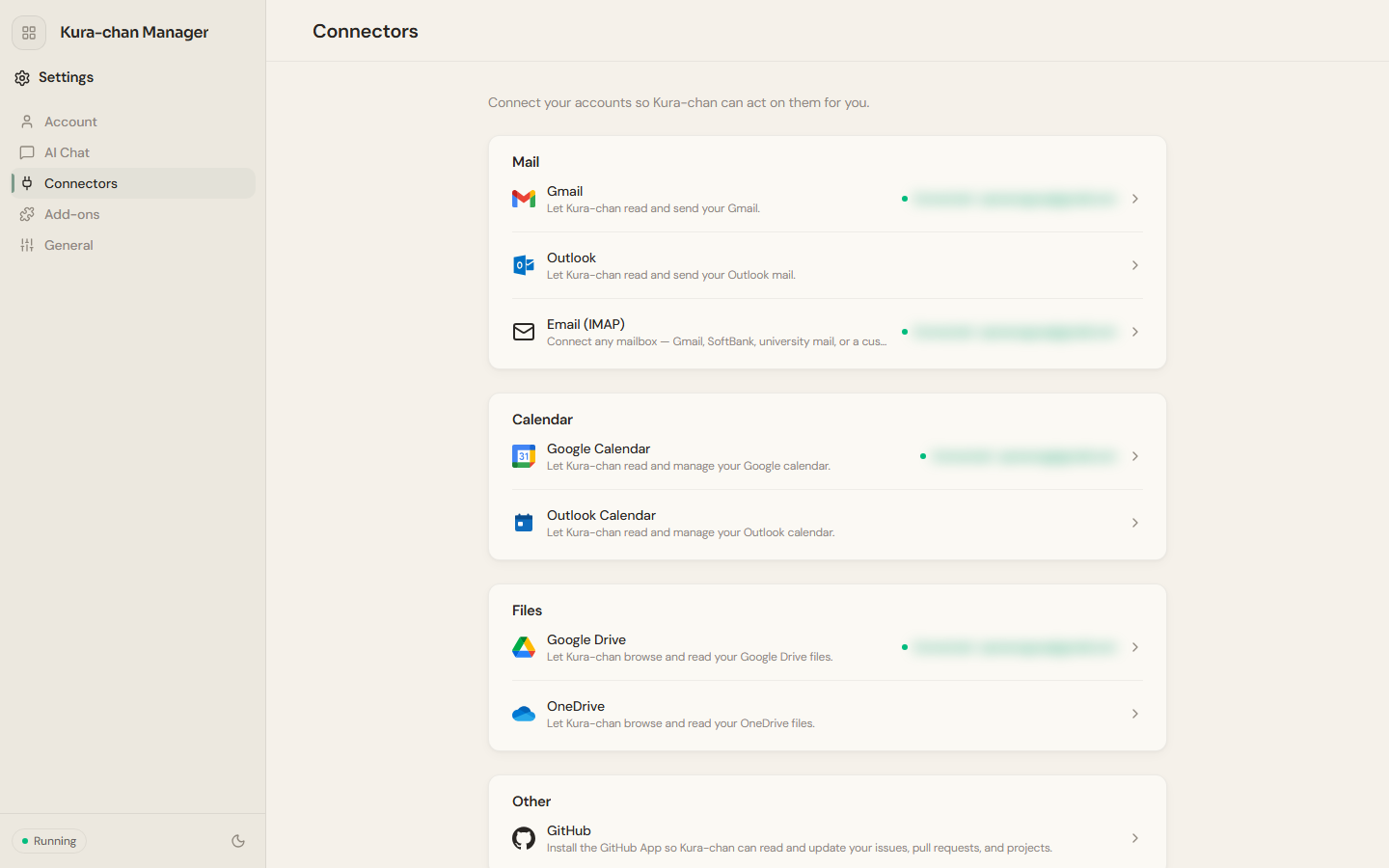
Connectors lives under Settings and connects external accounts to Kura-chan. Once connected, Kura-chan can read the contents of those accounts and act on them for you.
Gmail and Google services
Section titled “Gmail and Google services”Gmail, Google Calendar and Google Drive are available. Connect the service under Settings → Connectors and complete authorization. Gmail remains accessible through IMAP as an alternative. Sending mail requires your approval.
What you can connect
Section titled “What you can connect”Connectors are grouped by purpose:
Mail:Gmail,Outlook,Email (IMAP)(connect any mailbox — Gmail, SoftBank, university mail, or a custom server).Calendar:Google Calendar,Outlook Calendar.Files:Google Drive,OneDrive.Other:GitHub(install the GitHub App so Kura-chan can read and update your issues, pull requests, and projects), andNotion(search, create, and update workspace content).
-
Click the sections menu in the top-left corner, choose
Settings, and openConnectors. -
Click the service you want and follow the prompts to authorize or enter connection details.
-
Once connected, the service row shows
Connectedwith the account.
How the mail connector works
Section titled “How the mail connector works”Once a mailbox is connected, syncing runs automatically in the background — there’s no manual sync step. There is no separate Mail page in the Kura-chan app: mail is used by chatting with Kura-chan. After connecting, just ask in chat:
- Find mail: “Any order confirmation from Amazon last week?”
- Summarize: “Give me the gist of this email”
- Draft a reply: “Reply that I can’t make it this week”
For phrasing and more examples, see Chat with Kura-chan: Mail.
Next steps
Section titled “Next steps”After connecting a calendar, go to Calendar. With a cloud drive connected, Kura-chan can browse and read its files in chat.