
Kura-chan app: Add-ons
Add-ons is the skills panel in Settings. Skills are installable ability packs — once installed, Kura-chan can handle specific tasks the way the skill defines. The page has two tabs: Browse and Installed.
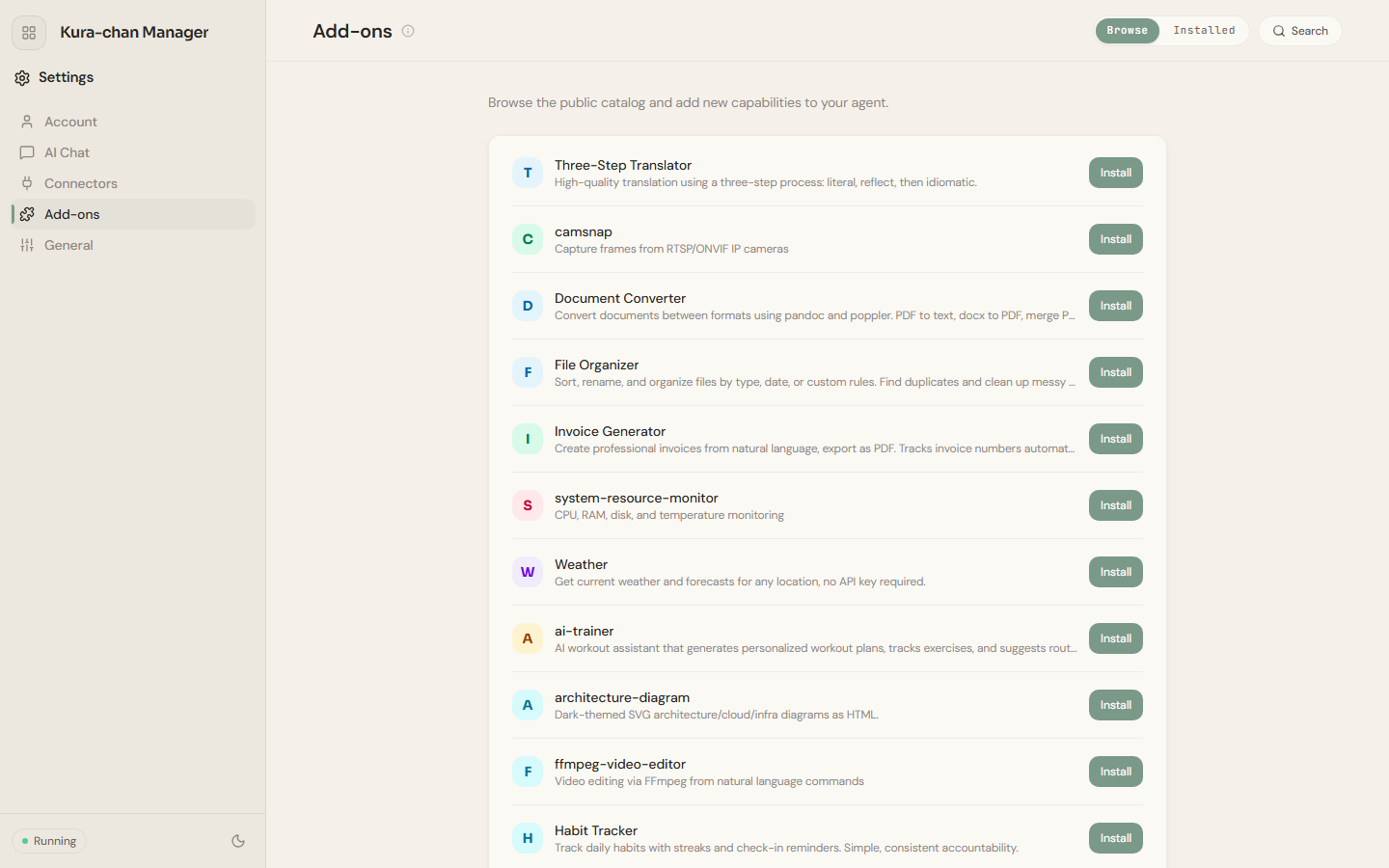
Browse and install skills
Section titled “Browse and install skills”-
Click the sections menu in the top-left corner, choose
Settings, and openAdd-ons. -
In the
Browsetab, explore the public skill store — for exampleDocument conversion,Weather, orTrip planning. UseSearchto find by keyword andShow moreto load more. -
Click
Installon a skill to add it to Kura-chan on this device.
Manage installed skills
Section titled “Manage installed skills”Open the Installed tab to see the skills currently available. You can uninstall ones you no longer need here. When nothing is installed, it shows No installed skills.
When skills help
Section titled “When skills help”When you repeatedly ask Kura-chan for the same kind of task — a fixed summary format, a specific site lookup, a particular file-processing flow — it’s a good candidate to install or build as a skill.
Next steps
Section titled “Next steps”Once a skill is installed, you can call its ability directly over LINE or another chat channel. If a skill works with files, get familiar with Kura Drive first.