
An AI assistant
that lives on MeCloud.
Kura-chan is an AI assistant that runs on MeCloud. Users talk to it on LINE: it finds and sends photos, reads receipts and documents, remembers plans, and works connected services on their behalf. Photos, documents and records all stay on MeCloud. The web app, opened in a browser, shows everything Kura-chan holds and does. This document gives the overall picture; the photo features and Memory Kura each have their own detailed guide.
These features are released, except items explicitly marked as planned. Screens were captured from the development build used to prepare this showcase; appearance and availability depend on your installed version. Chat examples and document data are illustrative samples.
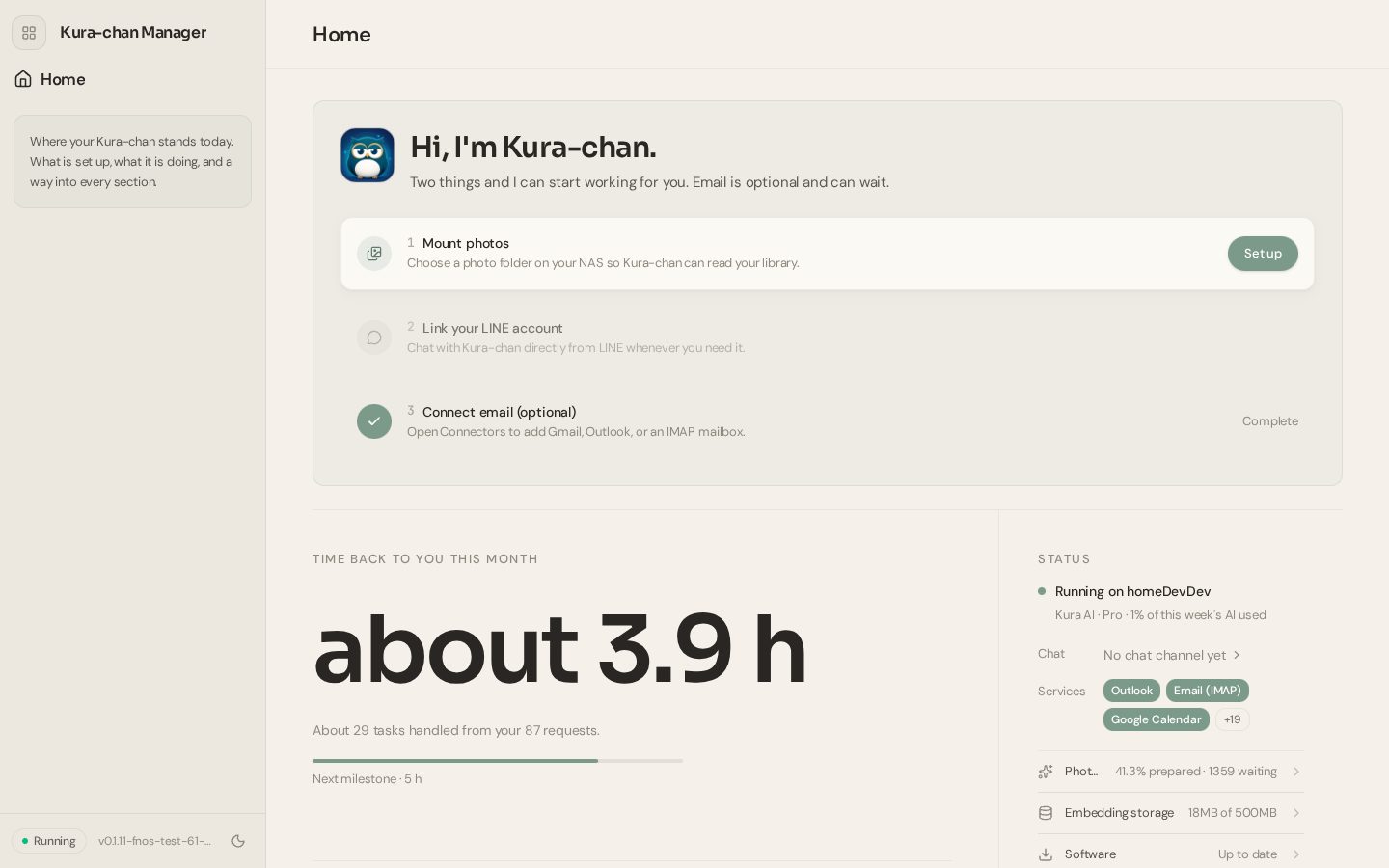
The first three steps
Once the app is on MeCloud, there are three things to do: connect the photo folder, link LINE, and optionally connect mail. Kura-chan prepares the rest, and the Home page shows how far it has got.
Connect the photo folder
Pick the fnOS photo folder. Kura-chan starts reading it, and the AI preparation runs gradually in the background.
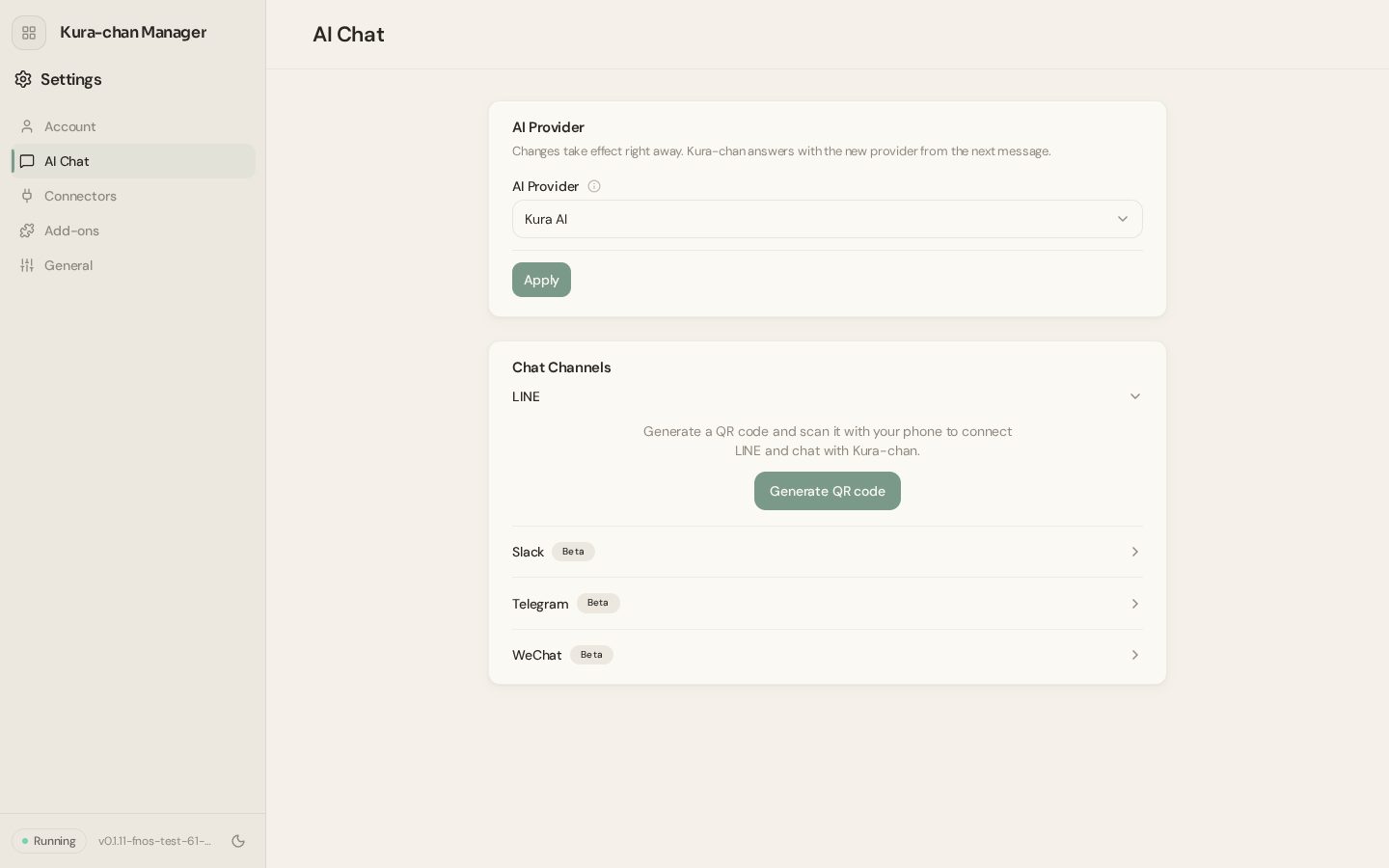
Link LINE
Scan the QR code shown in the web app. No LINE official account of one's own is needed.
Mail is optional
Connect Gmail, Outlook or any mailbox and Kura-chan can search mail and draft replies.
See it all on Home
What is set up, what is running, and how much time was given back this month. Every section starts here.
Talking to Kura-chan
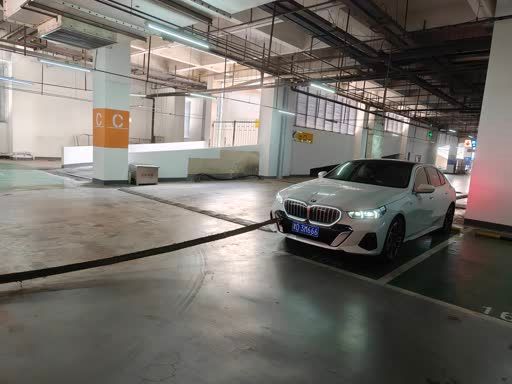
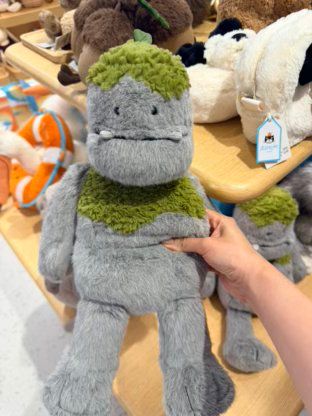
Talking to Kura-chan is just like any LINE chat. Send photos, videos, voice messages and files, and ask in words. When it needs to, Kura-chan looks at the photos, reads the documents, searches the web and uses connected services before answering. Everything sent is saved to MeCloud and can be found again later.
 Kura-chan


 Kura-chan
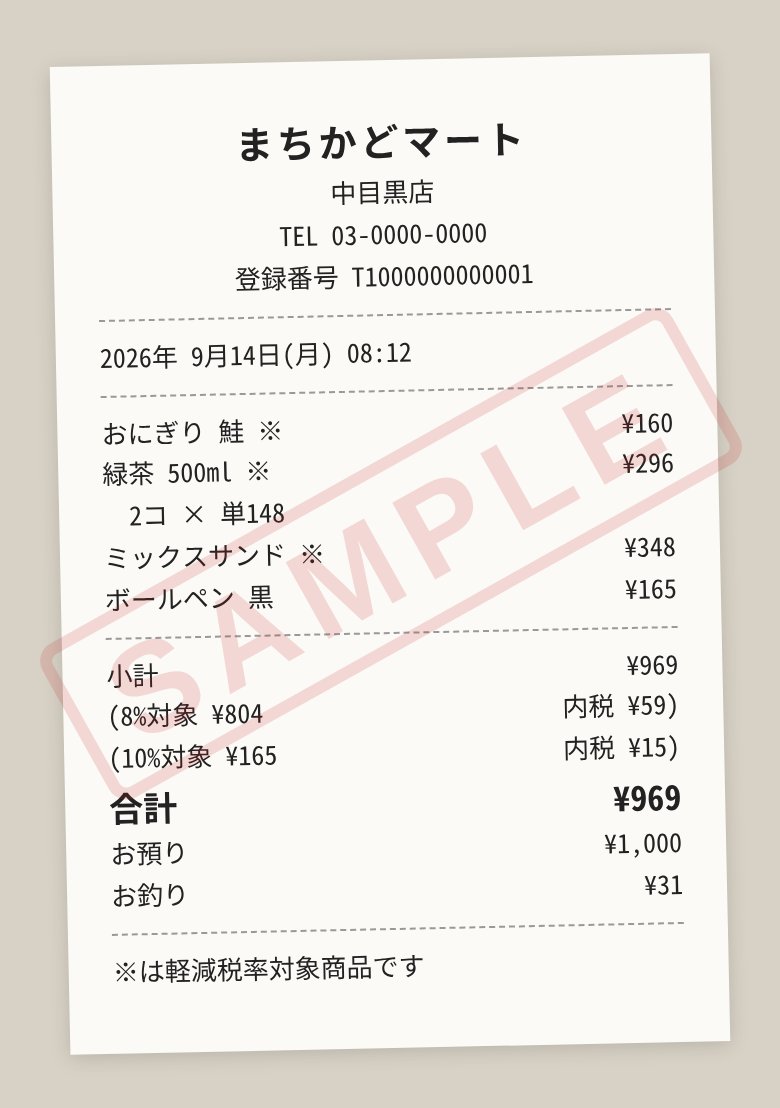
Looks before it answers
It looks at the photos, reads the documents and searches the web when needed. If nothing is found, it says why and what to do next.
Voice works as it is
LINE voice messages are transcribed and understood. Longer recordings are transcribed from Kura Drive.
Remembers
Photos and files sent in chat are saved to MeCloud and remembered with the conversation, so "grandma's birthday photo" can be found later.
Reply to a message
Use LINE's reply to point at an earlier photo or message and ask about that one.
Beyond LINE
Slack, Telegram and WeChat are supported too (beta). On Slack there is a daily digest and slash commands.
Works on its own
Ask for "this week's photos every Sunday" and Kura-chan acts on its own at the set time (chapter 06).
PhotosAlso in chat
Every family member's phone photos and videos come together as one library on MeCloud. Kura-chan knows when, where and with whom each photo was taken, makes them searchable in words, suggests albums, creates keepsakes and edits with AI. See the separate "Photo Features" guide for the full picture.
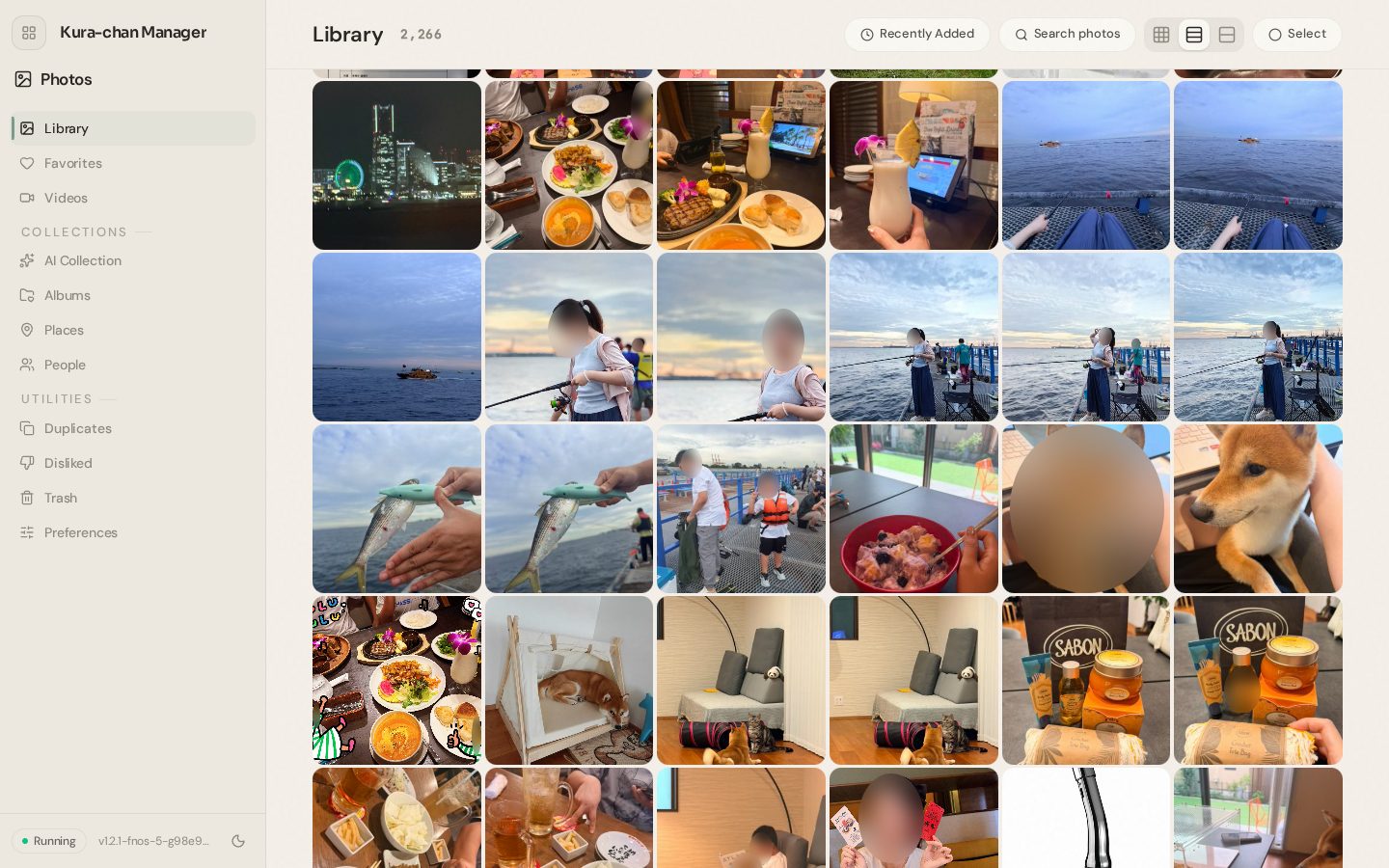
Search in words
"Cat", "sunset at the beach", "Mom in Okinawa". Search by what is in the photo and by people's names.
Organized automatically
People, places, trips, memories and document photos are grouped automatically, with album suggestions for trips and occasions. Duplicates are found to free up space.
Make something
Collages and short vertical movies in 26 themes from the photos picked, or just by asking in chat.
Edit with AI
Remove what shouldn't be there, clear reflections, restore old prints, or describe a change. Hide faces runs on the device. The original is never changed.
Memory KuraAlso in chat
The place where photos and documents stop being just photos. Receipts become spending records, business cards become contacts, and documents become articles that link to each other. Values stay in the original language, and records and articles are stored on MeCloud as open files. See the separate "Memory Kura" guide for details.
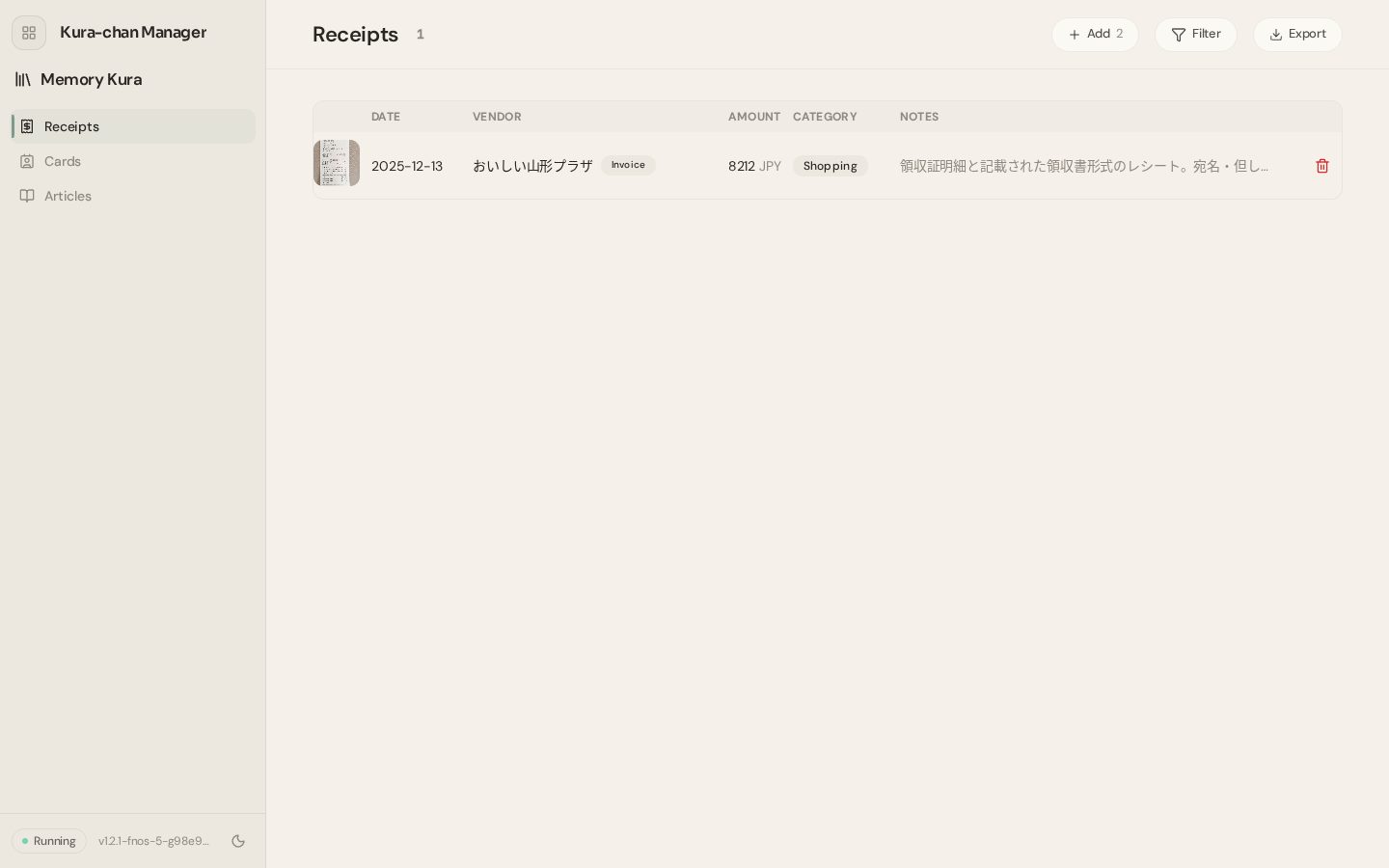
Receipts and invoices
Vendor, date, amount and every line. Totals by month and category; export a ledger, CSV and photos, or send to freee.
Business cards
Find by name or company, tap a number to copy. Or just ask in chat: "What's Ms. Yamada's mobile?"
Articles
Reads the documents in Kura Drive, writes articles, groups them by topic and links them with sources. It writes summary articles spanning several documents on its own.
Send it, ask it
Send a receipt or card on LINE and it is recorded. "When does the washing machine's warranty end?" is answered from the articles.
Kura DriveAlso in chat
The workspace shared with Kura-chan. Files sent on LINE, uploaded documents and the things Kura-chan creates all gather here in folders by type. They open right in the browser, and audio can be transcribed.
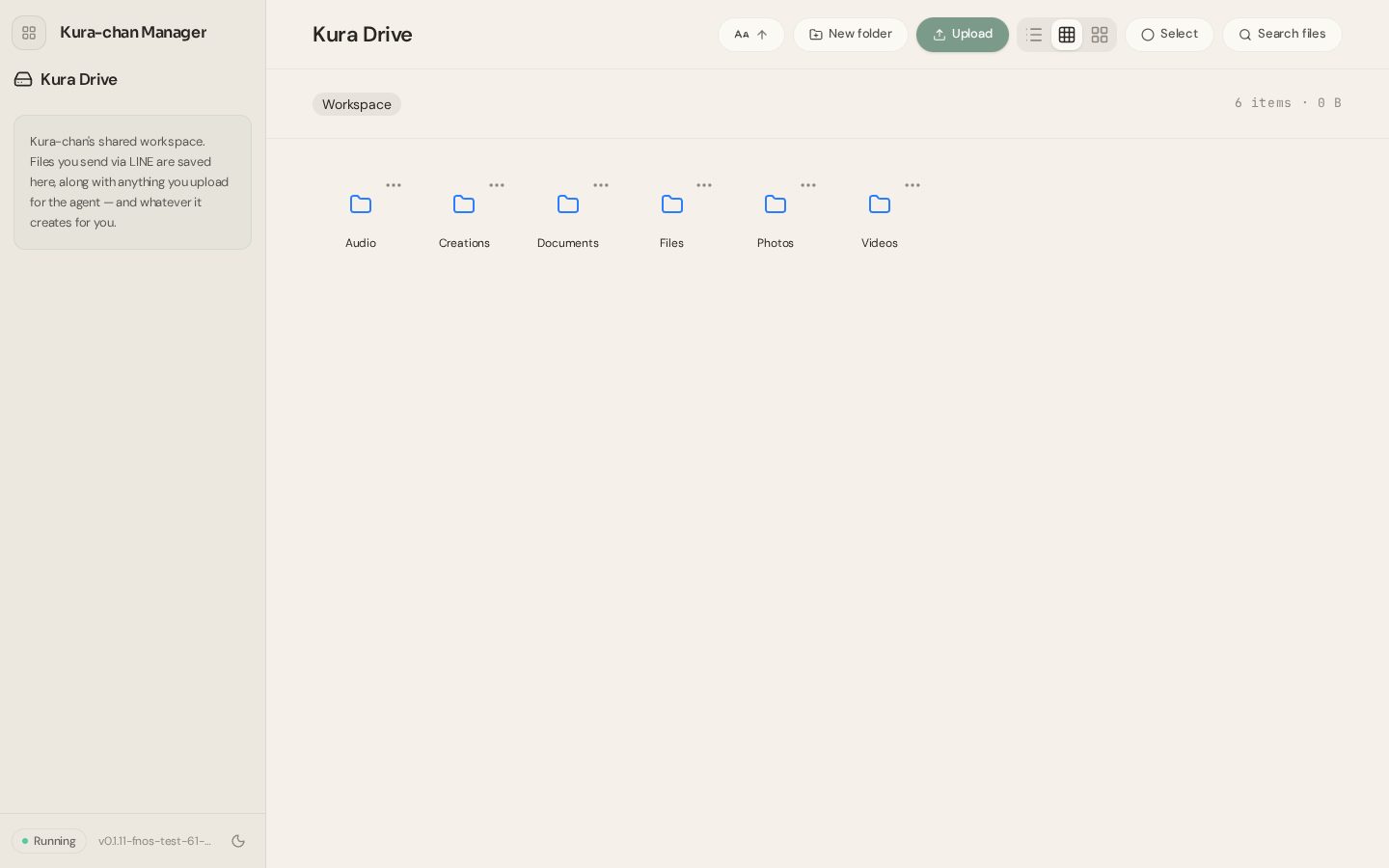
What was sent lands here
Photos, videos, audio and documents sent on LINE go to the folder for their type. Collages and movies Kura-chan makes go to Creations.
Opens in place
PDF, Word, Excel, CSV, Markdown, text, ZIP, images, video and audio open in the browser.
Everyday file work
Upload (drag and drop too), new folders, rename, move, copy, delete, and bulk download as ZIP. Search this folder or everywhere.
Recordings into text
Meeting or lesson recordings are transcribed with speaker labels. The result goes into Documents and can become a Memory Kura article.
Calendar and scheduleAlso in chat
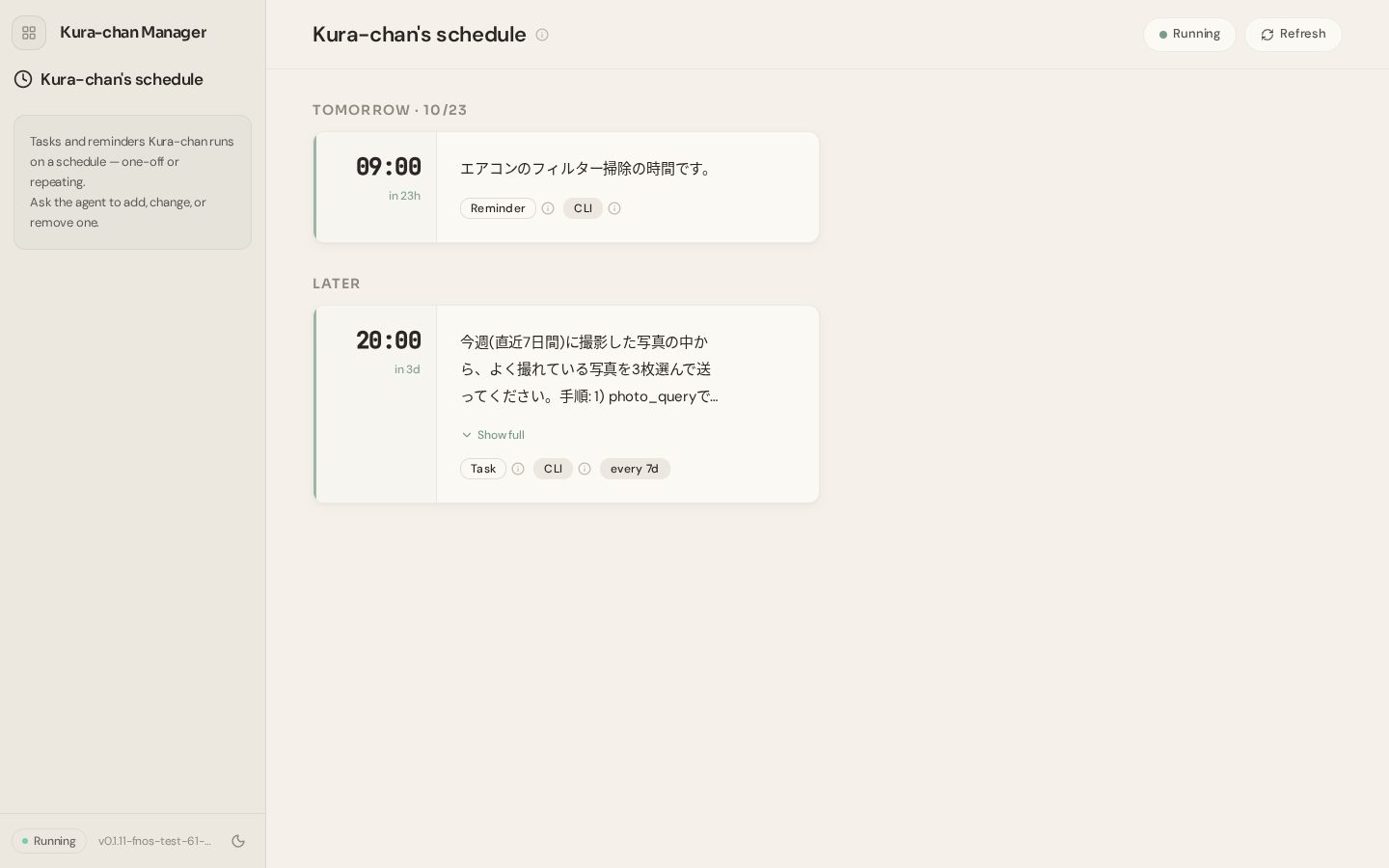
Kura-chan has its own calendar, and Google or Outlook calendars can be connected to it. The Schedule page lists the jobs Kura-chan does on its own at set times, once or every week.
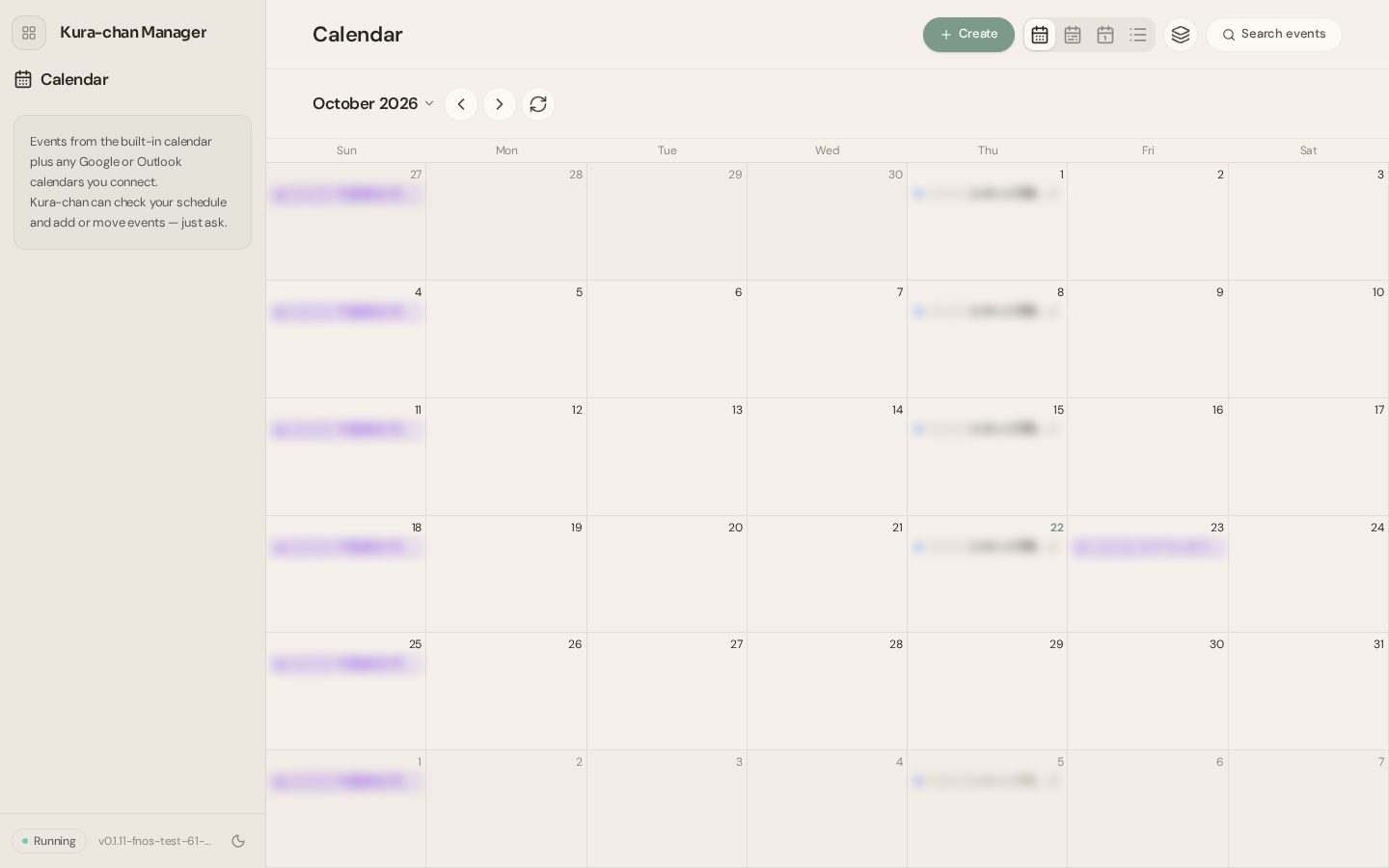
Ask about and add events
"What's on next week?", "Put the dentist in for Friday at 7." Connected calendars can be written to as well.
Reminders
A set message at a set time.
Repeating jobs
"Every Sunday evening, send this week's best photos." At the set time Kura-chan runs with all its abilities and delivers the result in chat.
Managed in the web app
See the list, change or remove entries, or do the same by asking in chat.
Kura-chanConnected servicesAlso in chat
Connect outside services under Connectors in the web app and Kura-chan can use them from chat. Reading can proceed; writing and sending always show what will happen and ask first.
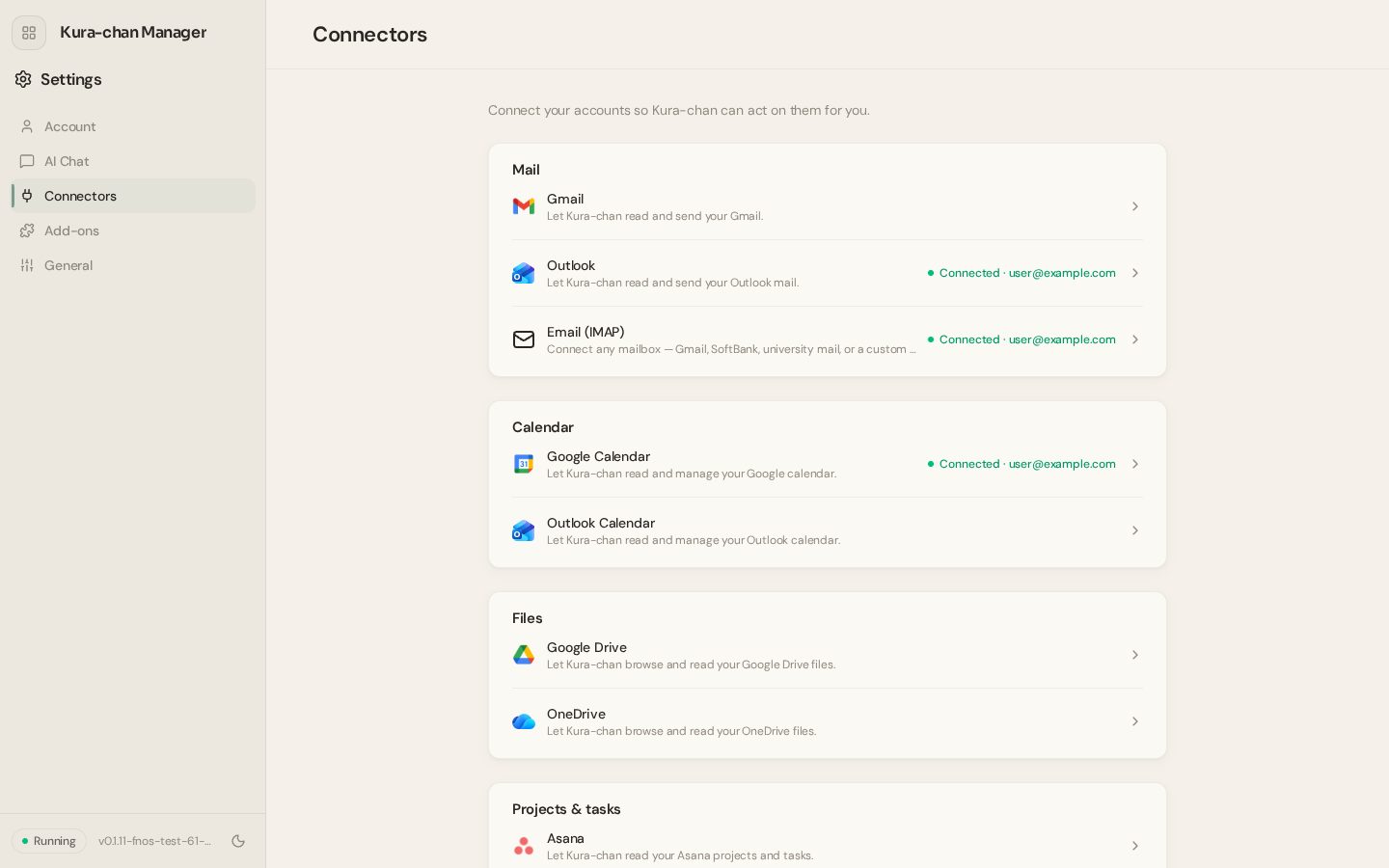
Gmail, Outlook and any IMAP mailbox. Kura-chan searches mail, pulls attachments and drafts replies. Sending waits for the user's approval.
Calendars and files
Read and write Google Calendar and Outlook Calendar events. Search and read files in Google Drive and OneDrive.
Work tools
Notion (search, create, update), GitHub (issues, PRs), Todoist, Trello, Asana, Zoho CRM, Mailchimp.
Money
freee (read the books, record entries, file receipts to the file box), Stripe, Square.
Writes ask first
Sending mail, creating a Notion page, filing to freee: the content is shown in chat first, and "yes" lets it go ahead.
Connect once
Log in to the service from the web app once. From then on it can be asked for by name in chat.
Add-ons
What Kura-chan can do grows one add-on at a time from a catalog: weather, a daily digest, a household ledger, translation, a habit tracker. Once installed, it works from chat right away. And if something is missing, Kura-chan can be asked to build it.
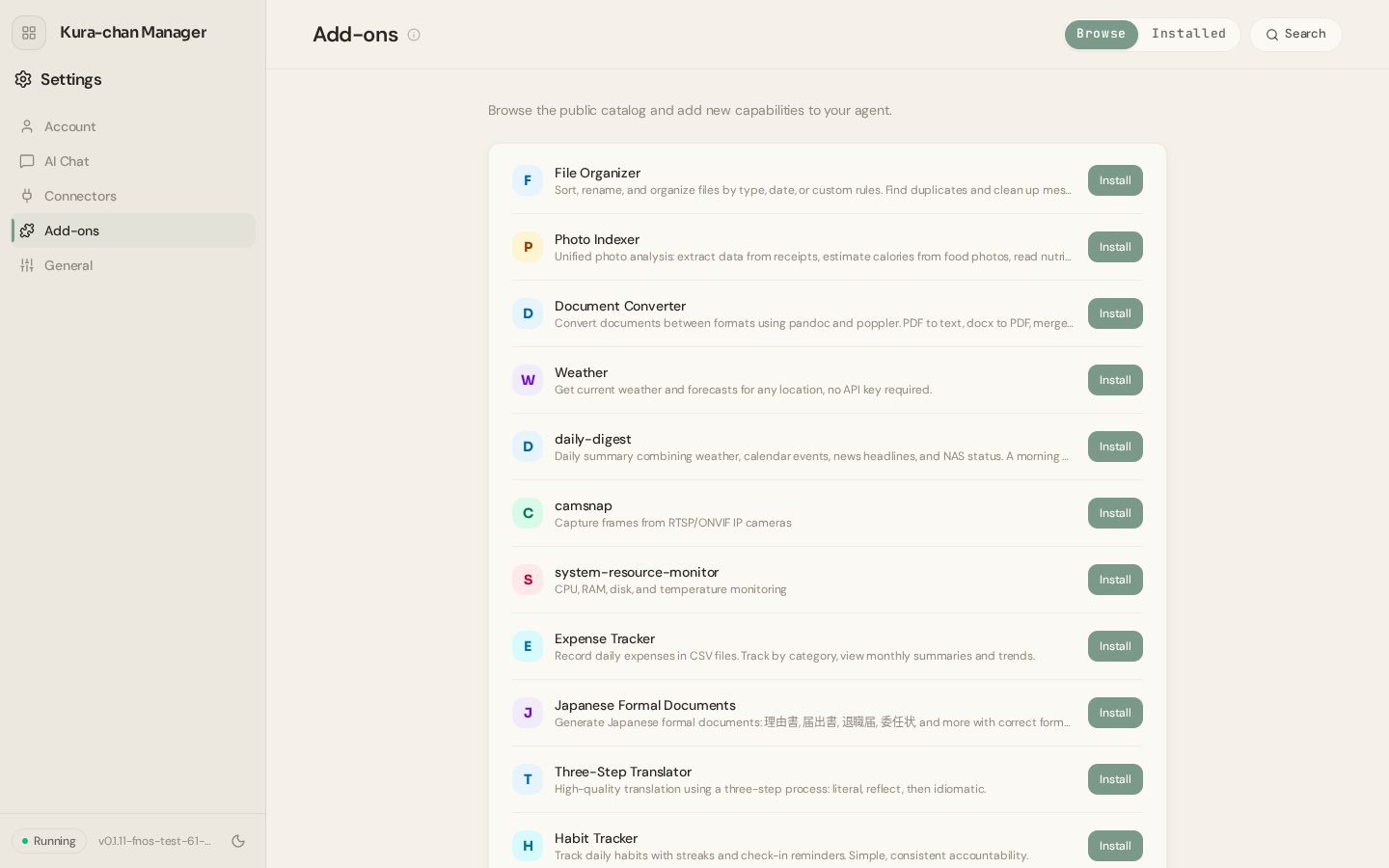
From the catalog
Browse the public catalog and install what's useful. Updates happen in the same place.
Kura-chan builds them
From a request like "tell me every morning when to water the garden, based on the weather", Kura-chan writes its own add-on and keeps it.
Share them
Add-ons can be published to the catalog for other Kura-chans (paid plans).
Remove any time
An add-on that is no longer useful can be removed from the same page.
Settings and peace of mind
Language and time zone, software updates, restart, sending logs to support, and moving Kura-chan to another box: all under Settings in the web app. And photos, documents and records all live on MeCloud.
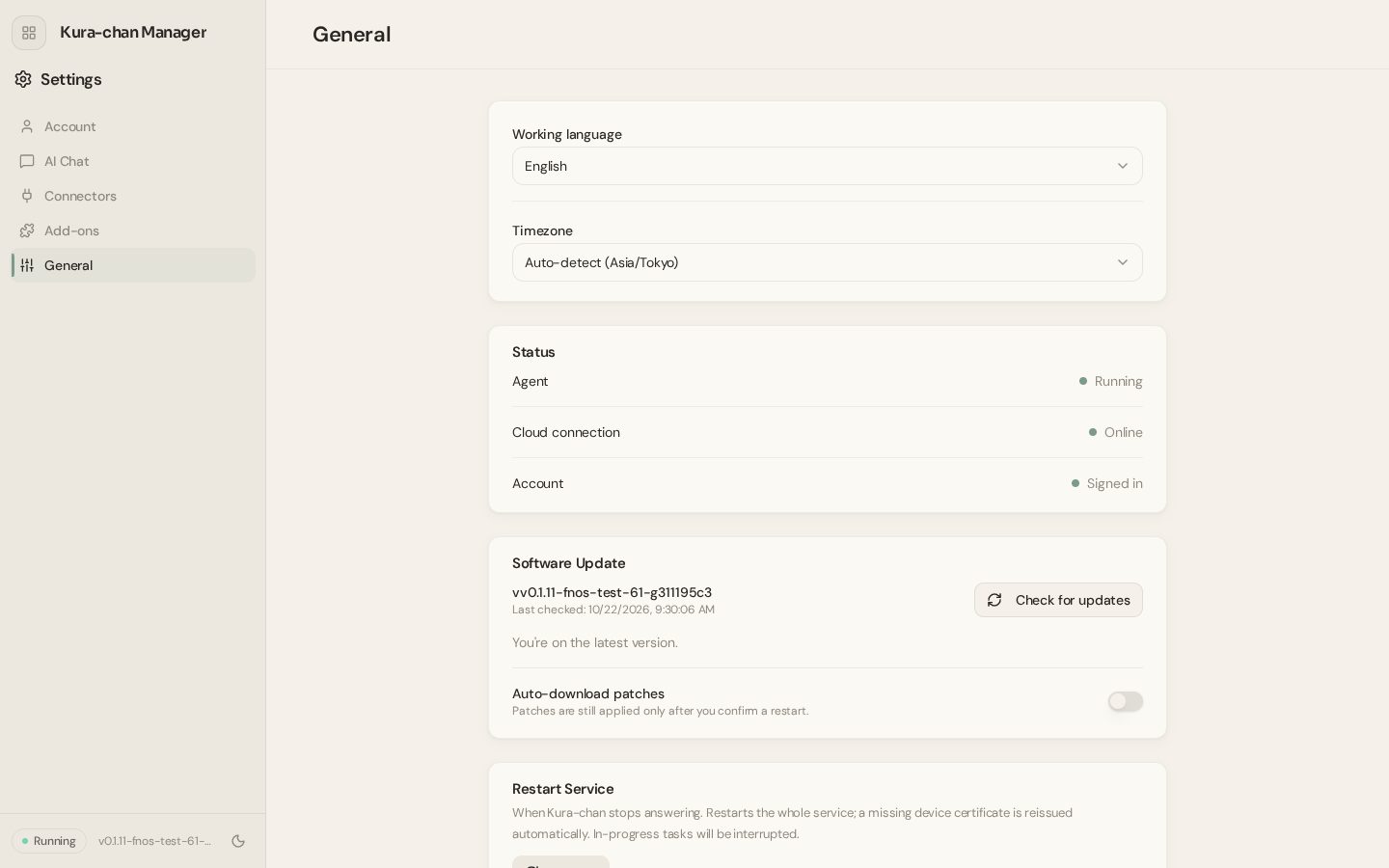
Japanese, English, Chinese
Choose the language of the web app and of Kura-chan's replies. Articles are written in that language too.
Data stays at home
Photos, documents, records and articles are stored on MeCloud, records as JSON and articles as Markdown, readable by other software.
AI editing only with consent
Edits that send a photo to an AI model ask for consent once. It can be turned off in Settings at any time.
Logs for support
One button sends logs to support when something goes wrong. Conversations, files and photos are never included.
Moves with you
Kura-chan's settings and memory can be exported encrypted and imported on another MeCloud device.
Updates on their own
New versions show up in the web app, and automatic patch download can be turned on.