
Kura-chan | Photo Features Overview
Kura-chan is an AI assistant that runs on MeCloud. It turns the photos and videos stored there into a full photo library: browse, search, organize, edit and create. People, places and events are organized automatically, and users can find, send and make things from their photos just by chatting with Kura-chan on LINE and other messengers. Throughout this document, app screens are shown side by side with the same features used in chat (chapters marked "Also in chat").
These features are released, except items explicitly marked as planned. Screens were captured from the development build used to prepare this showcase; appearance and availability depend on your installed version. Chat examples and document data are illustrative samples.
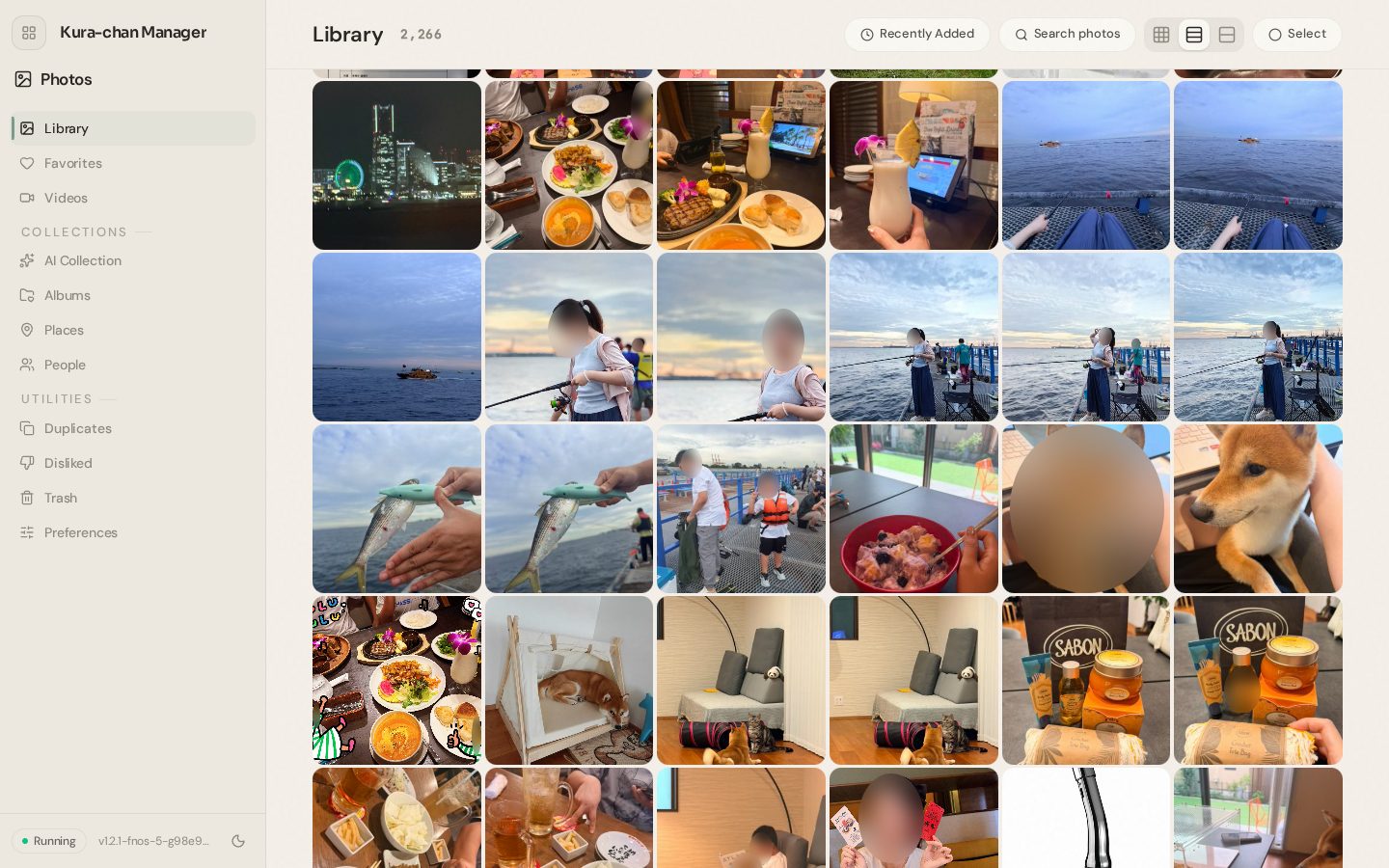
Library and photo viewer
Every family member's phone photos and videos come together as one library on MeCloud. It feels like the photo app on a phone — and behind every photo, Kura-chan knows when, where and with whom it was taken.
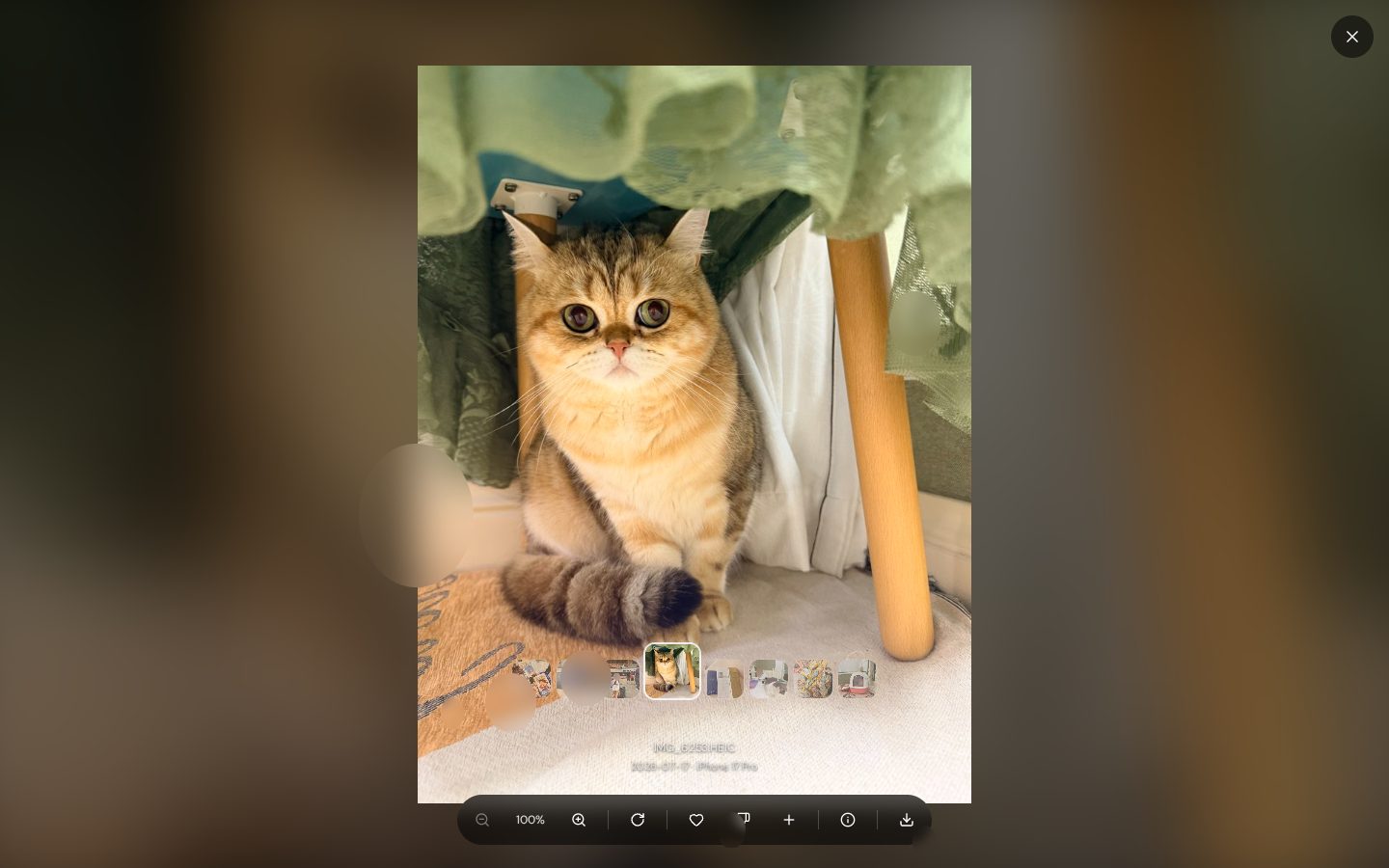
Photos just work, straight from the phone
iPhone HEIC photos, Live Photos and HEVC video, and Android photos, all work with no conversion step. Videos a browser can't play are converted on the fly, and the original files are never touched.
The family's photos, together at home
Photos stay on MeCloud. The same library opens in a browser on a phone or a computer.
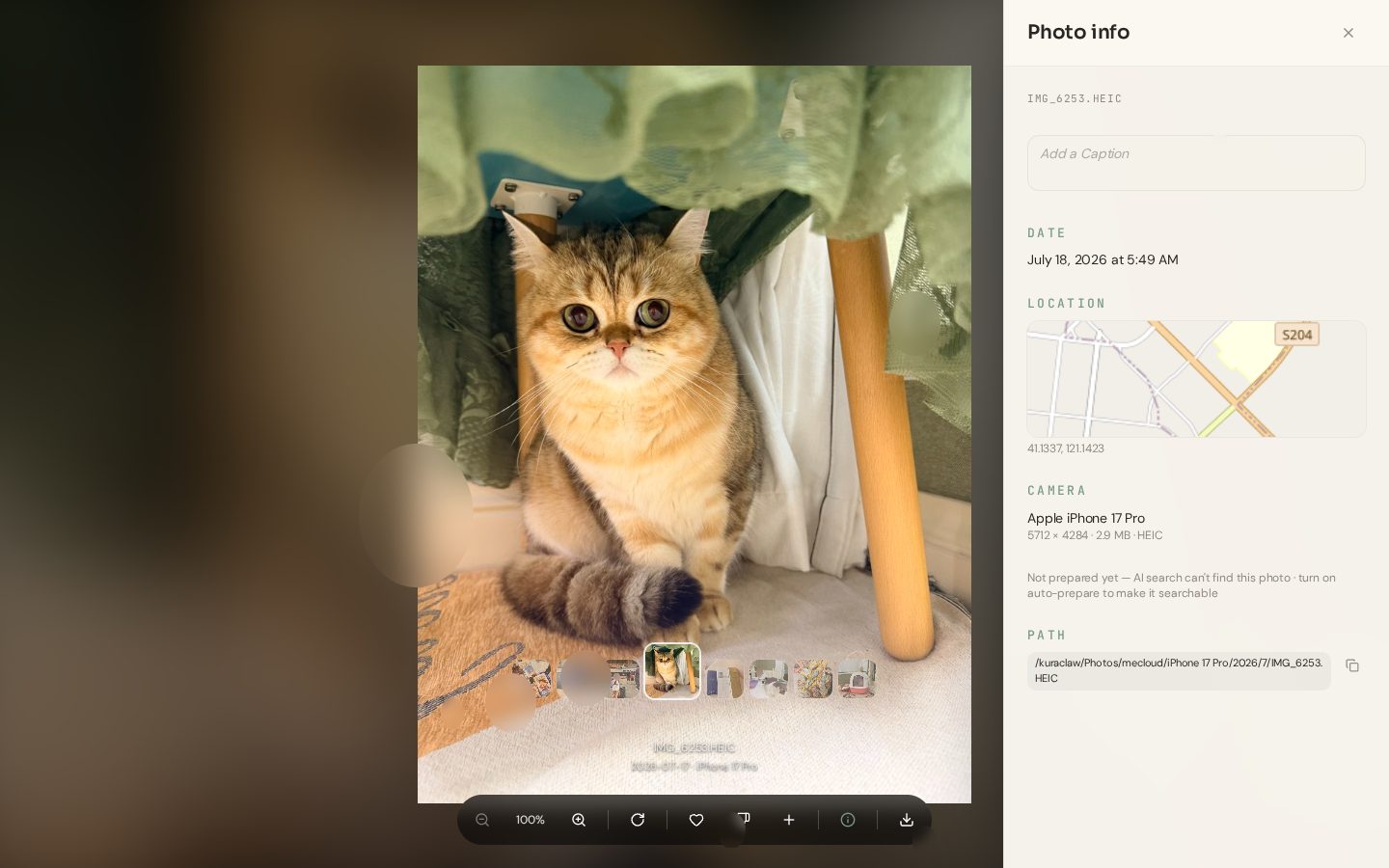
When, where and who — for every photo
Date, place, the people in it and its albums, all in one panel — plus whether it's ready for AI search yet.
Hide a photo, and it's hidden everywhere
A photo marked Dislike stops appearing in the library, search, the AI Collection, album suggestions — and in chat with Kura-chan. It can be brought back any time.
All the everyday photo-app basics — scrolling, zoom, swipe, multi-select, favorites — are there too.
AI photo searchAlso in chat
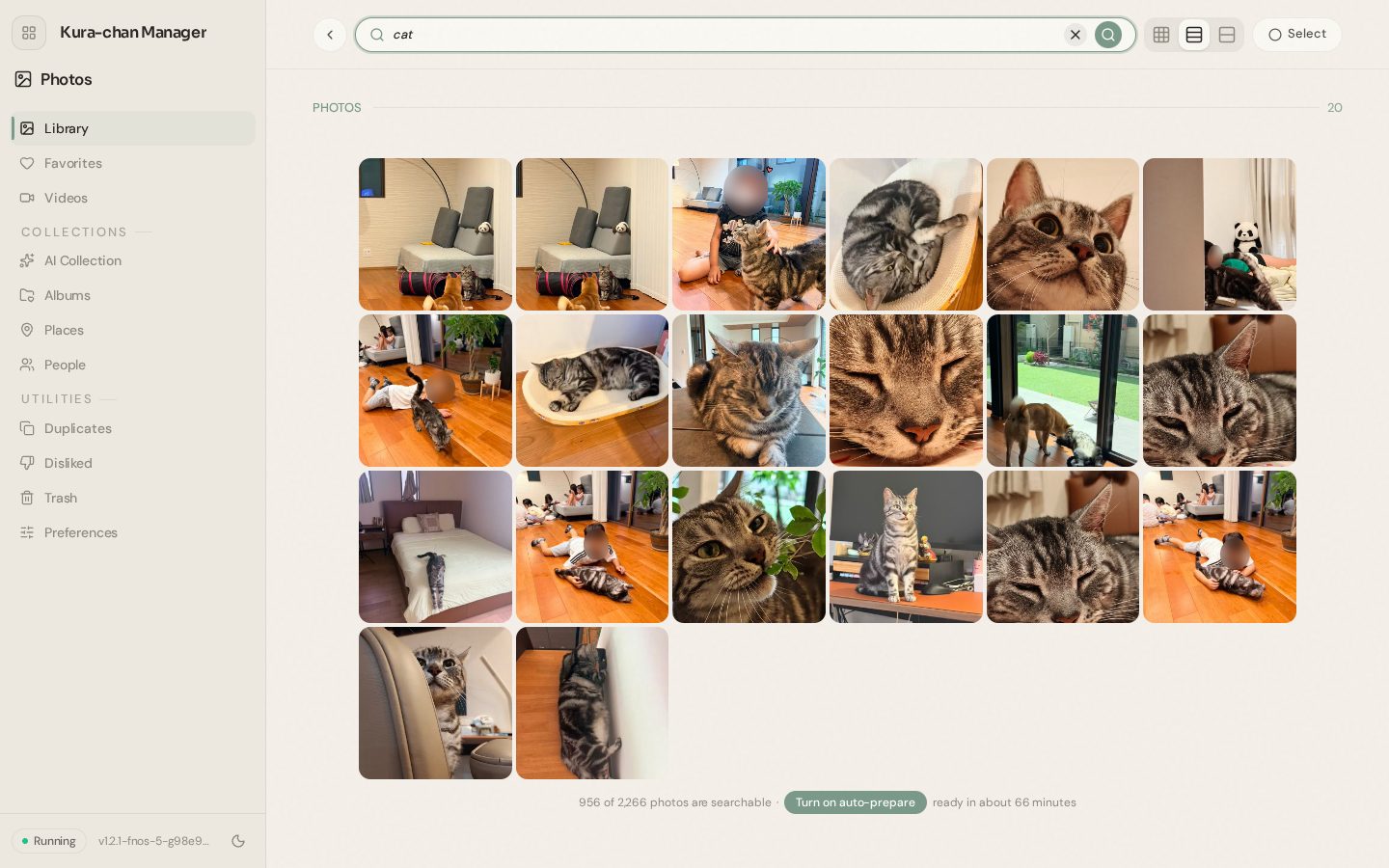
Search by what is in the photo, not by file name or date. Include a person's name and their photos are found too.
 Kura-chan
Describe it
Natural phrases like "sunset at the beach" or "birthday cake" just work.
Strong and related matches
Strong matches come first; weaker ones are grouped separately as related results.
Search by person
Named people can be included just by typing their name.
Clear coverage
Always shows how many photos are searchable and how long the rest will take.
PeopleAlso in chat
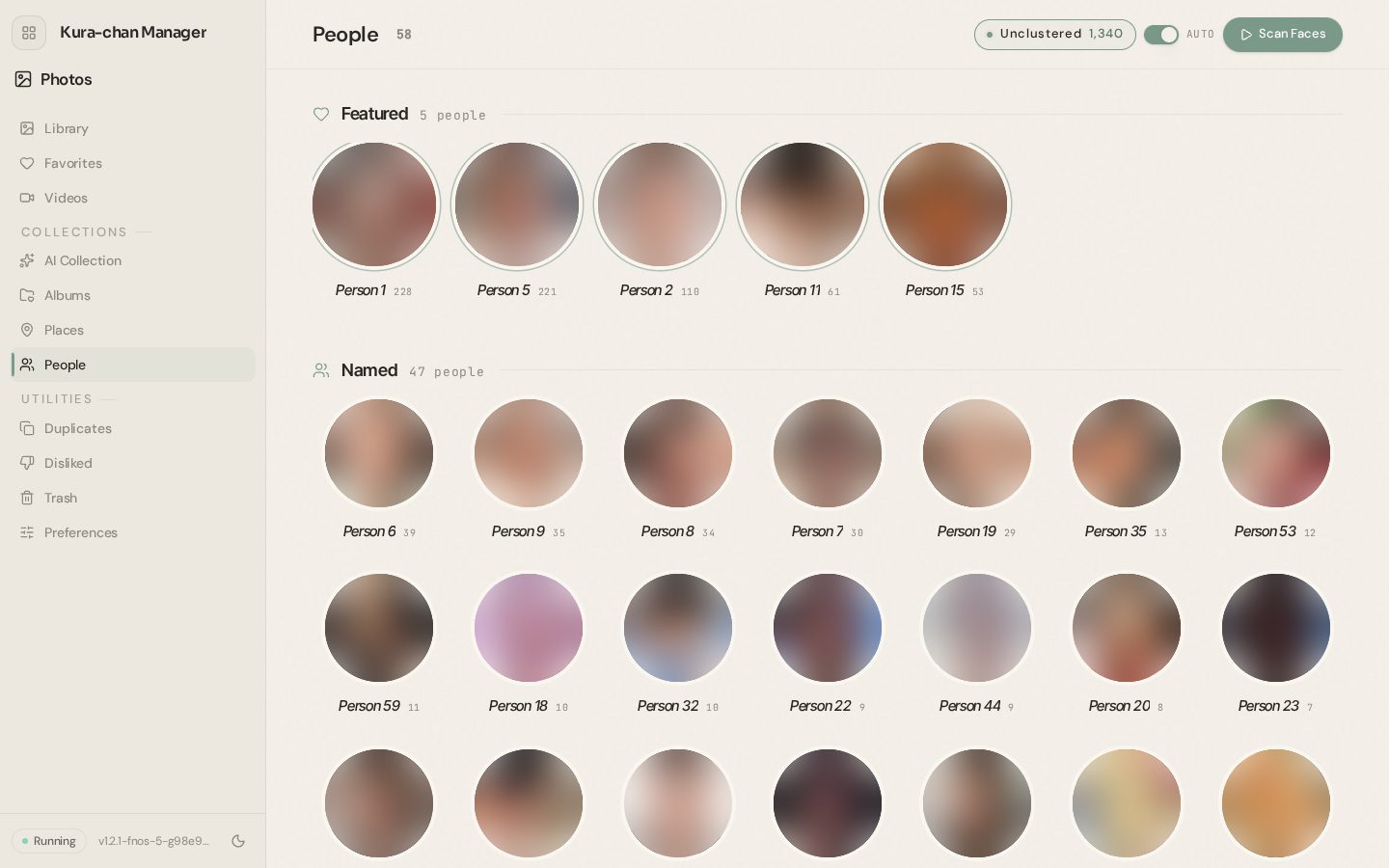
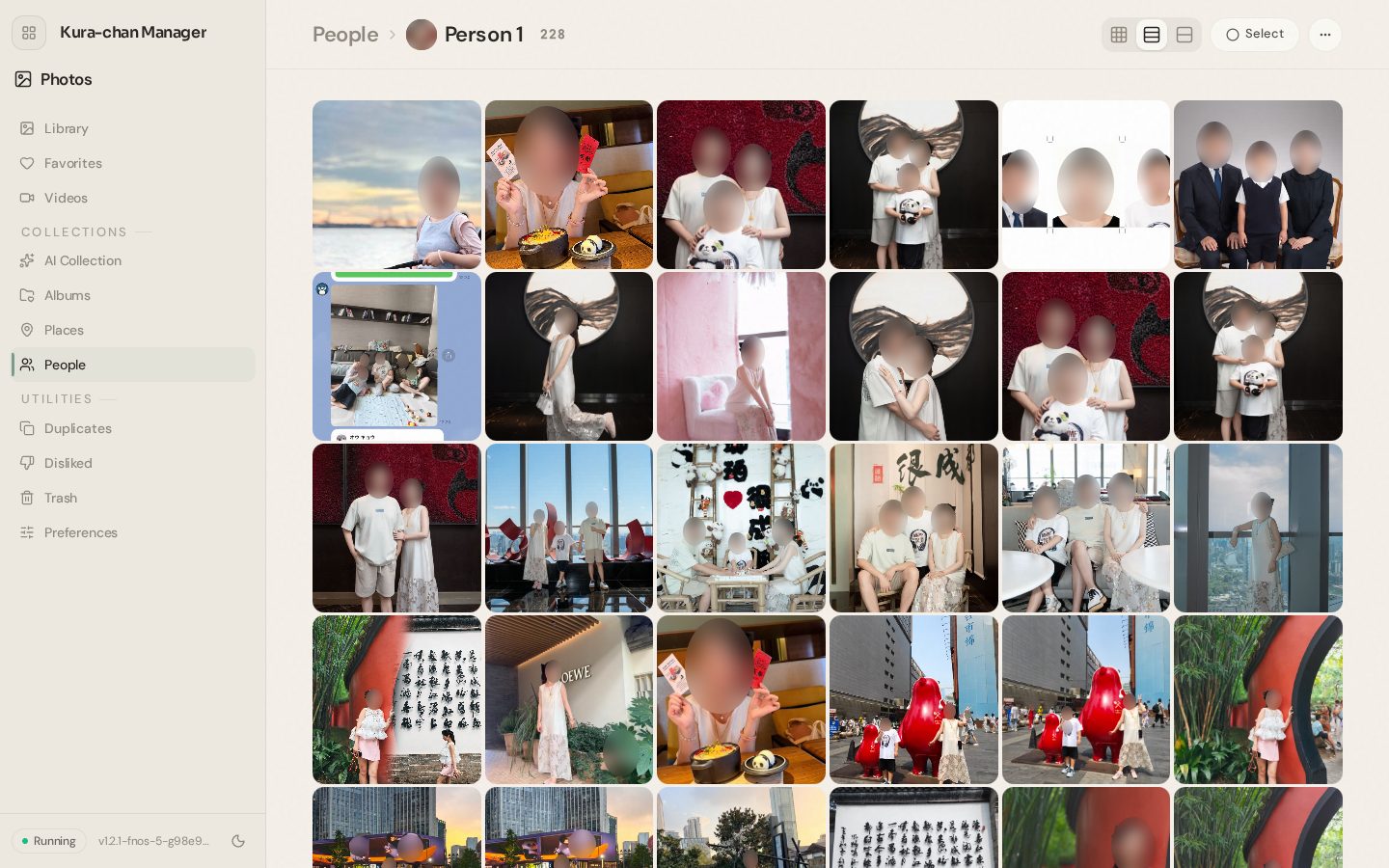
Faces are found and grouped by person automatically. Give someone a name and their photos are always one tap away — and the name works in search and chat.
 Kura-chan
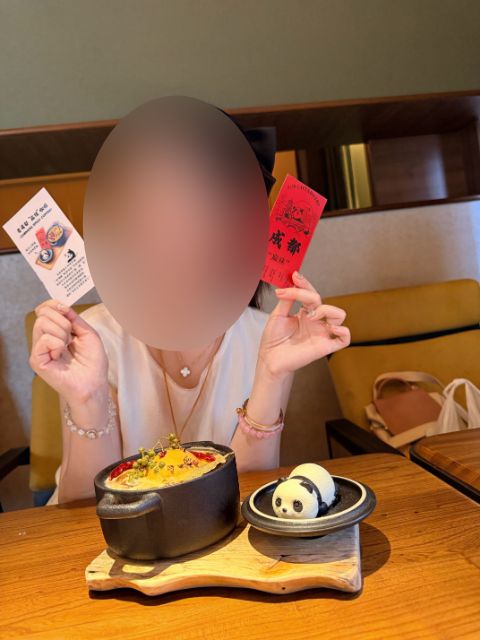
Automatic grouping
New photos are scanned automatically. People are shown as featured, named, unnamed and less-photographed.
Name, merge, hide
Rename, merge two groups of the same person, hide someone, or set a cover photo.
"Same person?" review
Only uncertain matches are asked about — "same person / different person" — with a confidence level.
Fine corrections
Move a photo to another person, mark "not this person", or assign unsorted faces.
PlacesAlso in chat
Photos with location data are grouped by country and city automatically. Place names are resolved with a place database stored on MeCloud.
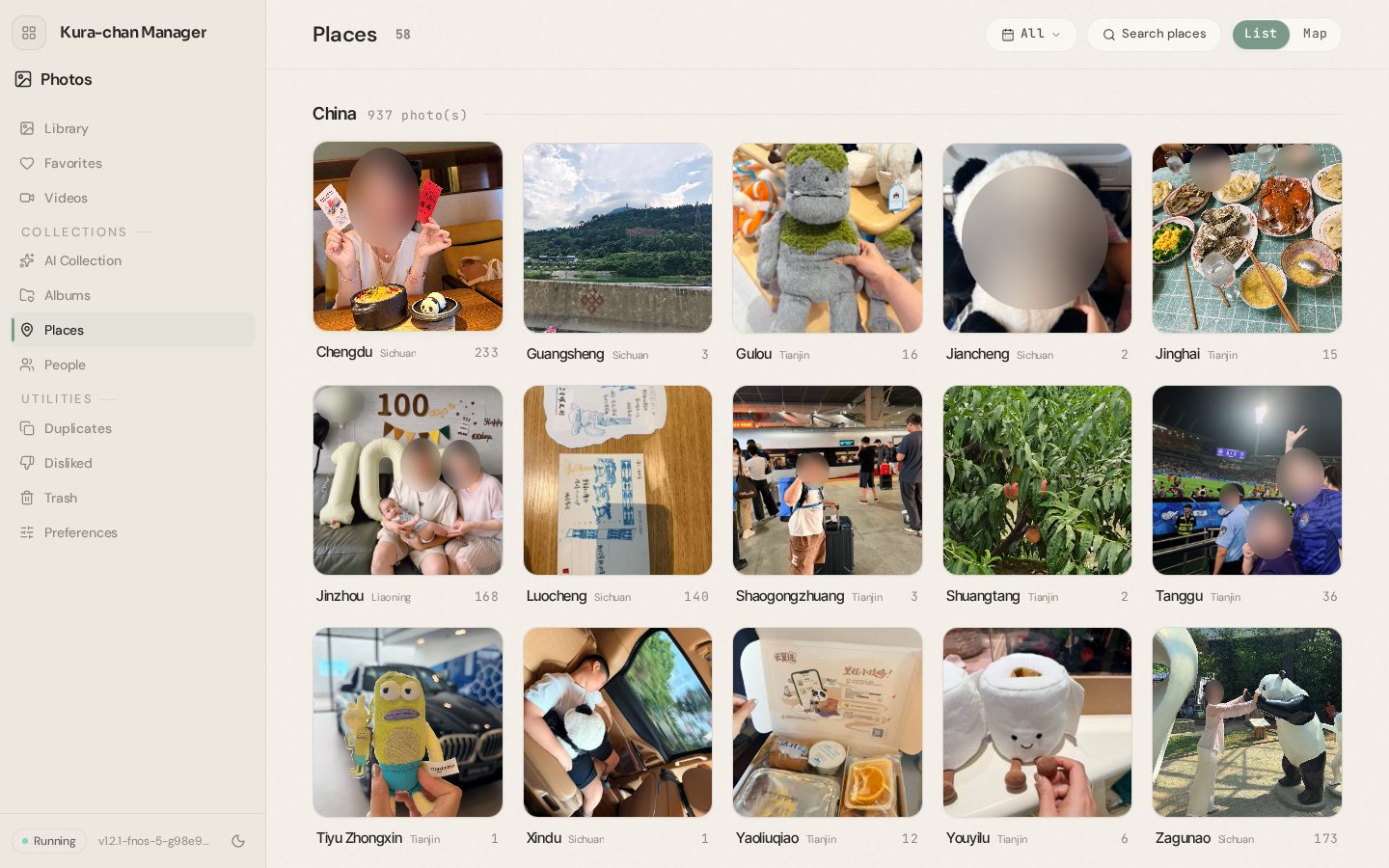 Kura-chan
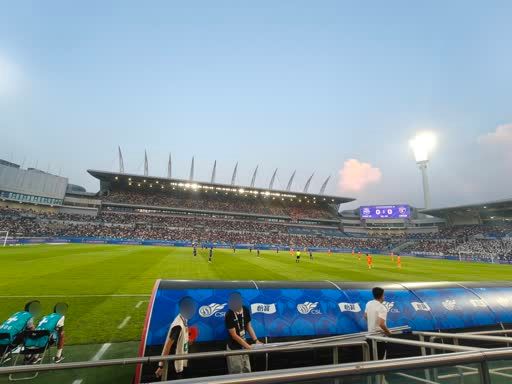
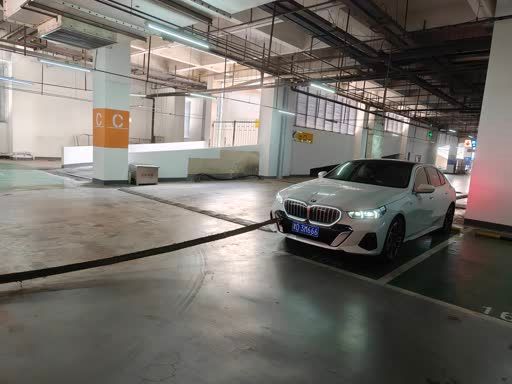
Map and list
Switch between a map and a list of places.
Search and filter by year
Find a place by name, filter by year, open each place's photos.
Albums and suggestions
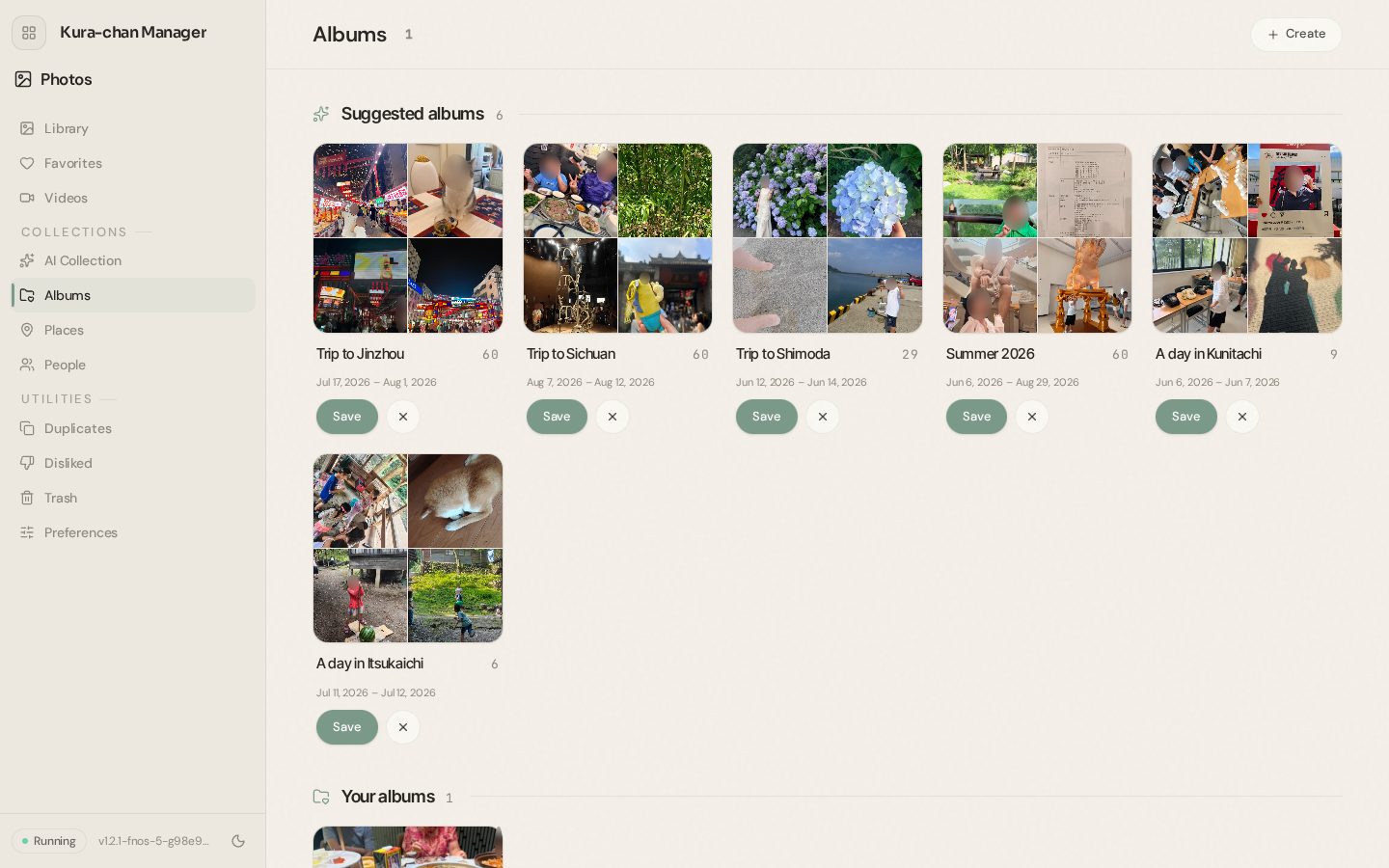
Users can make their own albums — and Kura-chan also drafts finished albums for trips, outings, occasions and seasons. If they like one, they just save it.
Album suggestions
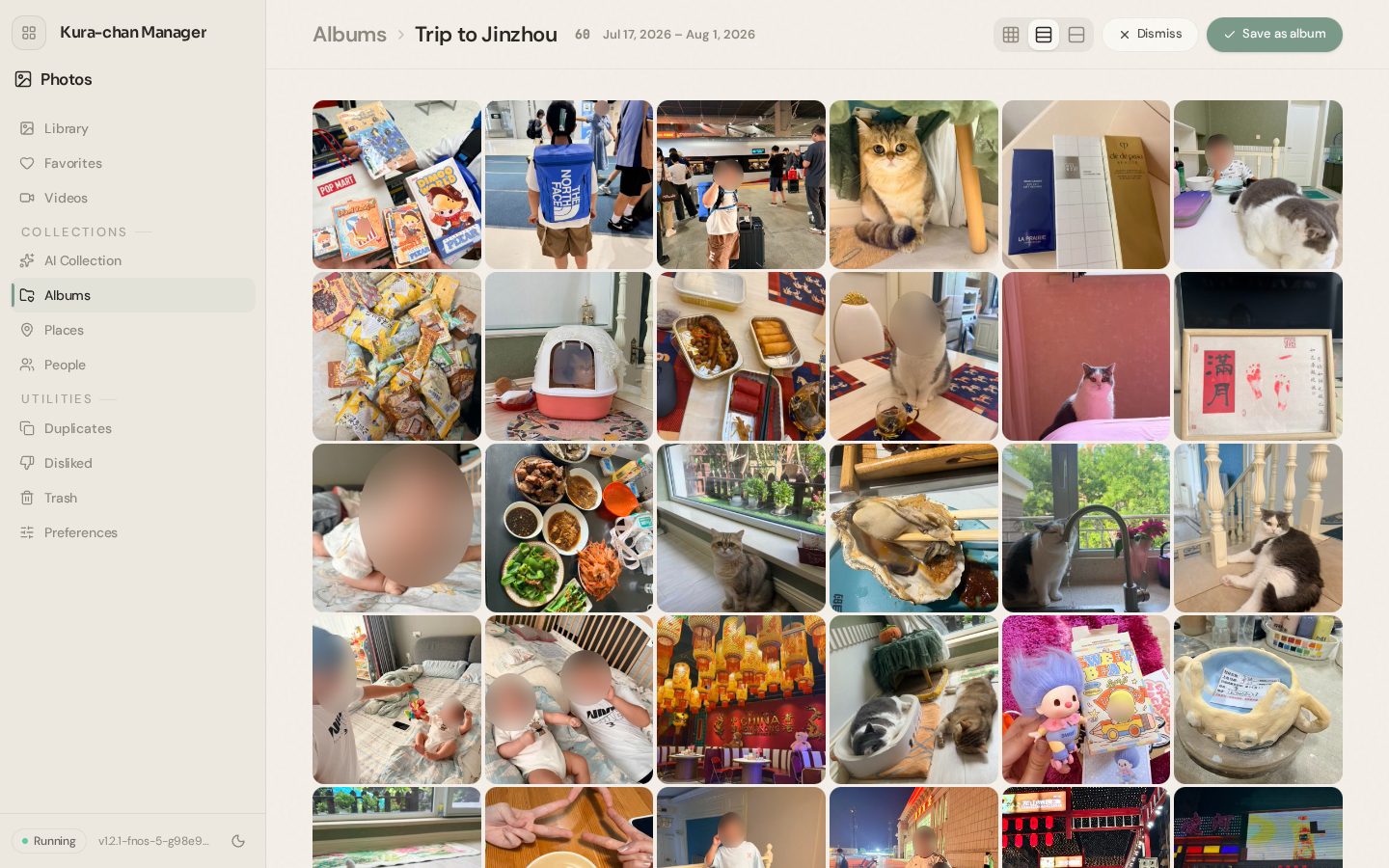
Titles are written automatically — "Trip to Kyoto", "Cherry blossoms", "Summer 2026". Occasions like birthdays, fireworks and weddings, and a season or a pet's year, are covered too.
Save or dismiss
Saving turns it into a normal album. A dismissed suggestion never comes back.
My albums
Create, rename and delete albums; add and remove photos. A new album can be created right from the viewer.
AI Collection
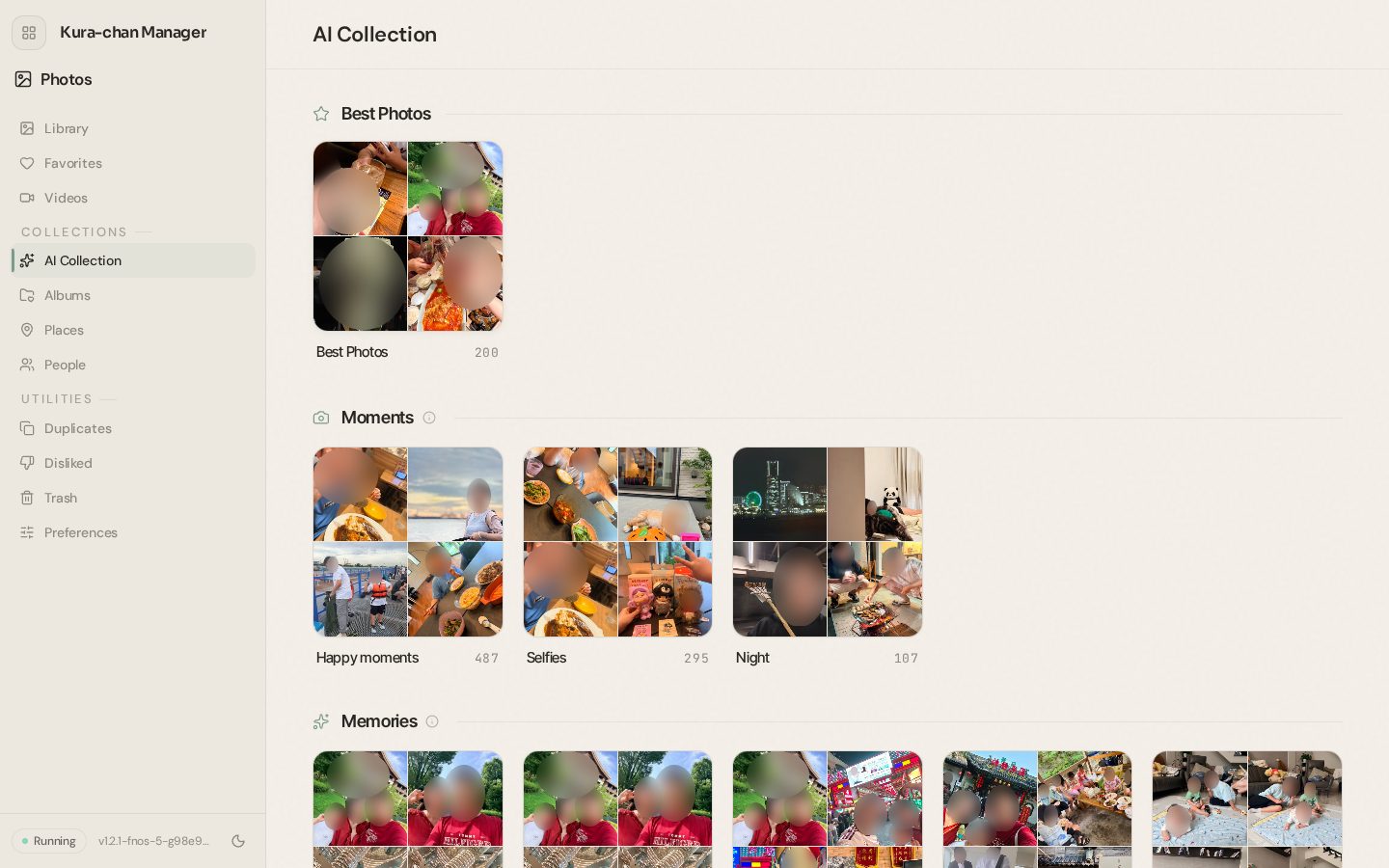
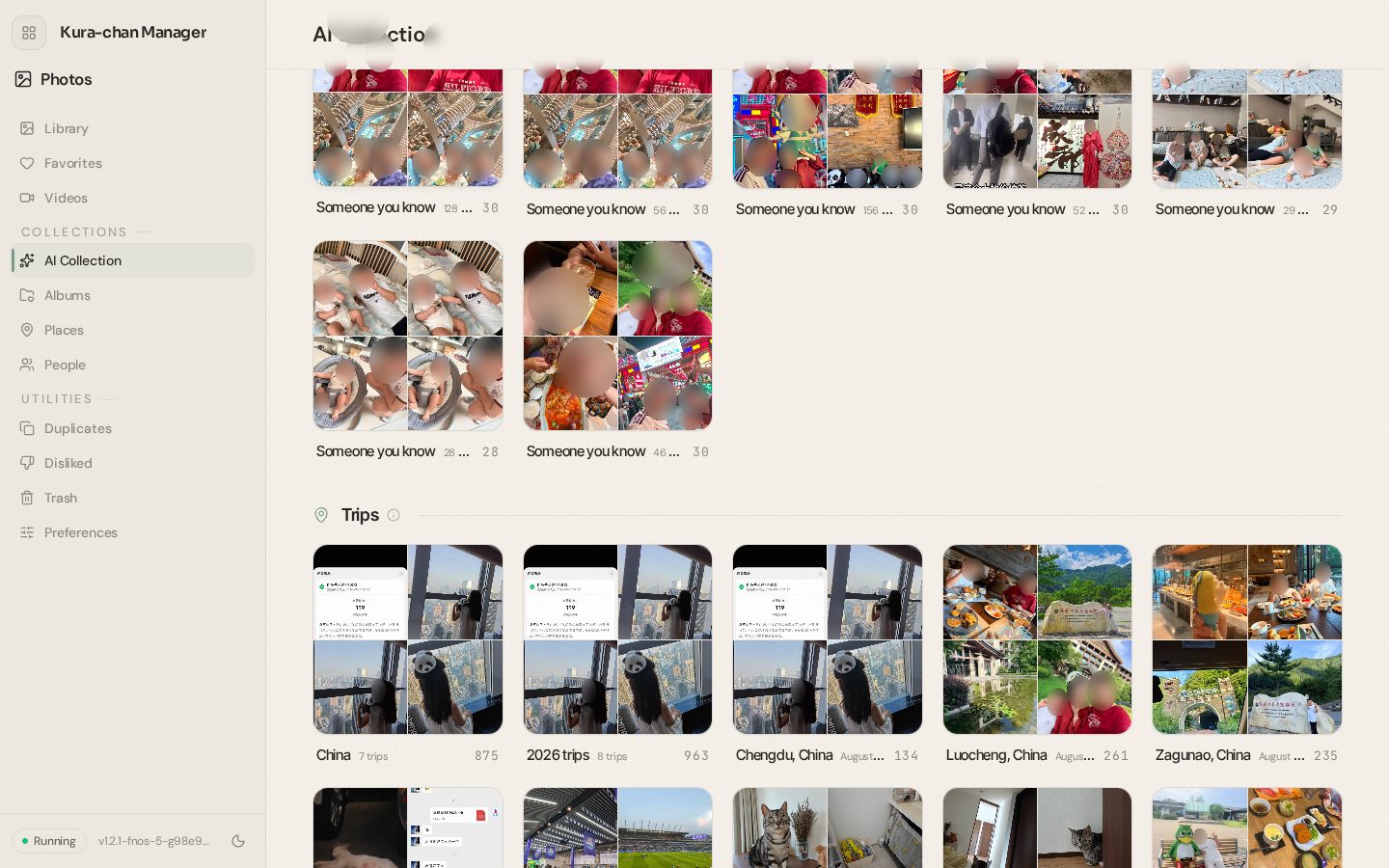
Kura-chan looks at the photos and builds collections on its own — best shots, smiling moments, "on this day", trips, even document photos. There is something new every time it's opened.
Best photos
Today's, this week's, this month's and all-time best, chosen by sharpness, faces and how good the photo looks.
Moments
Smiling moments, selfies and night shots.
Memories
"On this day" in past years, and a memory for each person who appears often.
Trips
Trips are detected automatically and grouped by trip, by country and by year.
Documents
Receipts, screenshots, slides, business cards, handwritten notes, printed pages, whiteboards, ID cards and tickets are sorted out automatically.
Make it yours
Remove photos that don't belong, add photos to document collections by hand, and save any collection as an album.
Duplicates and trashAlso in chat
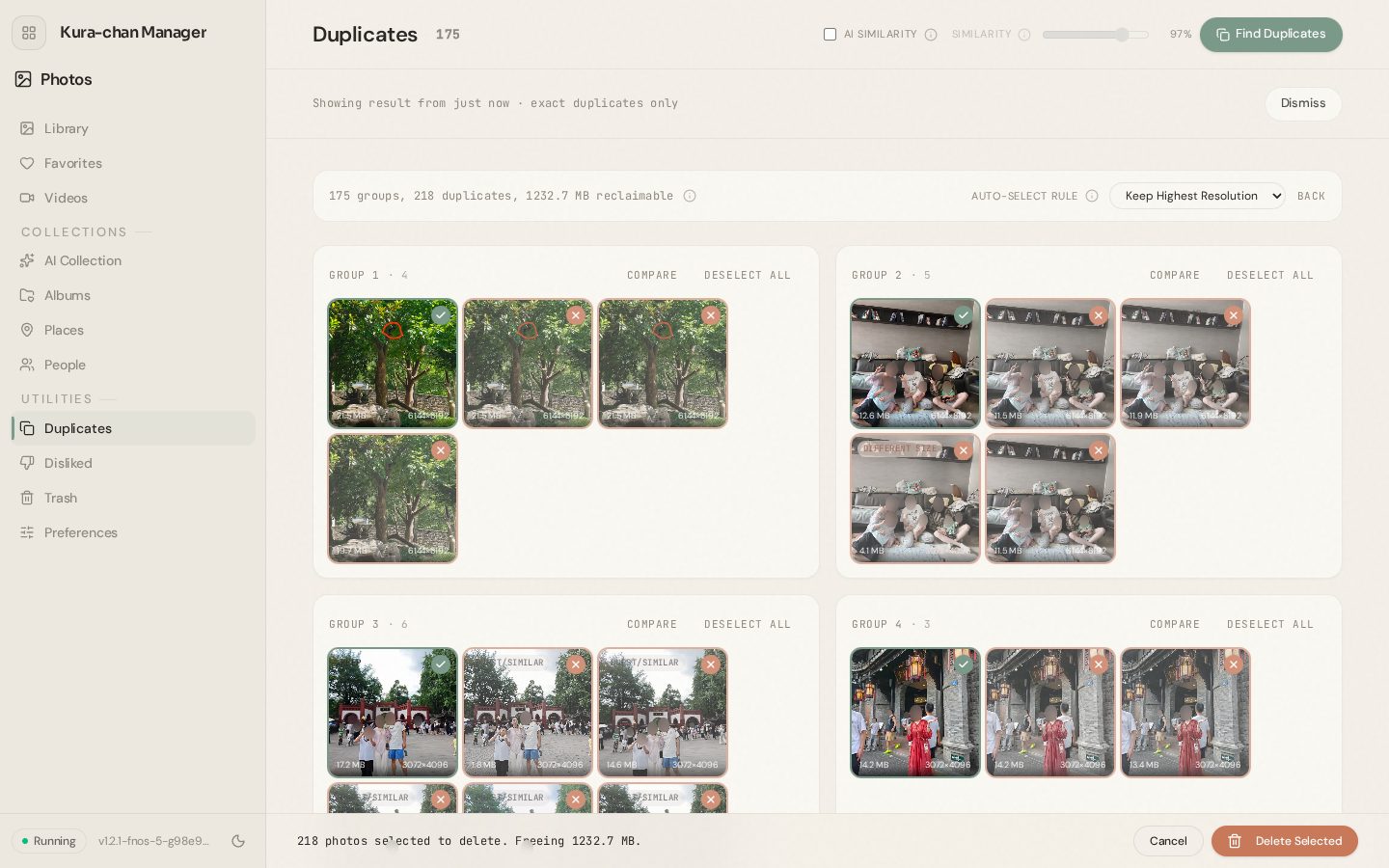
Find identical photos and near-identical burst shots, and keep only the best one. The space that will be freed is shown up front.
 Kura-chan
Exact and AI similarity
Exact copies, plus — with AI similarity on — photos that look alike. Sensitivity is set with a slider.
Automatic keep rules
Keep the highest resolution, newest or oldest. Photos can be compared side by side.
Trash
Deleted photos go to the trash first, where they can be restored or removed for good. A Live Photo's still and motion move together.
Collages and moviesAlso in chat
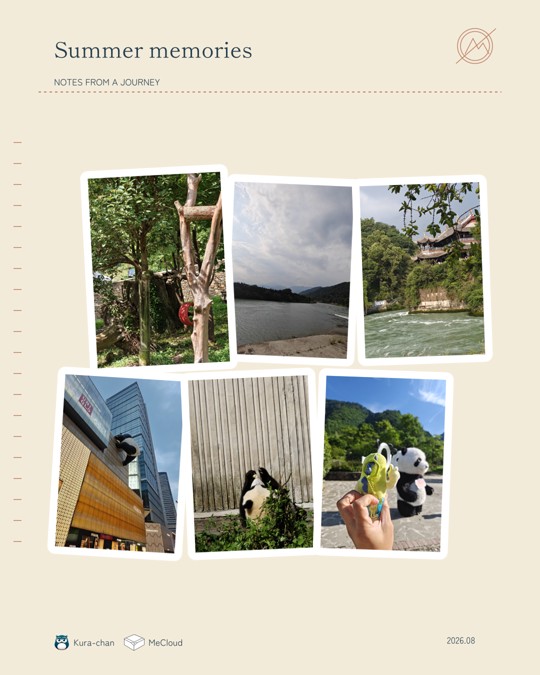
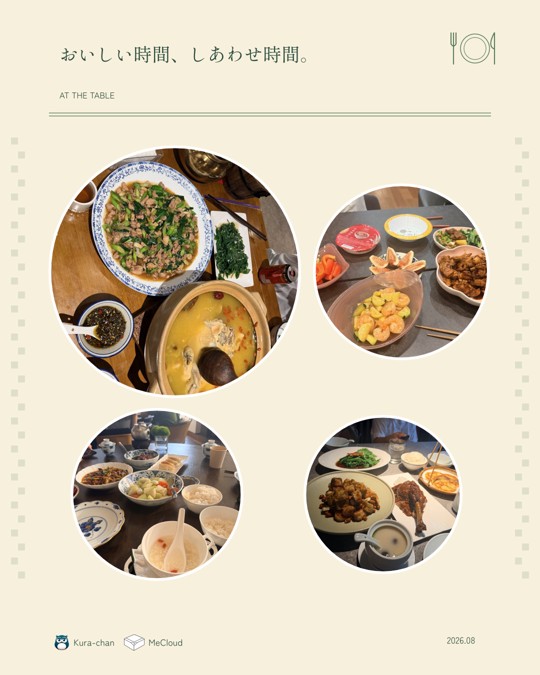
Pick 2 to 9 photos and get a designed collage or a short vertical movie with slow zooms. Photos are cropped so faces stay in frame.
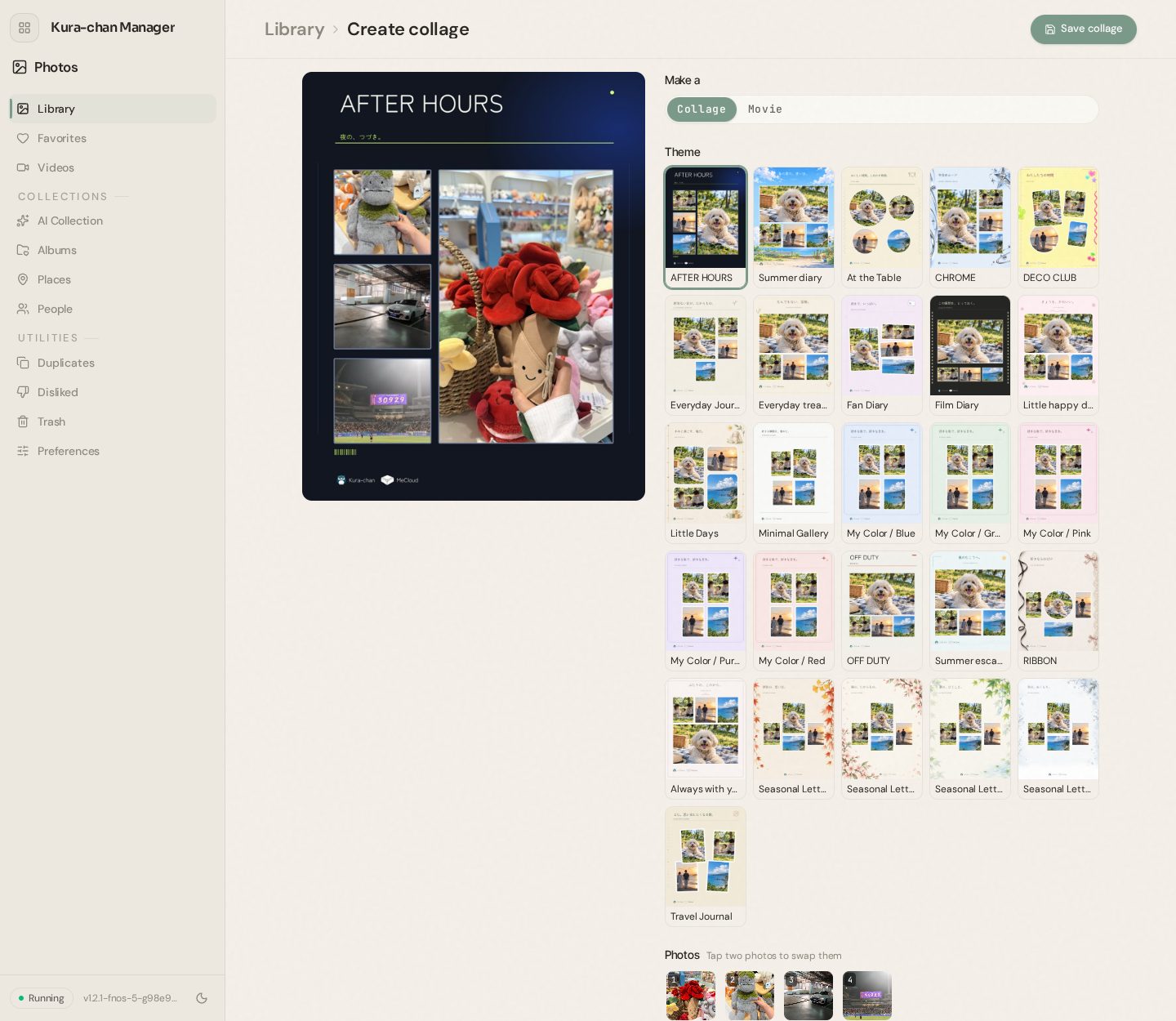
In chat, Kura-chan handles everything — picking the photos, the theme and the title. The finished piece arrives right in the chat, and changes are just a message away.
Kura-chan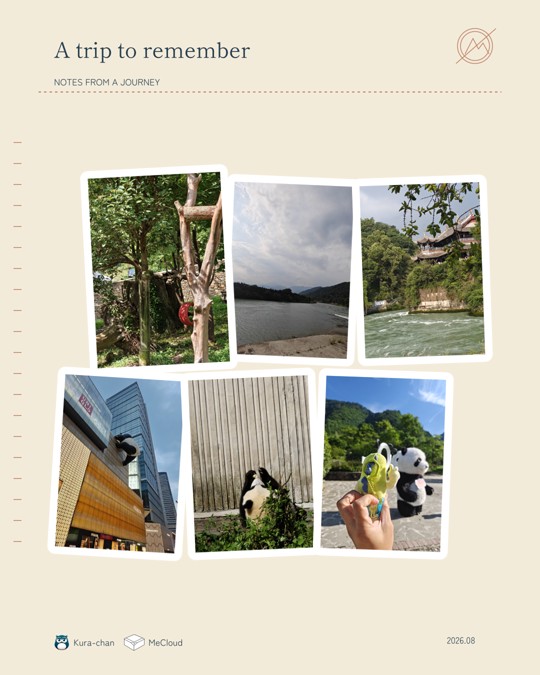
 Kura-chan
26 themes
26 themes covering family, travel, food, the four seasons, fan life (five "My Color" themes and Fan Diary), film-camera looks, minimal layouts and more — every one in both a collage and a movie version. Themes are packaged, so new ones can be added as packs.
Partner logo
Creations can carry a partner's logo (for example MeCloud) next to the Kura-chan mark. Users can turn the mark off per creation.
Easy editing
Change theme and layout, swap photos, edit the title, subtitle and date.
Save or download
Save to MeCloud's Creations folder or download directly.
AI photo editingAlso in chat
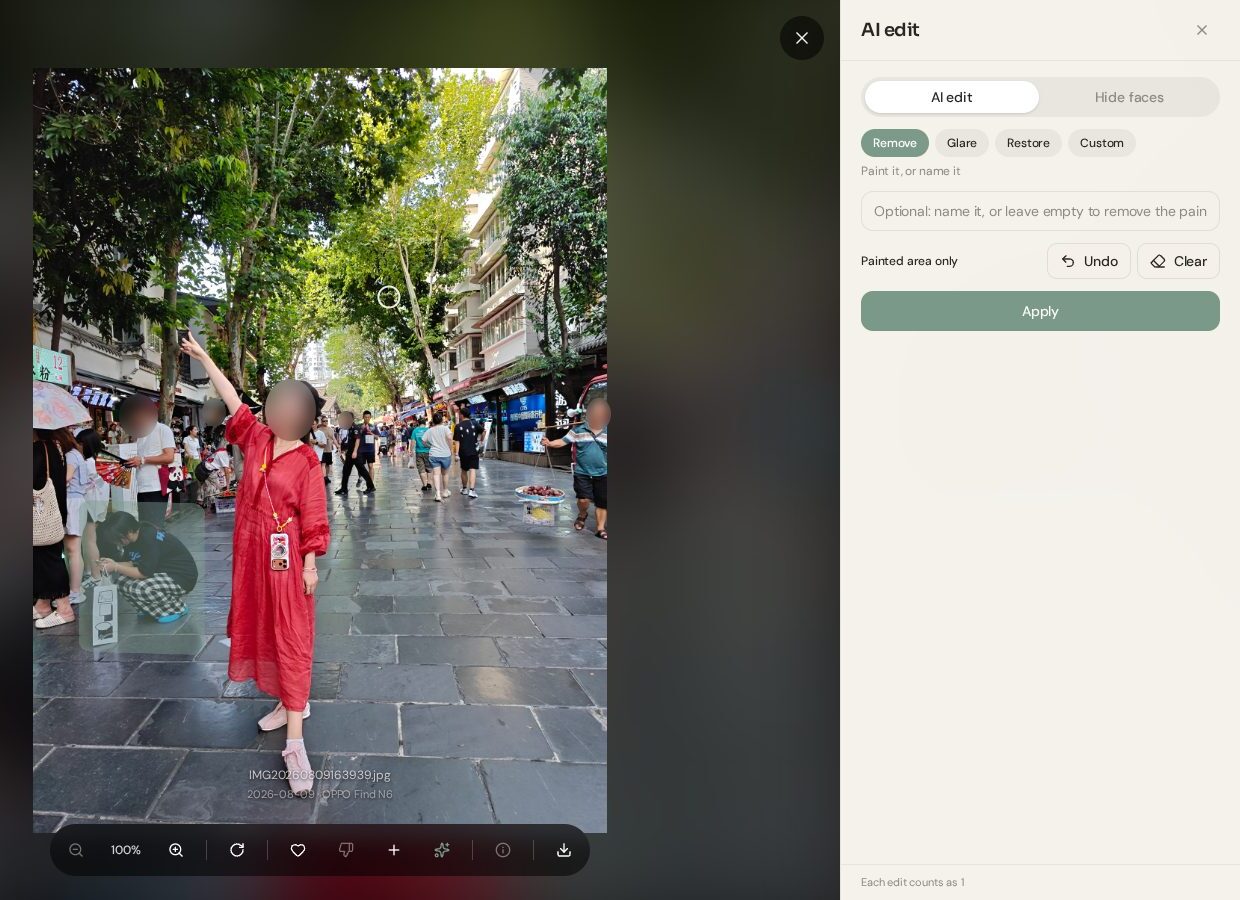
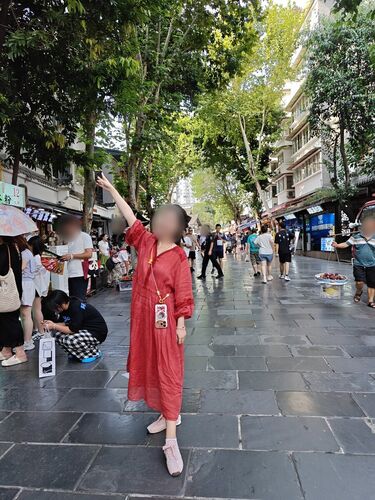
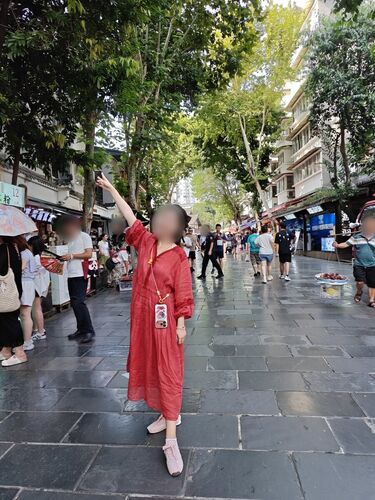
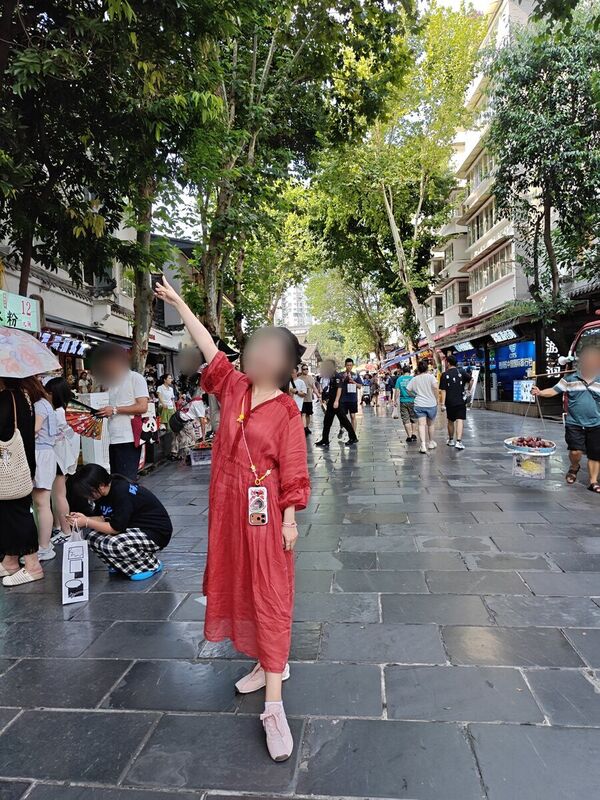
Remove what shouldn't be in the photo, clear reflections on glass, restore an old print, or describe any change in words. Paint where, or just say what. The result is saved as a new photo next to the original, and the original is never changed.
 Kura-chan
Examples: all real results
Every pair below is a photo Kura-chan actually edited and saved.
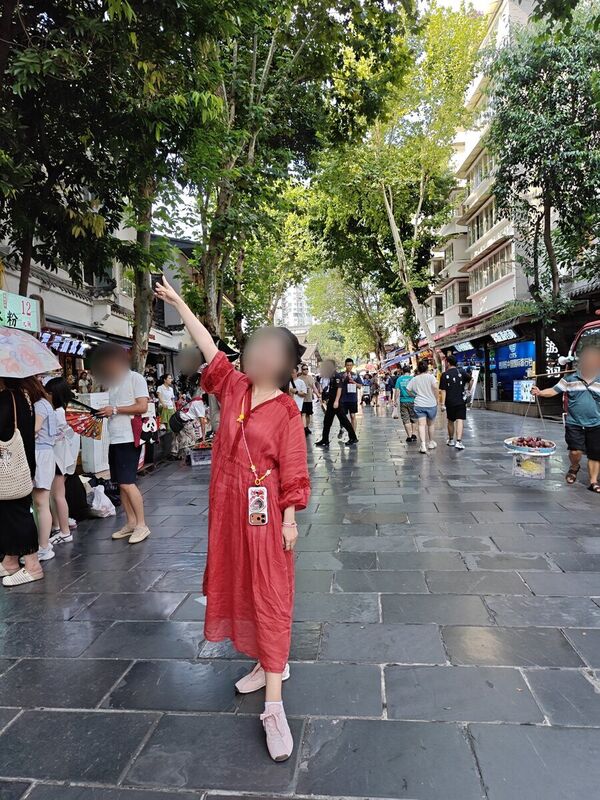
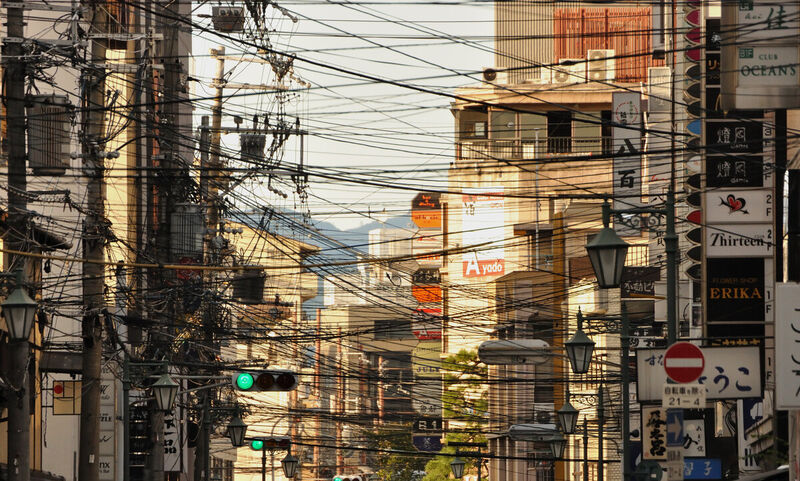
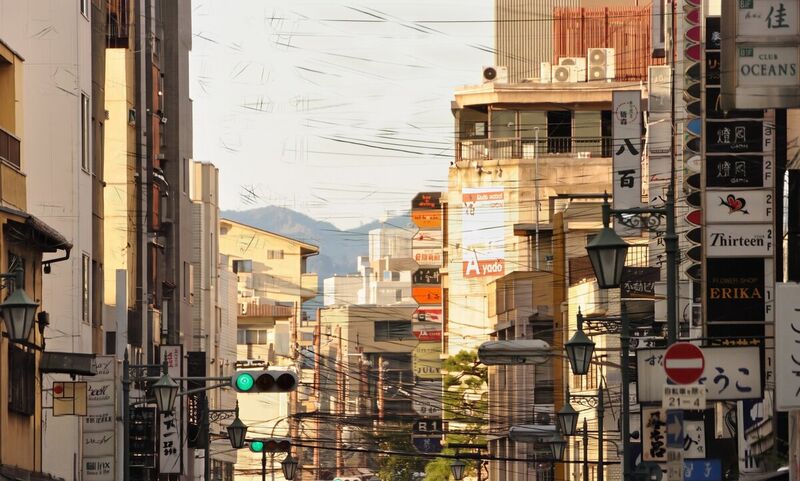
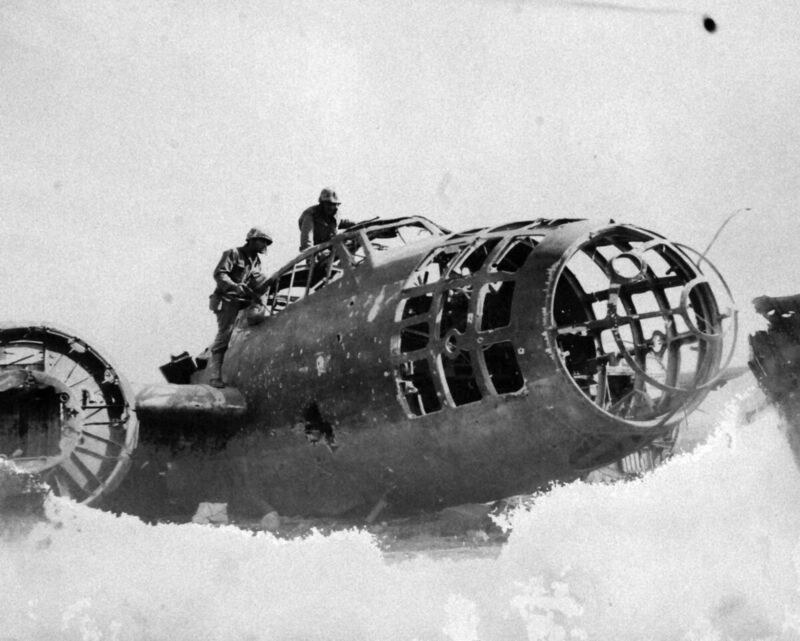

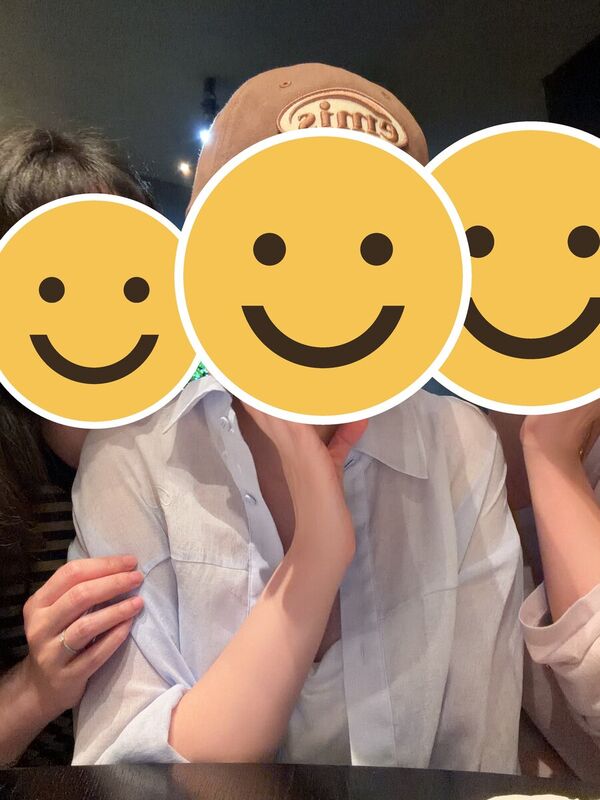
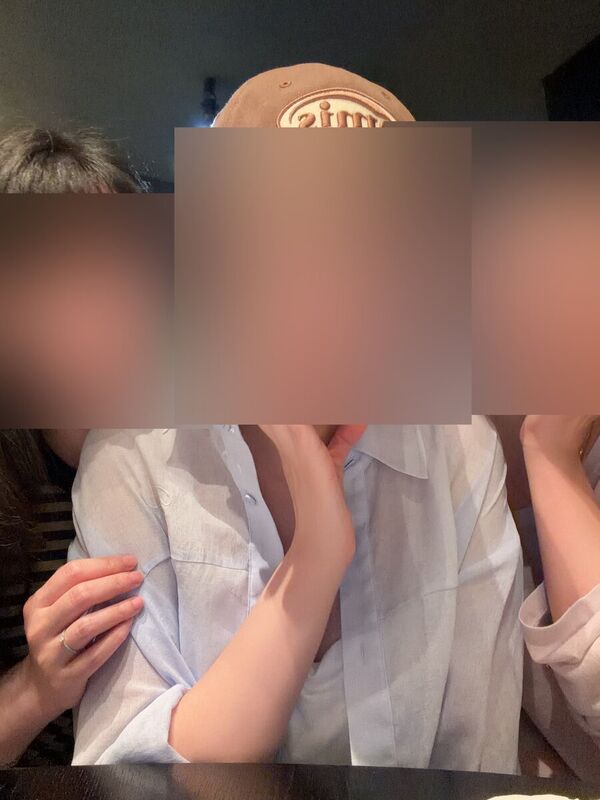
 Kura-chan
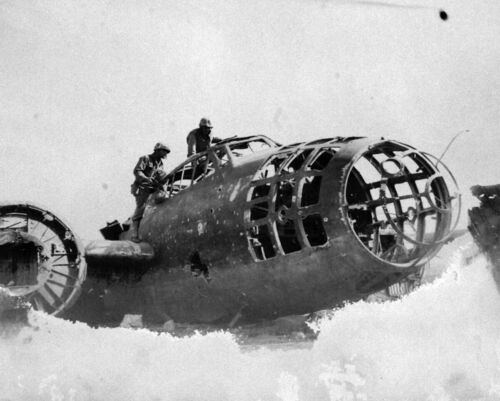
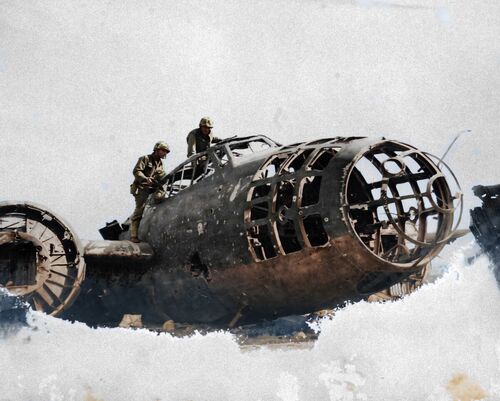
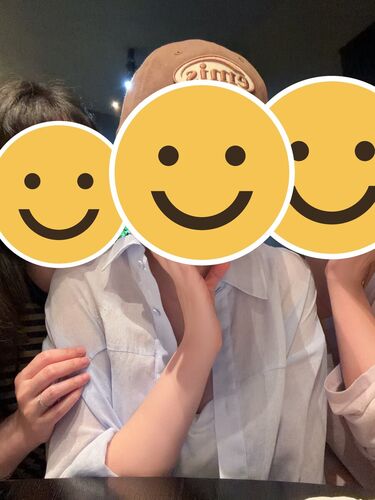
Paint it, or name it
Change only the painted area, or name the target in words like "the wires". Both together also work: "the people reflected in the glass" within the painted area.
Four modes
Remove, Glare, Restore and Custom. Restore and Glare are one tap — no need to describe what to fix.
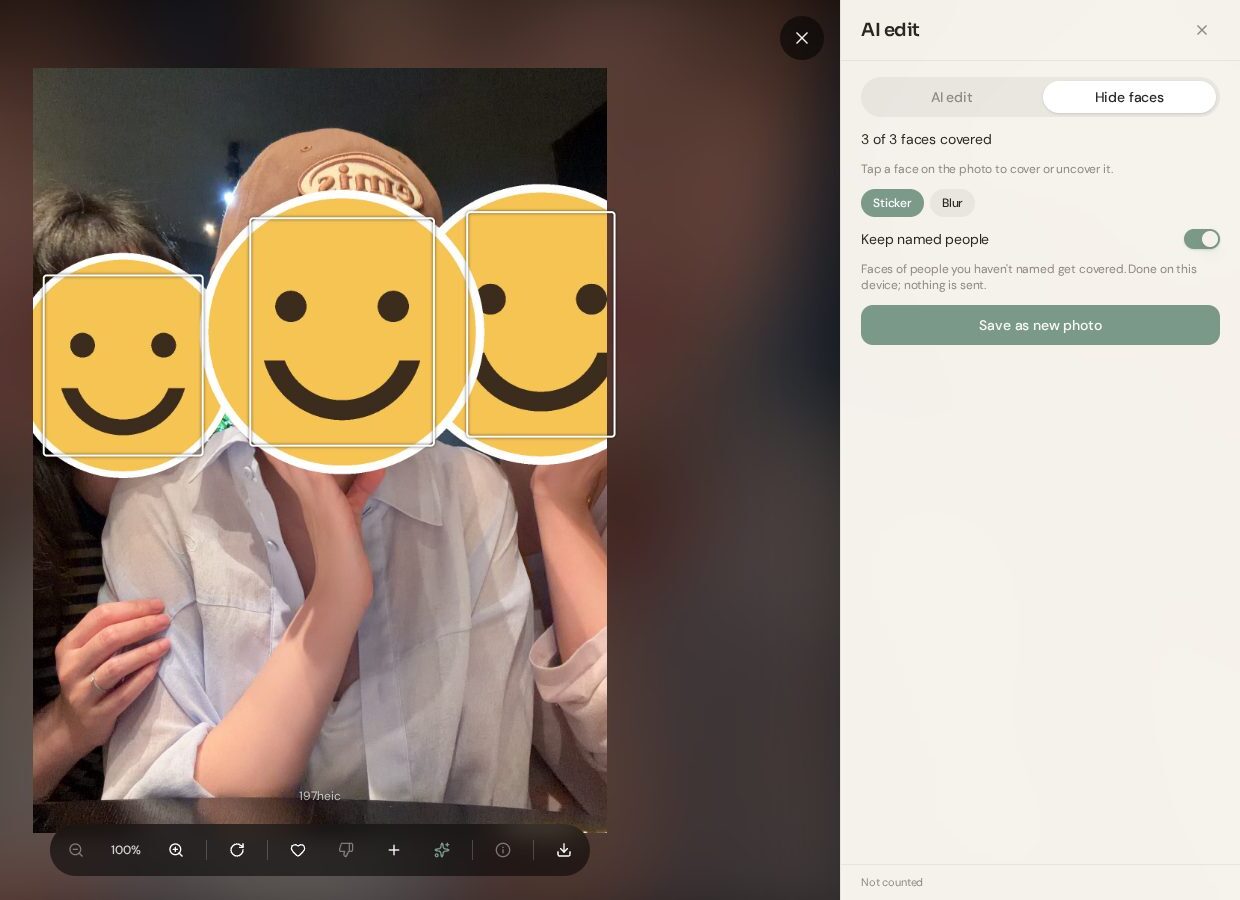
Hide faces stays on the device
Nothing is sent anywhere and nothing is counted. Named people stay visible, everyone else gets a sticker or a blur. Tap a face to cover or uncover it.
The original stays
The result is always saved as a new photo next to the original. It keeps the date taken and camera details, so it lands on the same day in the library.
Compare, then edit more
Hold to compare with the original. "Edit more" continues on top of the result, and anything can be discarded.
The count is always visible
Each edit counts as one, and this month's remaining count is always shown in the editor. An edit that couldn't be made isn't counted, and the reason is explained in plain words.
Consent before AI editing
AI photo editing requires consent before first use. The selected photo is sent to the AI model provider and the result is saved as a new photo. Hiding faces runs entirely on the device.
Photos in chat
No app needed: users talk to Kura-chan on LINE and other messengers to work with their photos. Kura-chan actually looks at the photos before it answers.
Kura-chan Kura-chan
Find and send photos
Finds photos by date, place, album and person, and sends photos and videos straight into the chat.
Answer questions
"How many photos last month?", "How many of this person?" — answered directly.
Create by chat
Kura-chan picks the photos, theme and captions and makes a collage or movie — and can edit it afterwards.
Edit photos with AI
Send a photo and say "remove the person on the left", "restore this old photo" or "hide the faces". The result is saved as a new photo and sent back in the chat.
Photos sent in are kept
Photos and videos sent in chat are saved to MeCloud. On LINE, the conversation around a photo is kept with it, so it can later be found as "grandma's birthday photos".
Explains empty results
If nothing is found, Kura-chan explains why (for example, still preparing) and what to do next.
Photos become data (Memory Kura)Also in chat
Receipt and business-card photos don't stay just photos. Kura-chan reads them and saves them as structured data that can be searched, totalled and exported. Values are kept in the document's own language, so they can always be checked against the original.
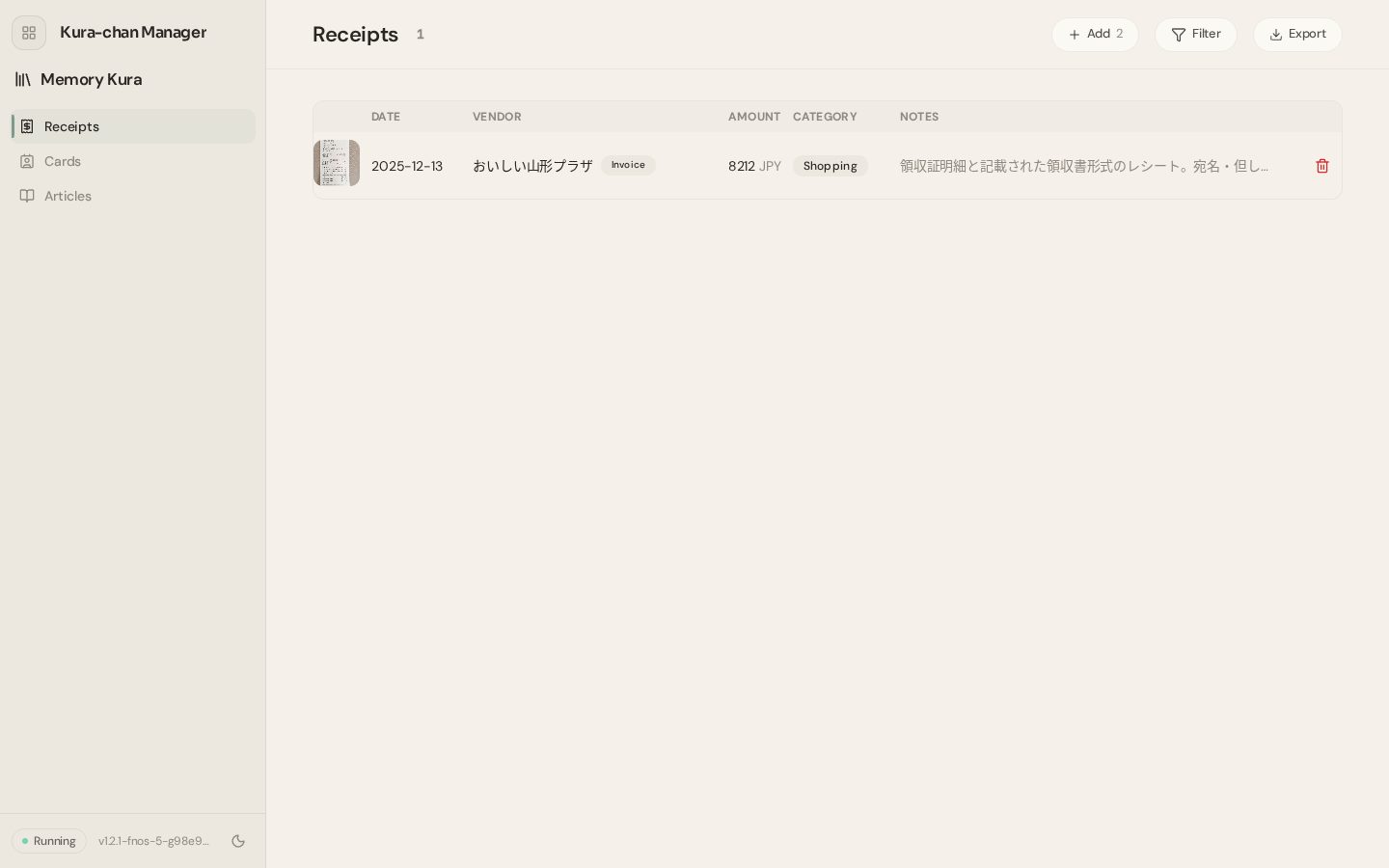 Kura-chan
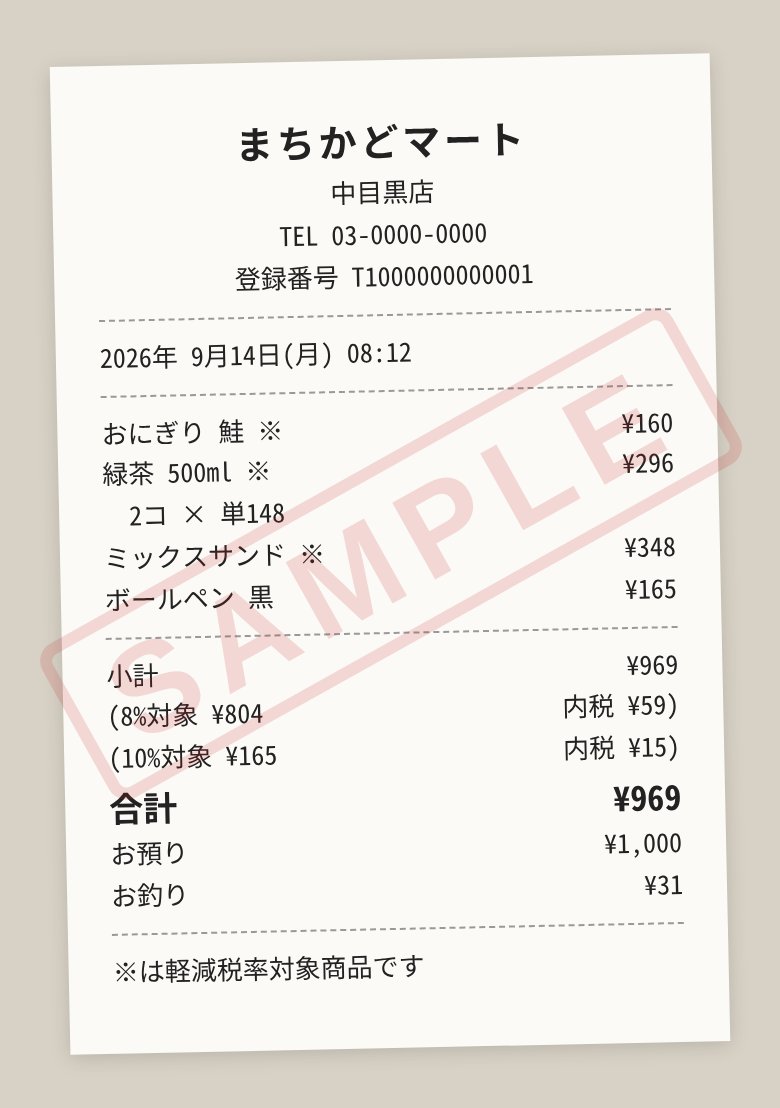
まちかどマート 中目黒店
Sep 14, 2026 · ¥969 (Groceries)
4 items: onigiri, 2 green teas and more
Receipts, 領収書 and invoices
Register receipts, formal 領収書 and invoices with a recipient and purpose, and receipts from abroad are all read. Each printed line is stored with its role — item, subtotal, tax, total, payment, change — and the headline amount is the one printed on the document.
| Kind | Receipt receipt |
|---|---|
| Vendor | まちかどマート 中目黒店 |
| Date | 2026-09-14 |
| Amount | 969 JPY |
| Category | Groceries groceries |
| Lines | おにぎり 鮭 160 / 緑茶 500ml ×2 296 / ミックスサンド 348 / ボールペン 黒 165 subtotal 969 tax 8% 59 · 10% 15 total 969 payment 1,000 change 31 |
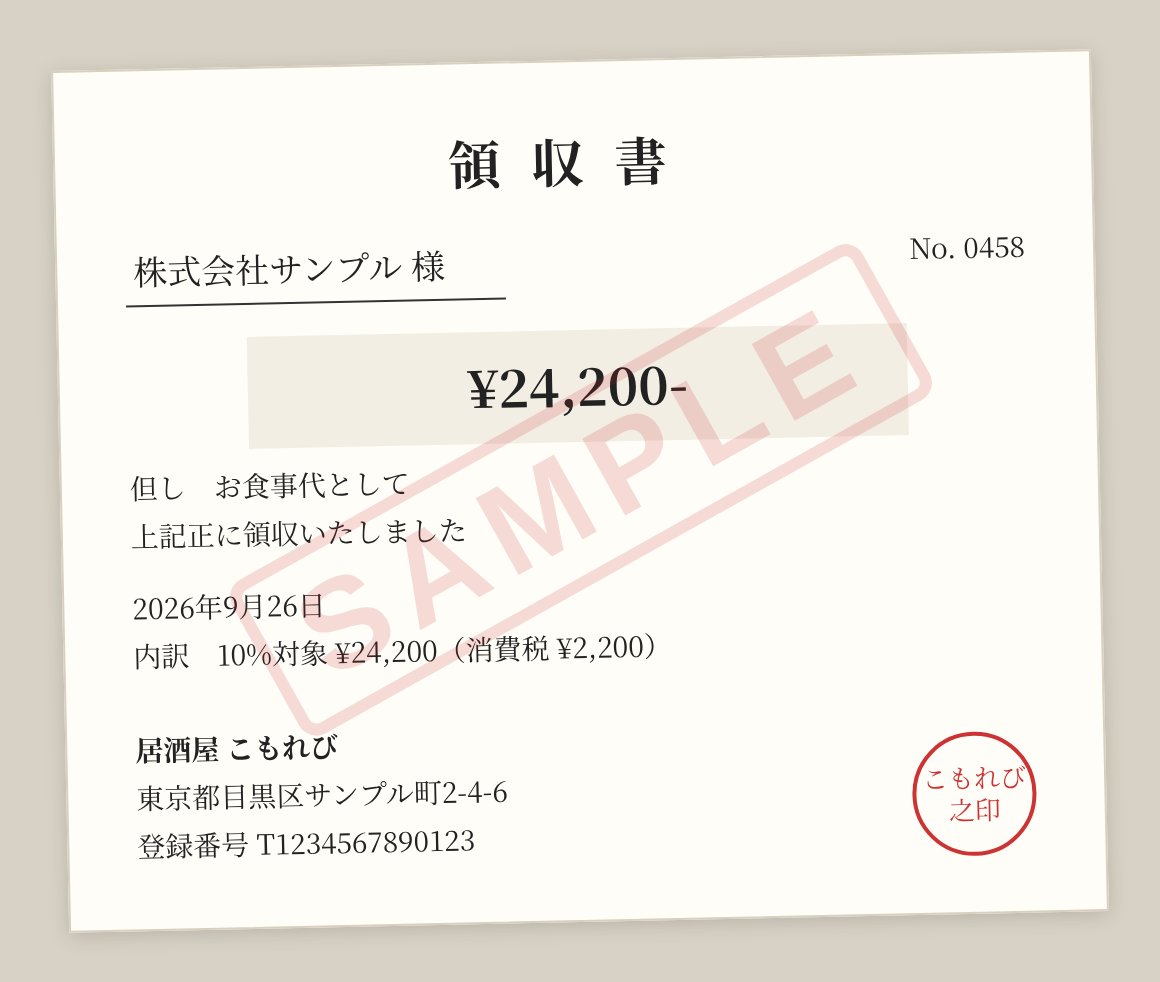
| Kind | Formal receipt / invoice invoice |
|---|---|
| Vendor | 居酒屋 こもれび |
| Date | 2026-09-26 |
| Amount | 24200 JPY |
| Category | Food & Dining food |
| Recipient | 株式会社サンプル 様 |
| Purpose | お食事代として |
| Registration no. | T1234567890123 |
| Document no. | 0458 |
| Lines | tax 10%対象 24,200(消費税 2,200) |
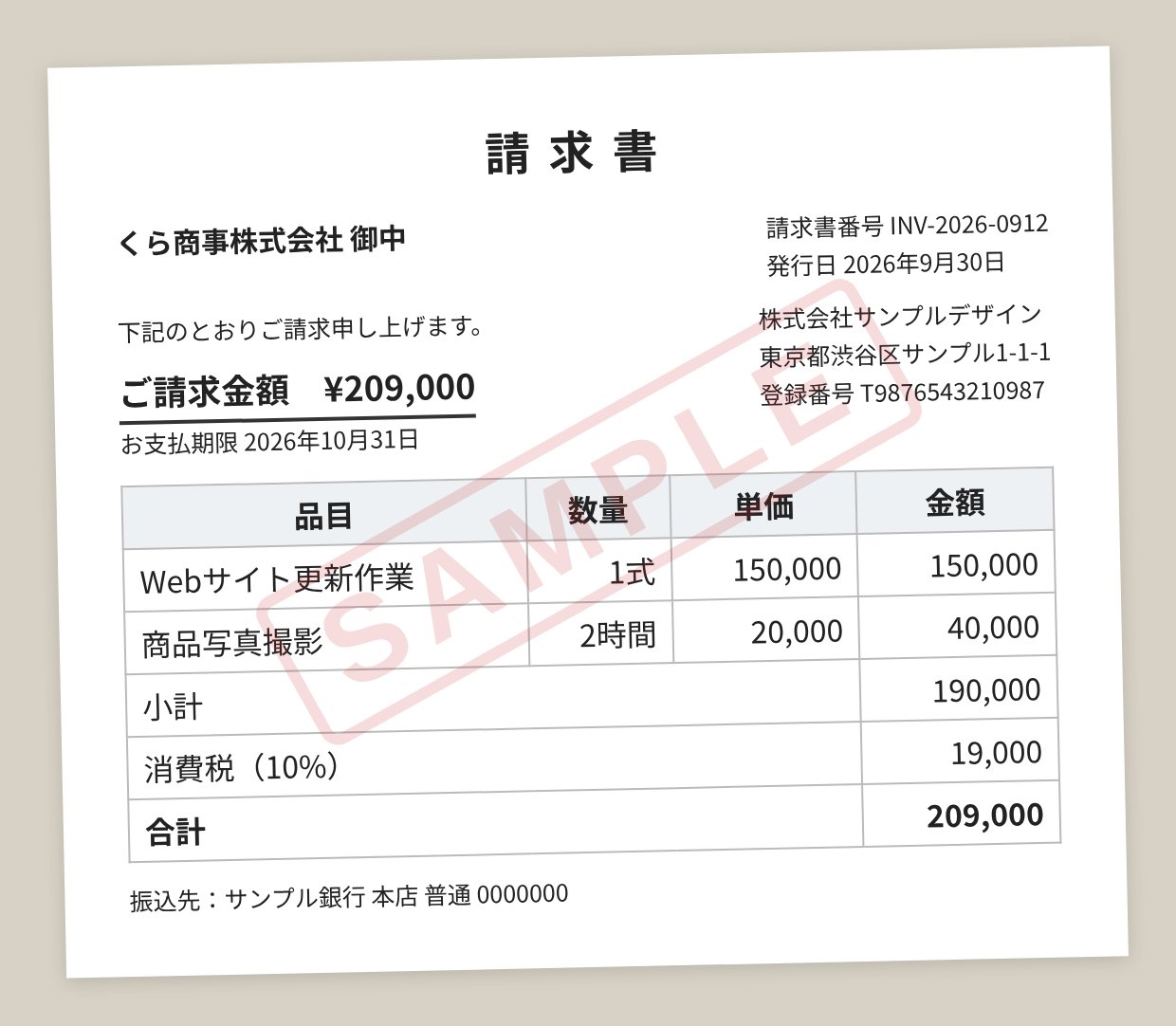
| Kind | Formal receipt / invoice invoice |
|---|---|
| Vendor | 株式会社サンプルデザイン |
| Date | 2026-09-30 |
| Amount | 209000 JPY |
| Category | Services services |
| Recipient | くら商事株式会社 御中 |
| Registration no. | T9876543210987 |
| Document no. | INV-2026-0912 |
| Lines | Webサイト更新作業 1式 150,000 / 商品写真撮影 2時間 40,000 subtotal 190,000 tax 10% 19,000 total 209,000 |
| Other | お支払期限: 2026年10月31日 / 振込先: サンプル銀行 本店 普通 0000000 |
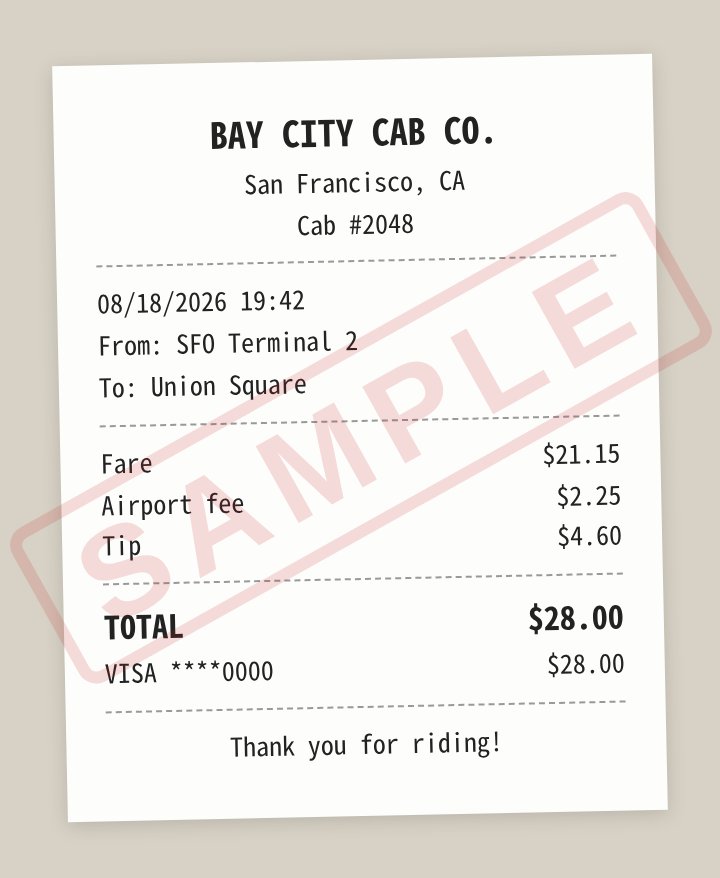
| Kind | Receipt receipt |
|---|---|
| Vendor | BAY CITY CAB CO. |
| Date | 2026-08-18 |
| Amount | 28.00 USD |
| Category | Transport transport |
| Lines | Fare 21.15 / Airport fee 2.25 / Tip 4.60 total 28.00 payment VISA 28.00 |
| Other | From: SFO Terminal 2 / To: Union Square |
Business cards
Horizontal, vertical and English cards are all read for name, company, title, phone numbers, email, address and website. Multiple phone numbers or emails are all kept.
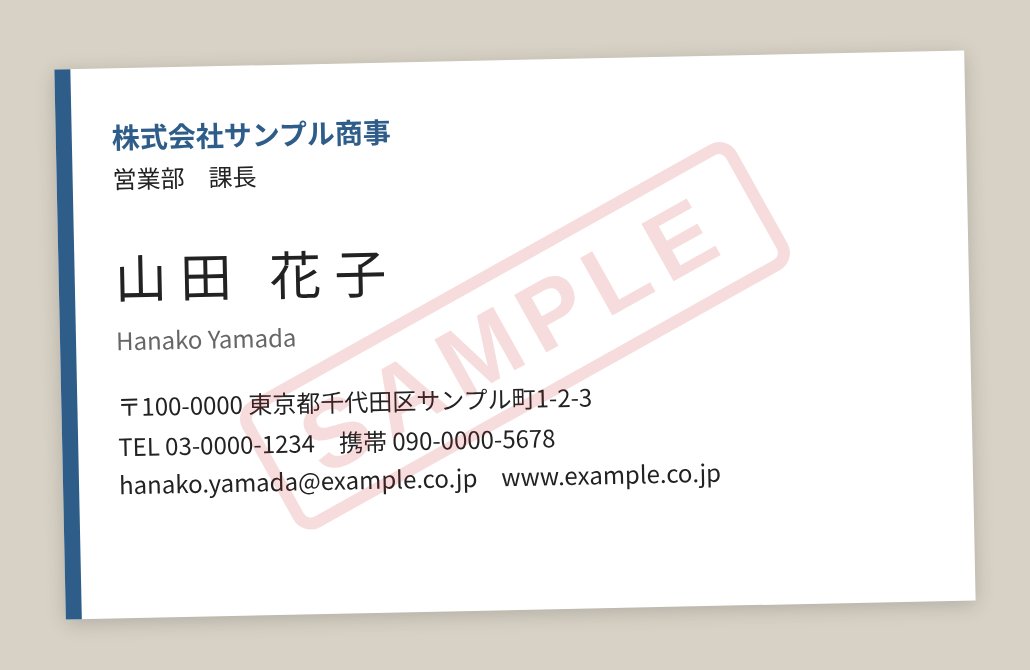
| Name | 山田 花子 |
|---|---|
| Company | 株式会社サンプル商事 |
| Title | 営業部 課長 |
| Phones | 03-0000-1234 090-0000-5678 |
| hanako.yamada@example.co.jp | |
| Address | 〒100-0000 東京都千代田区サンプル町1-2-3 |
| Website | www.example.co.jp |
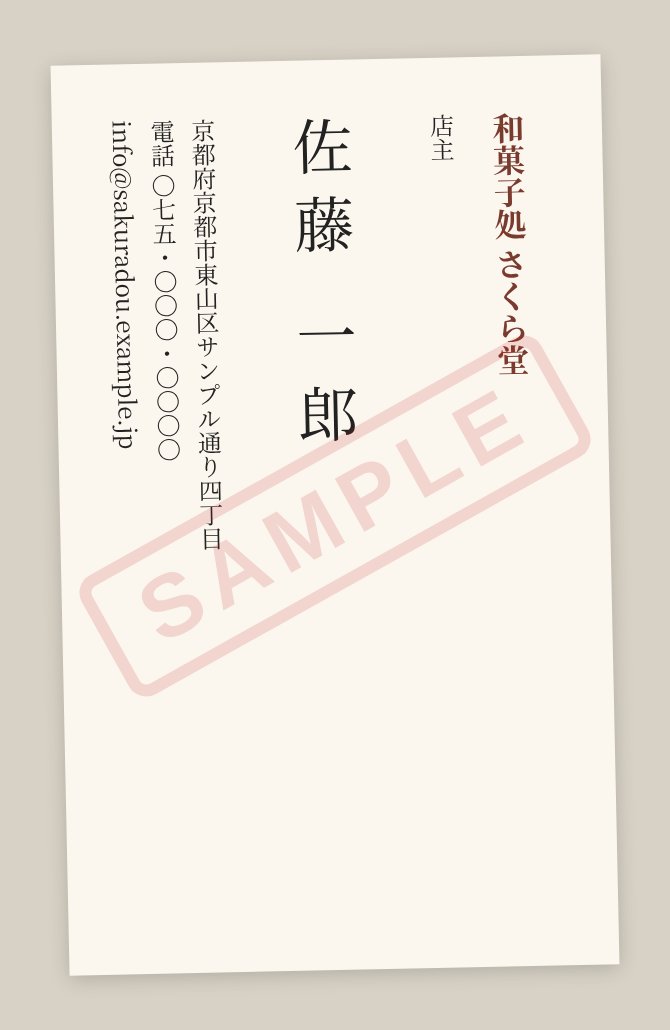
| Name | 佐藤 一郎 |
|---|---|
| Company | 和菓子処 さくら堂 |
| Title | 店主 |
| Phones | 075-000-0000 |
| info@sakuradou.example.jp | |
| Address | 京都府京都市東山区サンプル通り四丁目 |
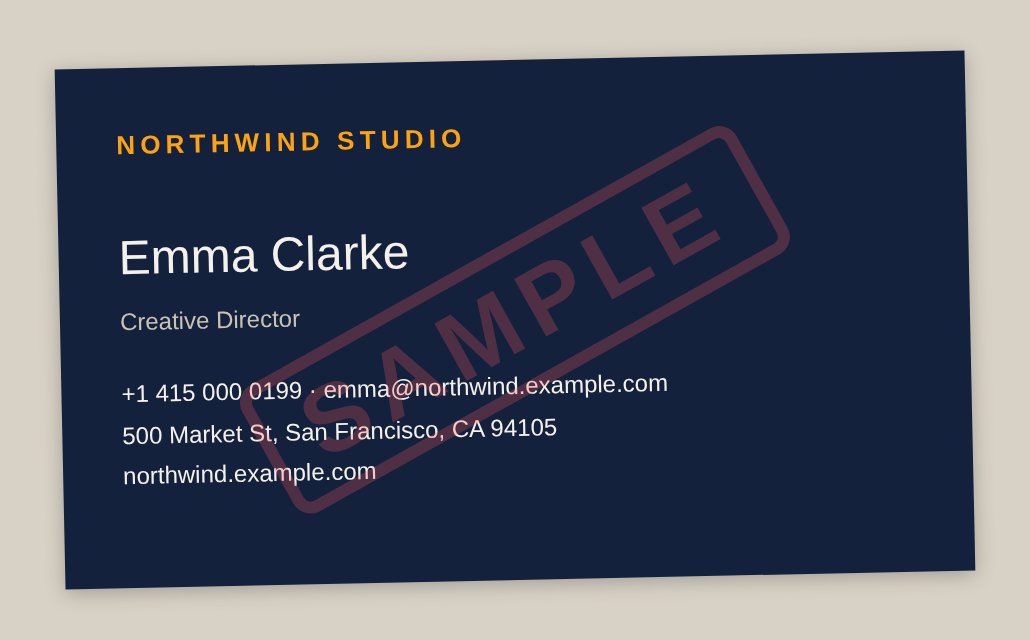
| Name | Emma Clarke |
|---|---|
| Company | Northwind Studio |
| Title | Creative Director |
| Phones | +1 415 000 0199 |
| emma@northwind.example.com | |
| Address | 500 Market St, San Francisco, CA 94105 |
| Website | northwind.example.com |
The stored record (JSON)
Every record is stored on MeCloud as structured JSON. The 領収書 above becomes this single record:
{
  "kind": "invoice",
  "vendor": "居酒屋 こもれび",
  "date": "2026-09-26",
  "amount": "24200",
  "currency": "JPY",
  "category": "food",
  "recipient": "株式会社サンプル 様",
  "purpose": "お食事代として",
  "registration_no": "T1234567890123",
  "document_no": "0458",
  "items": [
    { "role": "tax", "name": "10%対象 24,200(消費税)", "amount": "2200" }
  ],
  "source_photo": "/kuraclaw/Photos/2026/9/IMG_0458.jpg"
}
Kura-chanFile: the receipt photo
Company: 株式会社サンプル
OK to go ahead?
Kura-chanEmma Clarke, Creative Director at Northwind Studio
+1 415 000 0199
Send it, it's recorded
A photo that is clearly a receipt or a card is recorded right away, and Kura-chan replies with what it saved.
Sweep the library
Receipt and card candidates found by the AI Collection are worked through — recorded, removed, or left for the user to decide. In the app, it's one tap on Read.
Correct or delete by message
Amounts, vendors, categories, phone numbers — fixed just by saying so. Deleting is only done after showing the record and confirming.
Totals and search
Totals by period and category; cards searched by name, company, title, phone or email — including spelling variants such as 田中 / Tanaka.
Export for accounting
From the app, export filtered receipts as a ZIP with a printable ledger, a CSV and the original photos. With freee connected, receipts go into its file box straight from chat.
Tickets and notes become articles
Tickets, handwritten notes and printed pages are read and filed as articles.
Sources and AI preparationAlso in chat
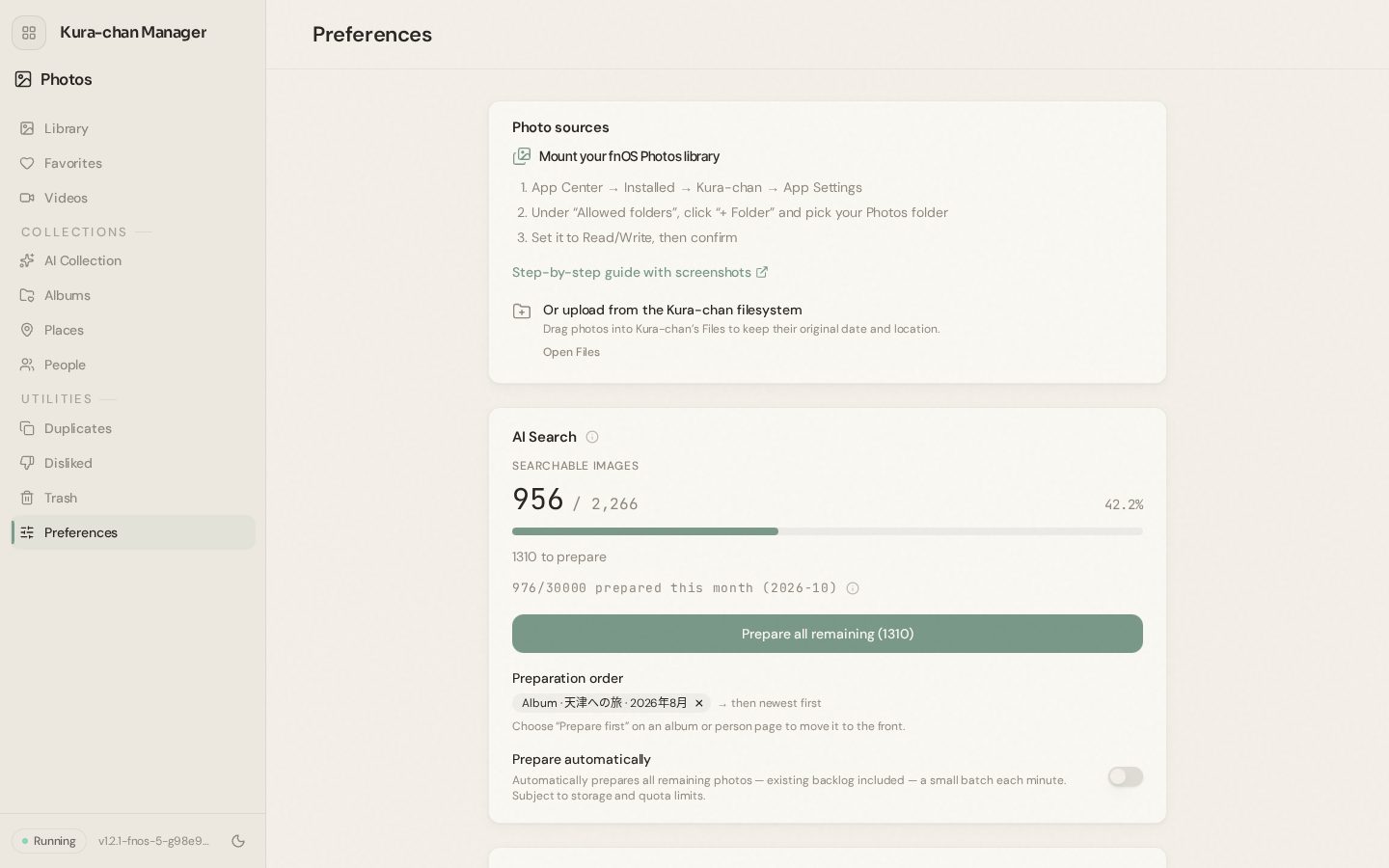
Connect MeCloud photo folder and it's ready to go. Preparation for the AI features runs gradually in the background, and progress and time remaining are always visible.
 Kura-chan
Photo sources
Connect the fnOS photo folder, or upload through Files with date and location kept.
Auto-prepare and priority
New photos are prepared automatically, and a specific album or person can be moved to the front of the queue.
Visible progress
Background work — thumbnails, faces, duplicates, documents — is shown in a progress indicator.
Data control
Search data and face data can be cleared at any time without touching the photos themselves.
Coming next — and much more
Kura-chan's photo features keep growing. Here is a look at some of what's planned next.
AI video editing
After photos, video: cut a trip into a highlight reel and add music — in the app, or just by asking in chat.
…and much more.
Making everyday photos more fun, and more useful.