
Kura-chan app: Albums
Albums keep a group of photos together. Create one manually, or preview and save a suggested album.
Save a suggested album
Section titled “Save a suggested album”The top of the Albums page can show up to six suggestions based on trips, gatherings, seasons, pets and more.
- Open a suggestion to preview its photos.
- Review the photos, edit the name if needed, and save it as a regular album containing the same photos.
- Dismiss suggestions you do not want; the same suggestion will not appear again.
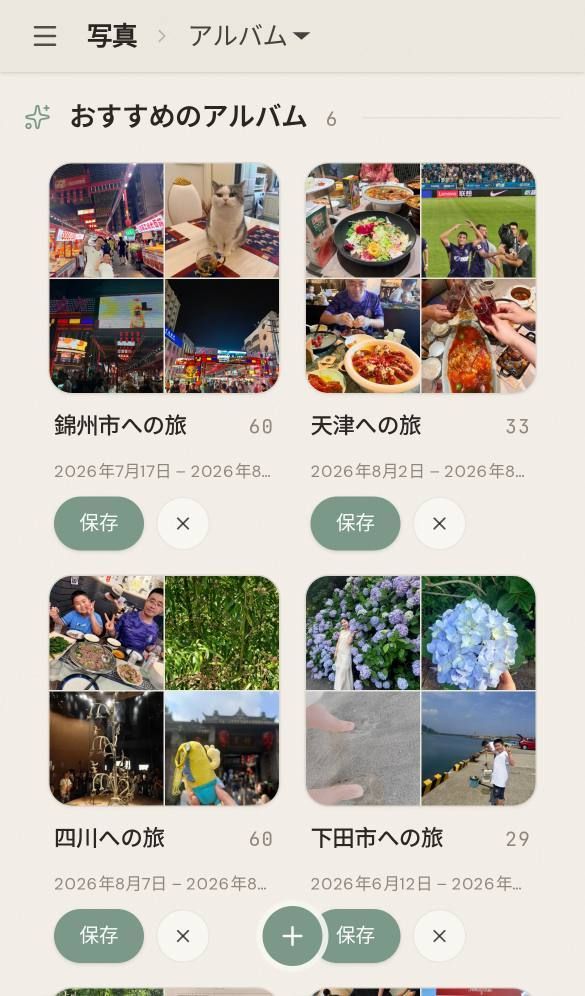
Suggestions are generated in the background and may not appear for every library. Seasonal and annual albums require the period to have ended. An annual album for a person also requires a name and photos from more than five different occasions during the year.
Image from v0.11.3, with its original interface language preserved.
Create an album
Section titled “Create an album”-
Click
Albumsin the left sidebar, then clickCreatein the top-right.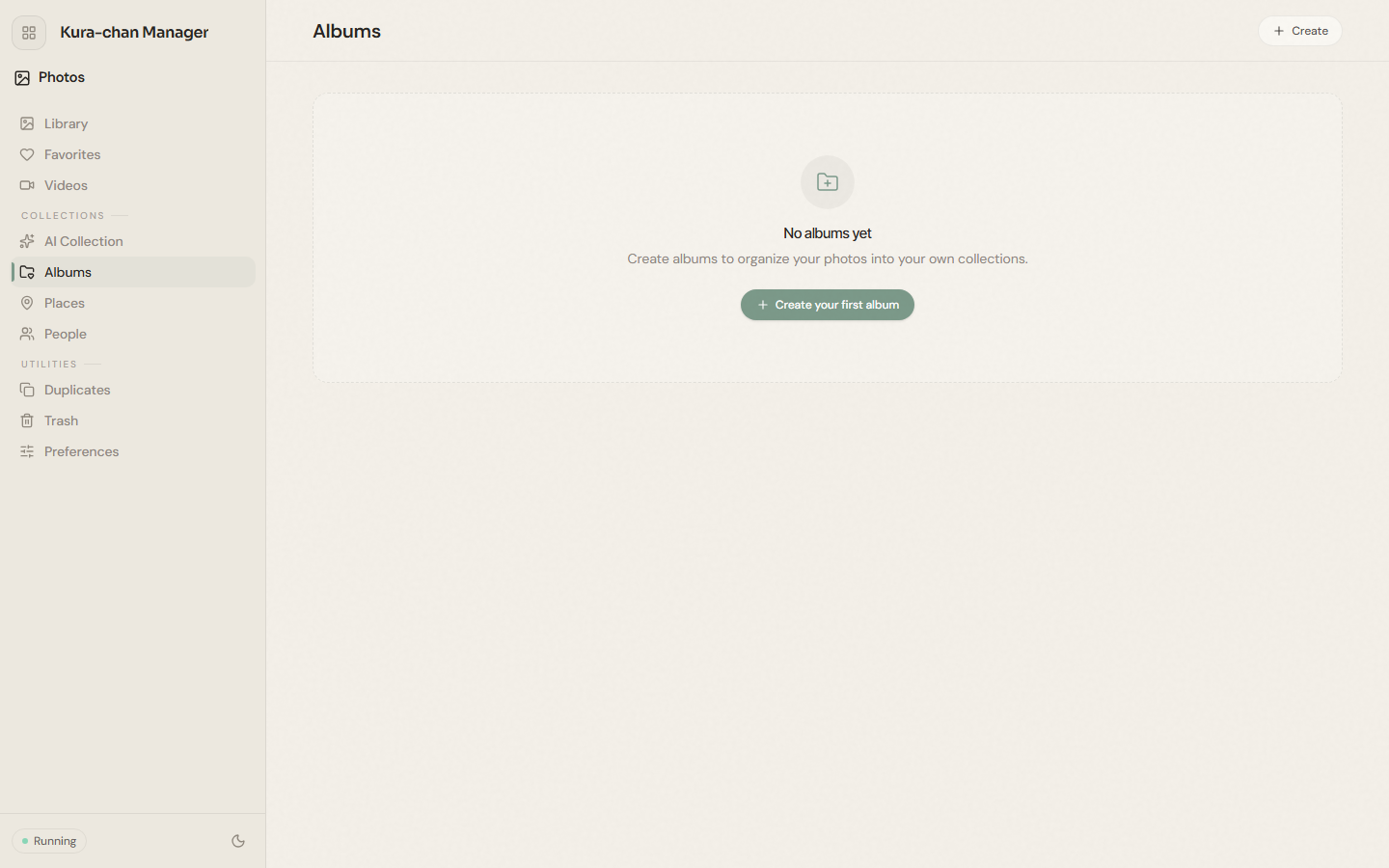
-
In the
New albumdialog, enter anAlbum nameand clickCreate. -
Once created, go to
Library, useSelectmode to pick photos, and useAdd to albumto place them in this album.
Next steps
Section titled “Next steps”To browse photos by location automatically, continue with Places.